
AI calling software in Indore lets a business call its enquiries back, and answer the calls that come in, with an AI voice assistant that speaks Hindi or Hinglish from the business's own phone number. Instead of a counsellor or receptionist working down a list by hand, the AI makes the first call, answers the common questions, and leaves you a recording, a short summary and a clear "interested or not" for every person.
Why the first call matters so much in Indore
Indore is known as a trading and education city for Madhya Pradesh, and as one of India's cleanest cities. Businesses here often get enquiries from three places at once: walk-ins, phone calls and Instagram or Facebook ads. The phone part is where things slip. A counsellor is in a demo class, the clinic front desk is busy with a patient, the site manager is out showing a flat, and the enquiry from last evening waits until it has gone cold.
AI calling covers the hours and the volume those people cannot.
Four Indore business types and what calls do for each
Coaching institutes and test-prep centres. Indore draws students from across the state. Institutes often run ads before every new batch and get far more form fills than counsellors can call. A webhook campaign dials each new lead within about a minute, asks which exam and which batch timing suits them, and marks the serious ones as leads. There is a ready-made course sales assistant for exactly this; see the coaching lead automation page.
Clinics and diagnostic centres. Patients call to ask about timings, fees and whether a test needs fasting. The AI can answer those calls on your business number 24/7 from the details you approved, and with Appointments set up it can book a slot during the call.
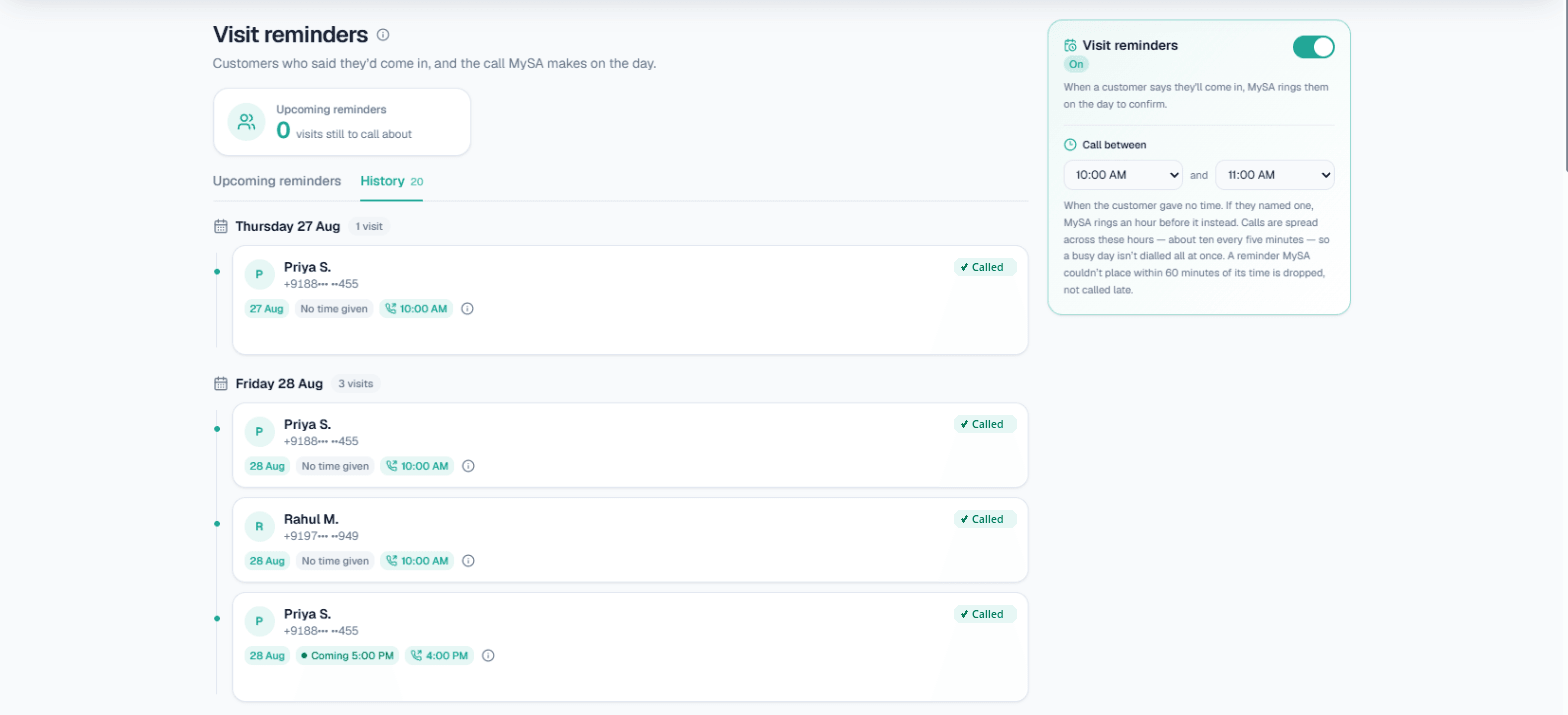
Builders and plot developers. Property enquiries need a quick callback and then a site visit. The AI can ask budget and preferred area, and when the buyer mentions a Sunday visit, a visit reminder call confirms it on the day.
FMCG and namkeen distributors. Distributors often call a long list of retailers to take reorders or announce a scheme. An outbound campaign uploaded from Excel can work through that list, and anyone who says "abhi busy hoon, shaam ko call karo" gets a follow-up call at the time they asked.
Example: a coaching enquiry called back in Hinglish
Example — a student filled a form on an Instagram ad at 9:40 pm. The institute's webhook campaign calls at 9:41.
AI: Namaste, main Indore ke XYZ Academy se bol rahi hoon. Aapne abhi CA Foundation batch ke baare mein form bhara tha — kya do minute baat kar sakte hain? Student: Haan, bataiye. Weekend batch hai kya? AI: Ji, details mein Saturday–Sunday ka batch diya hua hai. Kya aap demo class attend karna chahenge? Student: Haan, par fees papa se baat karke bataunga. Kal shaam call kar lena. AI: Bilkul, main kal shaam aapko call karwa deti hoon.
The institute sees a recording, a summary ("interested in weekend CA batch, will confirm fees with parent"), a positive tag, and a follow-up call already scheduled for the next evening. The AI only said what was in the Business Details; if the fee had not been written there, it would not have guessed one.
How WhatsApp, Instagram and Facebook fit around the calls
Most Indore enquiries start in chat, not on a call. MySA Business connects those channels to the same assistant:
- WhatsApp: Smart reply answers each message from your Business Details, in Hindi, English or Hinglish, whichever the customer writes in. When someone asks about price, a batch or a visit, the AI can ask once whether your team may call, and on "yes" an AI call goes out with a summary of the chat.
- Instagram: comment-to-DM and AI replies to DMs, with the customer's mobile number saved as a lead.
- Facebook: Page and Messenger replies, plus Lead Ads that feed a webhook campaign.
Your team still reads every chat in the inbox and can reply by hand at any time.
What works today, and what it does not do
| Works today | Does not do |
|---|---|
| Outbound calls from your own number, from Excel/CSV, API or one quick call | Send SMS campaigns or emails to customers |
| Inbound answering 24/7 in the language you choose | Store a turn-by-turn transcript (you get recording + summary) |
| Recording, AI summary, sentiment and tags on every call | Make up prices or policies you have not approved |
| Follow-up calls at the time the customer asked | Call inside your DND hours (calls are held, not lost) |
| Booking appointments and sending WhatsApp confirmations | Hand a chat to a human automatically (your team reads the inbox) |
How to evaluate AI calling software for an Indore business
Before you pick any tool, check these on a real call, not a demo video:
- Does it call from your own number, so people recognise the business?
- Can you hear it in Hindi and Hinglish on your own phone before paying for anything?
- Does it stay inside the facts you gave it, or does it improvise answers?
- What do you get after each call — recording, summary, a clear lead marker?
- Can it call back later at the time the customer asked, without you tracking it?
- Is pricing a prepaid wallet you control, or a monthly commitment?
There is a longer version of this list in how to choose AI calling software.
Getting started
Setup is online and takes one sitting:
- Sign up and verify your mobile number. Every workspace has a separate Test environment, and you get ₹100 of Test credit after the mobile check.
- Pick a ready-made assistant (course sales, booking, sales and consultation, or lead qualification) and write its purpose in plain language.
- Fill in Business Details — batches, fees, timings, location — and approve them.
- Press Try now. The AI rings your own phone, so you hear exactly what a customer would.
- Choose Hindi or Hinglish as the call language and listen on a test call. When it sounds right, go Live.
Calls of 10 seconds or less are free; longer calls are billed per started minute from a prepaid wallet. Your workspace rate is shown in the console, and for volume pricing you can contact sales.