
AI calling and WhatsApp automation in Jharkhand lets a business in Ranchi, Jamshedpur or Dhanbad hand its repetitive phone and chat work to one AI assistant. It calls lead lists, answers your business number at any hour, replies on WhatsApp, Instagram and Facebook, and, if you connect your own system, reads live facts such as an order's status in the middle of a call. Calls default to Hinglish; Hindi, English, Bengali and Odia are among the languages you can choose instead.
Here is how that maps to the work Jharkhand's businesses actually do.
Jharkhand's business mix, and where calls help
Jamshedpur is known as a steel and engineering city, Dhanbad is known for coal, and Ranchi, the capital, is a centre for education, healthcare and government work. Typical scenarios:
- Engineering suppliers and fabrication units around Jamshedpur. Buyers ring to ask whether their order is dispatched or when material will arrive. With live data connected, the AI can look it up while it talks, instead of a person digging through a register.
- Transport, equipment hire and spares dealers near Dhanbad. A lot of business is done by phone. Inbound answering on your business number means calls are not missed during site visits or after hours.
- Schools, colleges and coaching centres in Ranchi. Admission season brings a flood of enquiries. An outbound campaign calls each one and books a campus or counselling visit.
- Hospitals and diagnostic labs. The AI can answer common questions from your Business Details and book appointment slots, with WhatsApp confirmations and reminders.
- Tourism and hospitality around Ranchi and Netarhat. Resorts and homestays get booking questions on Instagram and WhatsApp, often from people planning a weekend trip.
How the four channels work together
AI calls run outbound campaigns from an uploaded list or your API, answer inbound calls 24/7, schedule a follow-up when someone asks to be called later, and transfer a caller to your colleague when they want a person. Every call is saved with a recording, a summary, sentiment and tags.
WhatsApp connects through Linked Devices. Smart reply answers each message in the customer's language; a missed-call auto-reply texts back callers you could not attend; Keyword Auto-Call turns a message containing your chosen keyword into an AI call, with a gap and daily cap per customer.
Instagram and Facebook get AI replies to DMs and Messenger, comment replies in four modes (off, public, private DM, or both), and comment-to-DM templates. Facebook Lead Ads can feed a webhook campaign so each form fill is called, usually within a minute.
Intent-based calling works on WhatsApp, Instagram and Facebook: when a chat shows buying intent and the customer has shared a number, the AI asks once whether your team may call; on a yes, an AI call goes out with the chat summary as context.
Live data: answering "where is my order?"
This is the part that matters most for Jharkhand's industrial suppliers. Live data (Custom APIs, enabled per workspace and set up by the Owner under Integrations → My APIs) lets the AI use your own system in one of two ways:
- Before each outbound call, the workspace fetches facts from your API, such as a pending order or today's rate, and hands them to the AI.
- During a call, the AI calls your API when the customer mentions something, such as an order number.
A workspace runs one of these two modes at a time. If your API fails, the call still goes on. In chats you tick which APIs to use under "Live data in replies". Details are on Custom APIs.
Example: a dispatch query in Jamshedpur
A fasteners and spares supplier has its inbound number on Hinglish, with the during-call mode connected to its order system.
Example
Caller: Haan ji, maine pichhle hafte bolts ka order diya tha. Order number 8842. Dispatch hua?
AI: Ek second, main check karti hoon. Order 8842 kal dispatch ho gaya hai, aur transporter ke hisaab se parson tak pahunch jana chahiye.
Caller: Theek hai. Aur 12 mm wale ka stock hai?
AI: Uske stock ki jaankari mere paas abhi nahi hai. Kya main aapko sales team se jod doon?
Caller: Haan, jod dijiye.
(The AI briefs the sales executive and connects the call.)
The supplier and order are invented. The AI quoted only what the API returned, said plainly what it did not know, and used call transfer for the rest. Transfer minutes are billed separately at the rate shown in the workspace.
Which channel first?
- Order and dispatch calls eat your day? Start with inbound calls plus live data.
- Admissions or enquiries come from ads? Start with Facebook Lead Ads and a webhook campaign.
- Customers message more than they call? Turn on WhatsApp smart reply and intent-based calling.
Limits, stated plainly
| Works today | Does not do |
|---|---|
| Reads your own API before or during calls | Run both live-data modes at once in one workspace |
| Says it does not know when a fact is not in your data | Make up stock, prices or delivery dates |
| Answers inbound calls 24/7 | Answer WhatsApp voice calls or listen to voice notes |
| Holds calls during your DND hours | Send SMS or email to customers |
| Live team inbox for every chat | Hand a chat to a person automatically |
Getting started
- Sign up and open the Test workspace, which has a wallet of its own.
- Verify your mobile number to get ₹100 of Test credit.
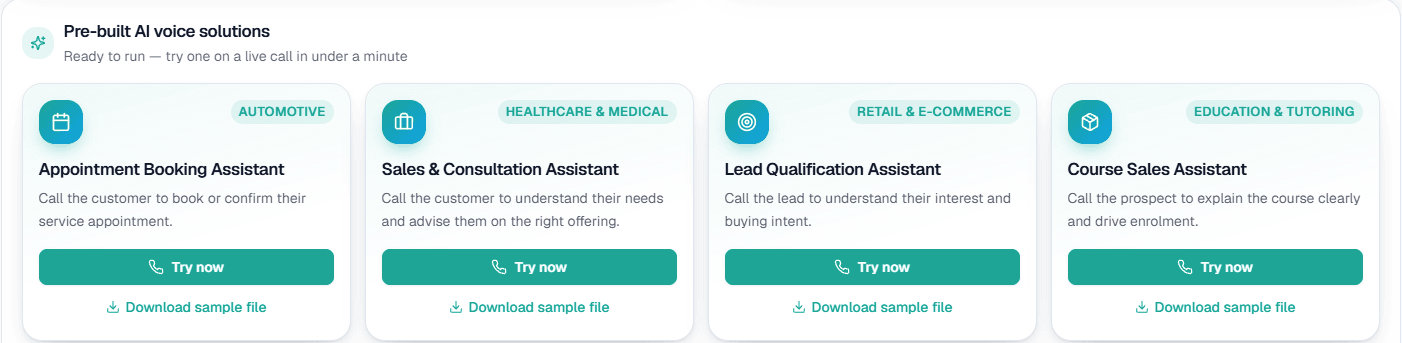
- Add your Business Details and choose an assistant: booking, sales and consultation, lead qualification or course sales.
- Press Try now and take the call on your own phone. If many of your customers speak Bengali or Odia, choose that as the call language and hear it on a Test call too.
- Go Live, set DND hours, connect your channels and, if needed, ask for Custom APIs to be enabled.
The wallet is prepaid with no subscription; your rate is shown in the console, and contact sales covers volume pricing.