
To handle more customer calls without hiring, a small team hands the repetitive part of the phone, such as timings, prices, "is it available?" and "call me later", to an AI assistant, and keeps the conversations that need a person. With MySA Business, the AI answers your business number and WhatsApp at any hour from facts you approved, books call-backs, and hands a caller to your team when they ask. Your team starts each day with a list of summaries instead of a list of missed calls.
This guide is for businesses where two or three people answer the phone between other work: a service company, a clinic front desk, a showroom, a coaching centre, an online store.
Where a small team's phone time actually goes
Before automating anything, look at a week of calls. In most small businesses they fall into three groups:
| Kind of call | Example | Who should take it |
|---|---|---|
| Same question, same answer | "Timings kya hain?", "Home delivery hai?", "Fees kitni hai?" | The AI, from your Business Details |
| A request that needs a time or a slot | "AC service kab ho sakti hai?", "Kal appointment mil sakta hai?" | The AI books it or sets a call-back |
| A problem, a negotiation, an angry customer | A complaint, a bulk discount, a refund | A person on your team |
The first two groups are usually the larger share, and they are the calls that get missed when the team is busy. The third group is where your team's time is worth most. The aim is not to remove people from the phone; it is to stop spending them on the first two.
What to hand to the AI
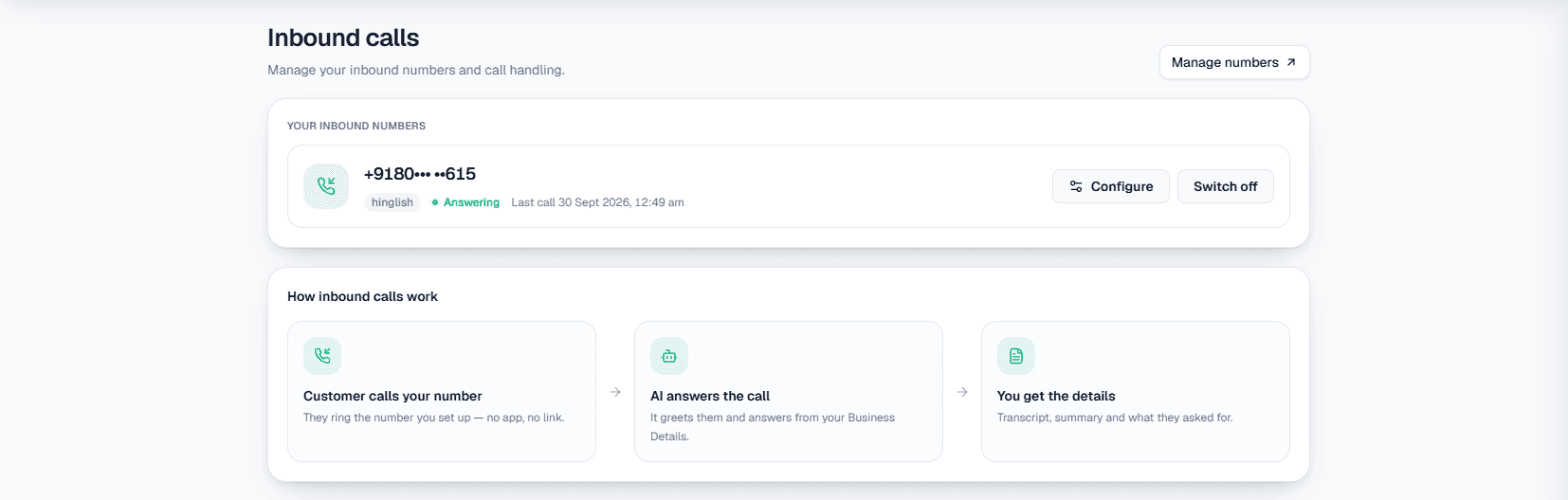
Answer every call, at any hour. Inbound calls on your business number are answered by the AI from your approved Business Details: services, prices you chose to share, areas, timings. A call at 9 pm is not a missed call any more; it is a summary waiting for the morning. The AI receptionist guide goes deeper into the front-desk side.
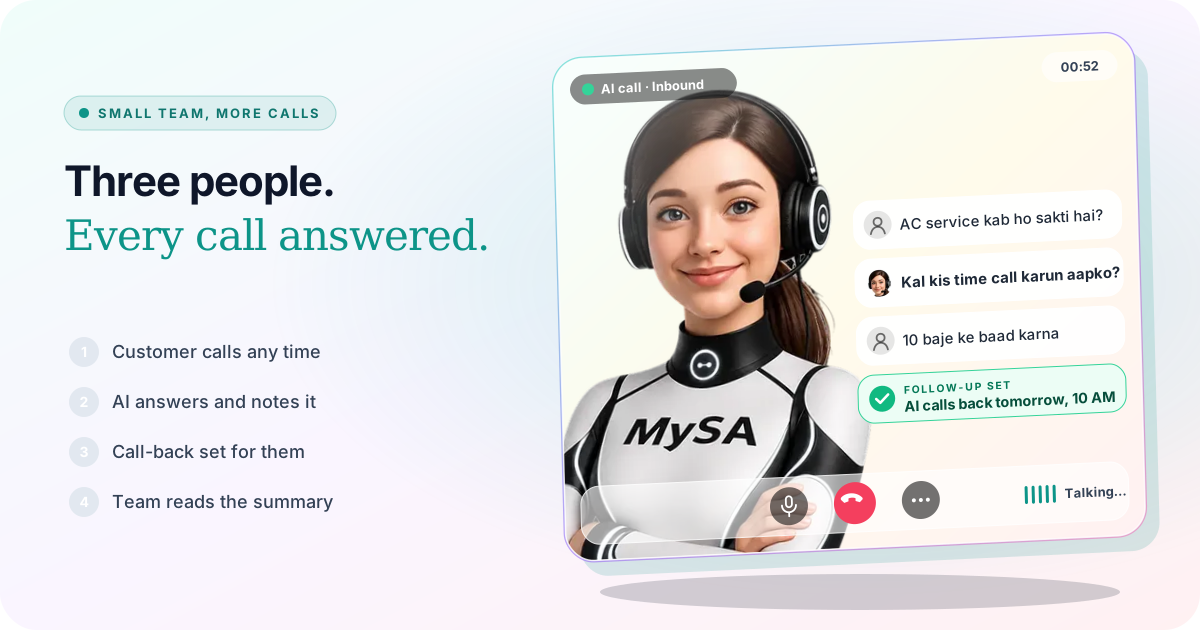
Call-backs at the time the customer asked. With Call customers back when they ask on, a caller who says "kal 10 baje ke baad call karna" gets that call from the AI. Call-backs from campaigns go to Follow-ups, and Auto-callback dials them at the scheduled time. See Follow-ups.
WhatsApp replies. Smart reply answers each WhatsApp message from the same Business Details, in the language the customer writes. If you could not pick up a customer's WhatsApp call, Missed call auto-reply can text them back; read WhatsApp missed call auto-reply.
Bookings. If you take appointments, the AI can book a slot during the call through Appointments, and the customer gets WhatsApp messages to confirm, change or cancel.
What to keep for your team
- Complaints and refunds. The AI can note the complaint and the customer's mood; the fix is yours.
- Anything you have not written down. The AI answers from your Business Details and does not invent prices, discounts or promises. If it is not there, the caller is told your team will get back.
- Customers who ask for a person. With call transfer, the AI rings the colleague you named, briefs them in a sentence and connects the caller. Transfer minutes are billed separately.
Example: an AC service company with three people
Example
Caller (8:40 pm): AC service kab ho sakti hai? Split AC hai, cooling kam hai.
AI: Ji, split AC ki service hum karte hain. Hamari team kal subah se slots dekhti hai. Aapko kal kis time call karun?
Caller: 10 baje ke baad.
AI: Theek hai, kal 10 baje ke baad aapko call aayega. Dhanyavaad.
The company is made up. Next morning the owner opens Call Logs: a summary ("split AC, low cooling, call after 10 AM"), the sentiment, the tags and the recording. The call-back goes out at the time the caller asked. Calls the AI could not settle are flagged Needs a human, so the team reads those first.
How the team's day changes
- Morning: read the night's summaries; take the calls flagged Needs a human first.
- Daytime: the AI keeps answering when everyone is on another call or out on a job; the team takes transfers and the problems.
- Evening: nothing is left ringing. Customers who called late get their call-back the next day, never inside your DND hours.
You can also send every lead to where your team already works, an email, a Google Sheet, a webhook or an API, with Lead Feed.
What works today, and what it does not do
| Works today | Does not do |
|---|---|
| Answers your business number 24/7 from approved Business Details | Answer things you have not written in your Business Details |
| WhatsApp replies in the customer's language | Answer WhatsApp voice calls itself |
| Call-backs at the time the customer asked | Fix a complaint or issue a refund |
| Hands a caller to a named colleague when asked | Keep a turn-by-turn transcript (recording and summary only) |
| Summary, sentiment and tags for every call | Replace the judgement of the people who know your customers |
These are scenarios, not customer stories. For a fuller look at support use cases, see AI customer support.
Getting started
- Create a workspace and verify your mobile number to get ₹100 of Test credit in the separate Test environment.
- Write and approve your Business Details: the questions your team answers ten times a day, with the answers.
- Press Try now: the AI rings your own phone. Ask it the questions your customers ask.
- Go Live, top up the prepaid wallet, and switch on inbound answering for your number.
Calls of 10 seconds or less are free; longer calls are billed per started minute. The rate for your workspace is shown in the console. Talk to sales for volume pricing.