
Wedding season enquiries are the calls and messages that pour into banquet halls, caterers, decorators and other wedding vendors once families start fixing dates: "December mein hall available hai?", "per plate kitna padega?", "Saturday dekhne aa sakte hain?". With MySA Business, an AI voice assistant answers your number and your WhatsApp from the details you approved, notes who plans to visit, and rings them on the day to confirm. Your team keeps the site visits, the tasting and the final deal.
Why the season is hard on a small vendor
In much of north and west India the season opens after Dev Uthani Ekadashi, which most panchangs place on 20 November in 2026, and runs through the winter. For a banquet hall or a caterer that means:
- Enquiries all day, every day. Families call in the evening and on Sundays, often several vendors at once.
- The same questions. Capacity, packages, parking, rooms for the baraat, decoration options.
- Visits that do not happen. A family says "Saturday aayenge" and then forgets, or goes to the vendor who called them back first.
The vendor who answers first and follows up reliably wins more of these. That is the part AI can carry.
Answer every call and chat from your own details
Put what you would tell a family into your Business Details: halls and capacities, menus and packages as you quote them, what is included, timings, parking, and your cancellation rules. The AI answers only from what you approved there.
- Calls. With inbound calls switched on for your number, the AI picks up, answers from your Business Details and notes what the caller wanted.
- WhatsApp. Smart reply (AI) answers each message in the language the customer writes in. Today's update covers what is true only today, such as "Hall 2 closed for maintenance till Friday".
One thing to be honest about: the AI does not know which dates are free unless that is in your Business Details, or in your own system connected under My APIs (Live data in replies). Without it, the AI takes the date the family wants and your team confirms availability.
Turn "Saturday aayenge" into a confirmed visit
Example
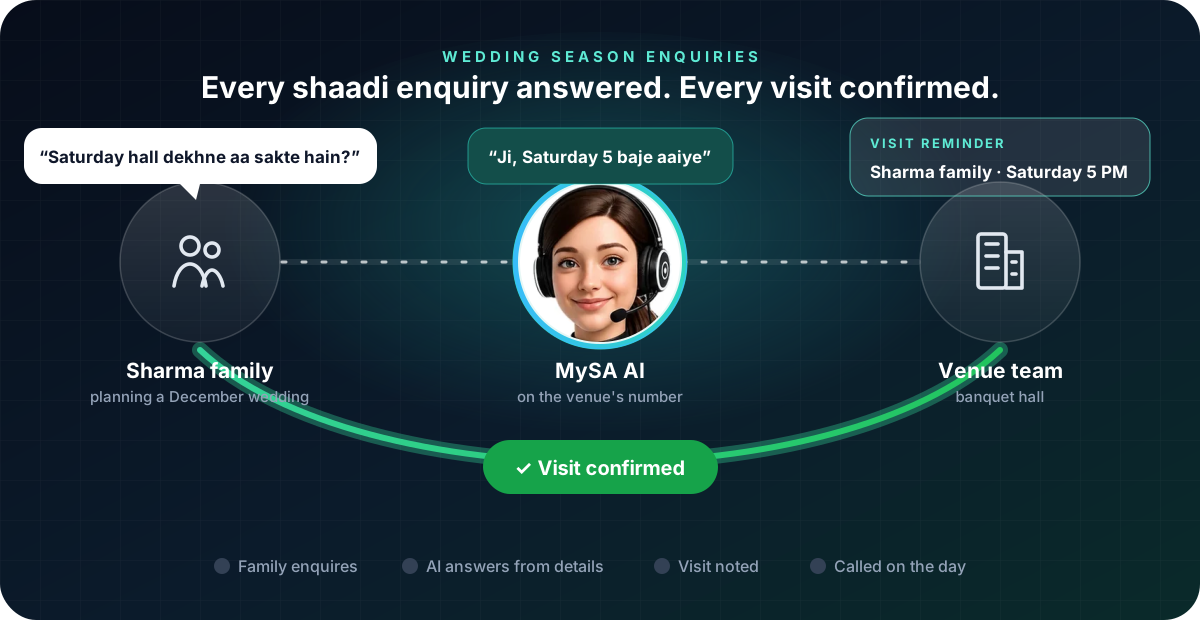
Family: Hamari beti ki shaadi December mein hai, 400 log honge. Saturday ko hall dekhne aa sakte hain?
AI: Ji bilkul. Hamara main hall 500 guests tak le sakta hai. Saturday ko shaam 5 baje aaiye, hamari team aapko hall aur menu dono dikha degi.
Family: Theek hai, Saturday 5 baje.
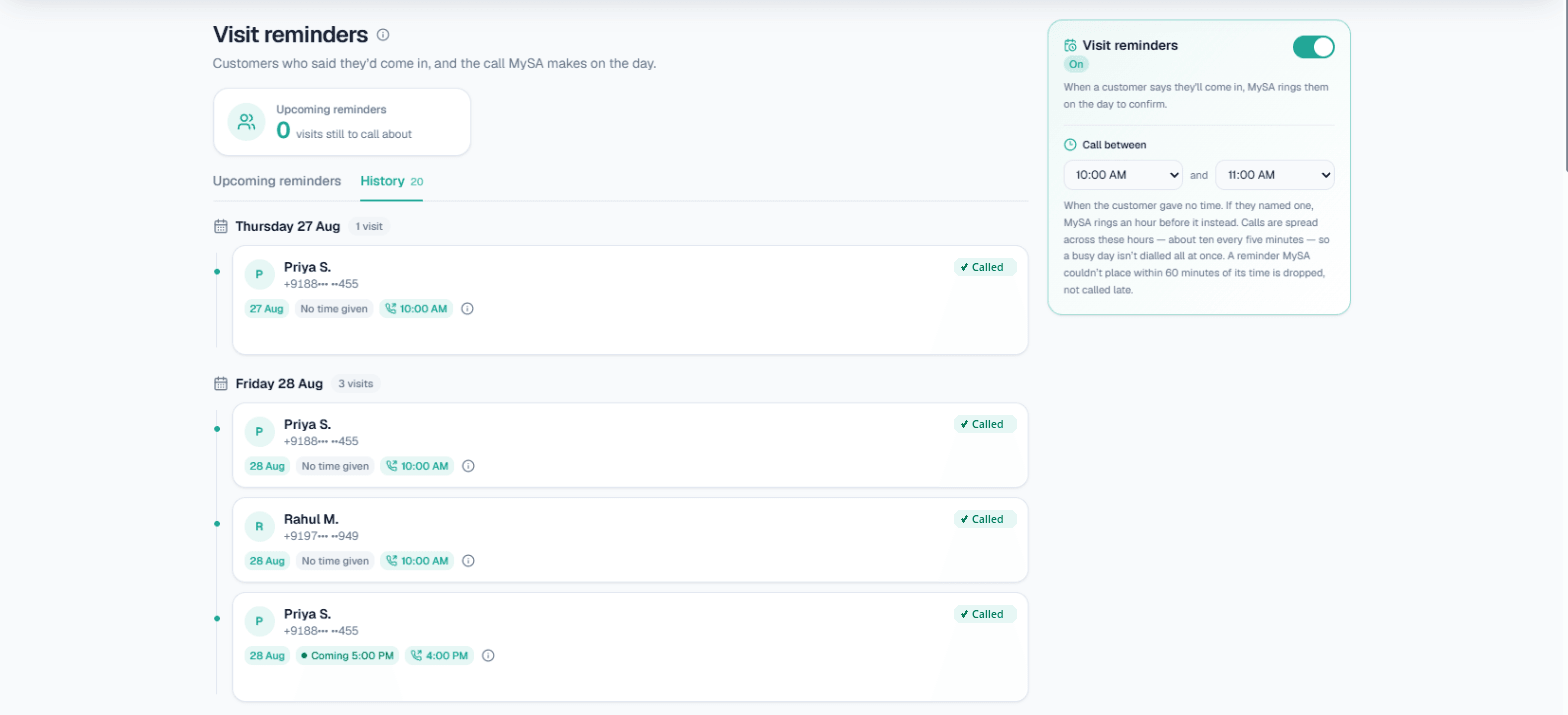
The family is made up. Because they mentioned a plan, MySA notes the visit, and with Visit reminders switched on it rings them on Saturday to confirm: an hour before the time they gave, or inside your Call between window if they named only a day. Reminders run in your Live workspace only, and nothing is sent for a visit that is today. See Visit reminders.
If the family instead asks to be called back ("rate list WhatsApp karo, Monday baat karte hain"), it becomes a follow-up at the time they asked. More on that in how to handle "call me later".
When the family wants the owner
Discounts, a custom menu or a date clash are conversations the owner wants to have. With Call transfer, add named numbers such as "Owner" or "Bookings" with a one-line "when to transfer here", for example "when they want a discount or to block a date". The AI briefs that person first and then connects the family. Transfer minutes are billed separately at the rate shown on the card. See Call transfer.
After the season's first wave: follow up the undecided
Families who enquired but did not visit are worth one more call. A Scheduled campaign can call that list on the dates you pick, for example a week before your remaining open dates, with each family's name in the call through var1. Calls are never placed inside your DND hours. The setup is in Campaigns.
Jewellers have their own season playbook: see AI calling for jewellery shops and WhatsApp automation for jewellery shops.
What works today, and what it does not do
| Works today | Does not do |
|---|---|
| Answering calls and WhatsApp from your approved Business Details | Know which dates are free, unless your details or your own API say so |
| A reminder call on the day of a planned visit | Take a booking or collect an advance |
| Follow-ups at the time the family asked | Quote a discount you did not write down |
| Handing a family to the owner, briefed first | Send SMS or email |
| Calling undecided families again on dates you pick | Call inside your DND hours |
Getting started
- Create a workspace and verify your mobile number to get ₹100 of Test credit in the separate Test environment.
- Write your Business Details: halls, capacities, packages, inclusions, timings and parking.
- Press Try now: the AI rings your own phone. Ask it what a family would ask.
- Go Live, top up the prepaid wallet, switch on inbound calls for your number and turn on Visit reminders.
Calls of 10 seconds or less are free; longer calls are billed per started minute. The rate for your workspace is shown in the console. Talk to sales for volume pricing.