
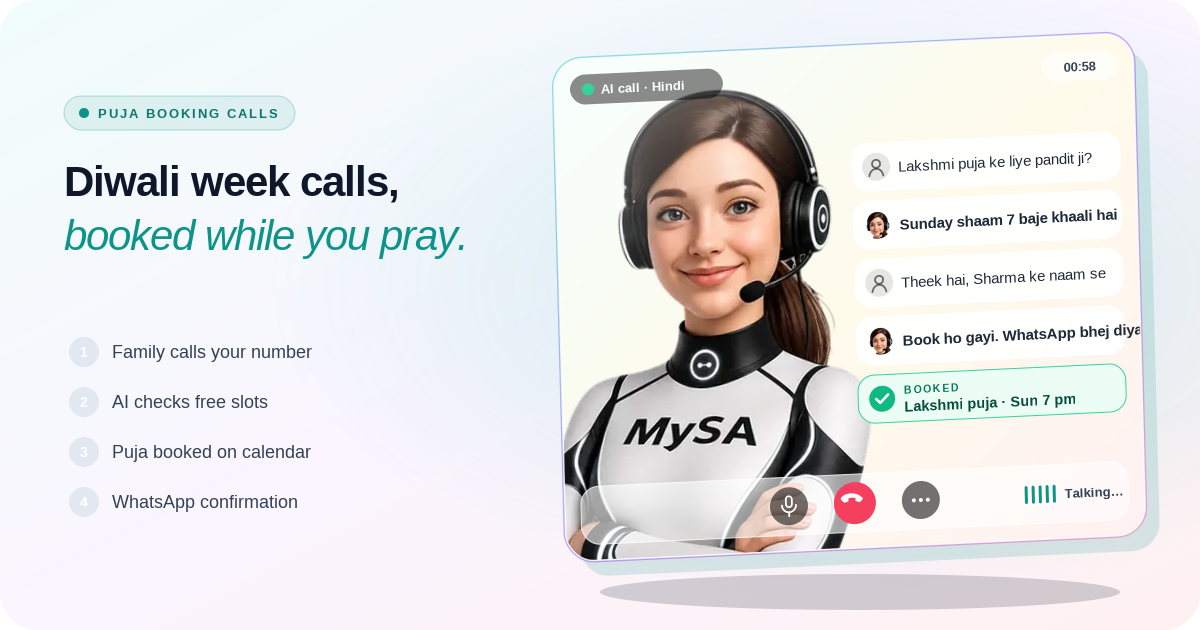
Astrologer appointment booking calls are the calls an astrologer's office, a pandit or a puja service receives from people who want a consultation or a puja on a particular day: "Pandit ji Sunday shaam free hain?", "kundli dikhani hai, kab aa sakte hain?". MySA Business answers these calls with an AI voice assistant on your number, in Hindi, Hinglish or the caller's language, checks your calendar, books the slot, and sends the caller a WhatsApp confirmation. The astrologer or pandit does the reading and the puja; the AI only handles the booking.
Why festival weeks overflow
Diwali falls on Sunday, 8 November in 2026, and the week before it is the busiest of the year for puja services: Dhanteras, Lakshmi puja, griha pravesh and shop puja for the new account books. Every family wants the same evening, and every caller asks the same things — is the pandit free, how long does it take, what samagri do we arrange, what is the dakshina.
A pandit cannot pick up the phone in the middle of a puja, and an astrologer cannot take a call during a consultation. Calls ring out, and the family books whoever answers next. The same happens on Navratri, Karwa Chauth, Chhath, the wedding season and every auspicious date in the panchang.
Book consultations and pujas on the call
The booking runs on MySA Appointments: a calendar where each seat is one person who can be booked. For an astrology office that is each astrologer; for a puja service, each pandit. Services are what you offer, each with its own length and charge, for example:
- Kundli consultation, 30 minutes
- Marriage matching, 45 minutes
- Lakshmi puja at home, 2 hours
- Griha pravesh, 3 hours
- Shop or office puja, 90 minutes
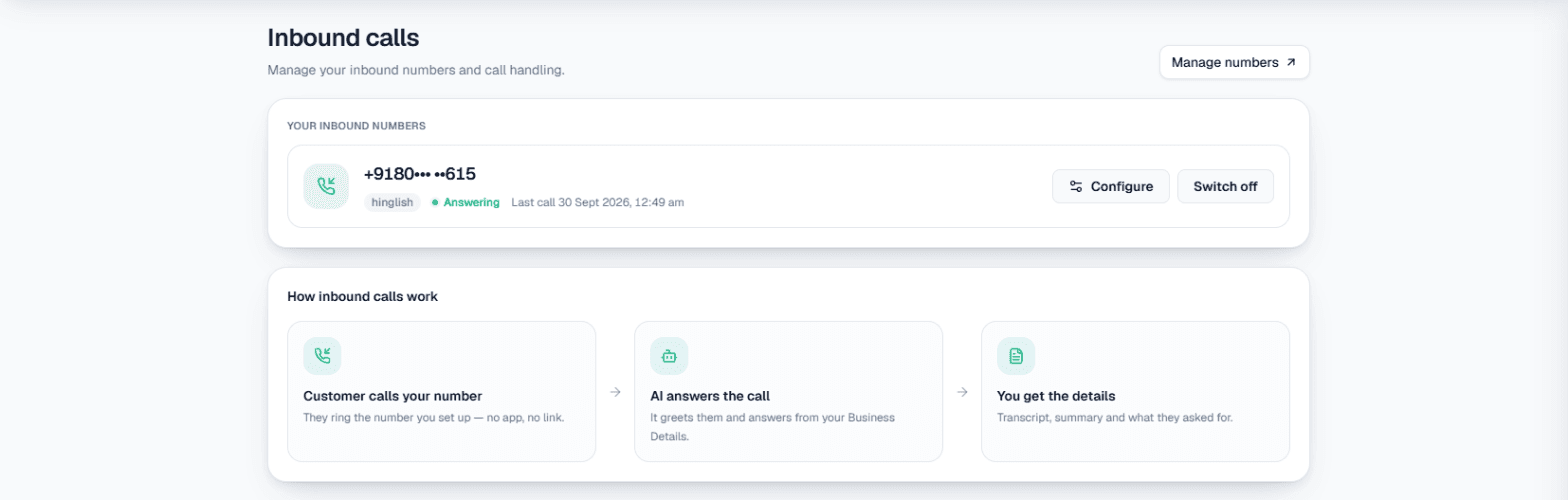
Switch on inbound calls for your number and tick AI books on calls. The AI then checks free times for the service and day the caller asks for, offers the nearest free time if that one is taken, and books once the caller picks a time and gives a name. Their number is taken from the call. It follows your rules: your hours, a lunch break, how soon before a slot someone can book, and how many days ahead.
Example: Lakshmi puja on Diwali evening
Example — Shubh Puja Seva, a made-up puja service in Indore, receives a call in Diwali week.
- Caller: Namaste, Diwali ki shaam Lakshmi puja ke liye pandit ji chahiye.
- AI: Ji zaroor. Sunday shaam saat baje ka slot khaali hai. Kya woh theek rahega?
- Caller: Haan, theek hai. Samagri humein laani hogi?
- AI: Samagri ki list WhatsApp par bhej di jaayegi. Aapka naam bata dijiye?
- Caller: Sharma, Vijay Nagar se.
- AI: Sharma ji, Sunday shaam saat baje Lakshmi puja book ho gayi hai.
The booking shows on the calendar straight away, marked with the robot icon, and Mr Sharma gets a WhatsApp from MySA's number with the service, date, time and your contact number. The samagri list in this example is your own message: put it in your Business Details or send it as a template, as shown further down.
What the AI should not do
A consultation is the astrologer's work, not the AI's. Keep the call to the booking:
- Fine: which services you offer, how long they take, the dakshina or fee you quote openly, the address, what to bring, free times.
- Not on these calls: predictions, a reading of the caller's kundli, a muhurat for their personal event, or remedies.
Write that in the purpose in one plain line — "do not give any prediction, muhurat or remedy; book a consultation instead" — and test it with Try now. When a caller asks something only the astrologer can answer, the AI says it will pass it on, and the call lands in Follow-ups as Action required. Your team answers once and the AI calls the caller back.
| Caller says | AI does |
|---|---|
| "Pandit ji Sunday free hain?" | Checks the calendar and offers free times |
| "Dakshina kitni hai?" | Answers from the charges you set, or promises to check |
| "Meri shaadi kab hogi?" | Does not predict; offers a consultation slot |
| "Booking aage kar do" | Moves the caller's own booking and notes why |
| "Guruji se hi baat karni hai" | Transfers to the Guruji number if you set up call transfer |
Reminders, cancellations and the Google Sheet
Festival bookings are made days ahead and forgotten. Each confirmed booking gets a WhatsApp reminder at the time you set (three hours before, to start with), and you can switch on a reminder call where the AI rings and asks if they are still expecting the pandit. A caller who rings to cancel or move their own booking can do it on the call; the AI asks the reason and saves it on the booking, and the slot frees up for the next family. Automated appointment reminder calls explains how reminders work in more detail.
Connect a Google Sheet from the Appointments page, and every booking is written to a Bookings tab within a minute of any change — useful when the pandit plans the day's route from a phone.
Before and after the festival
Two lists matter more than the calls you receive:
- Last year's families. Upload last Diwali's bookings as a campaign, and the AI calls each family a week before the festival to ask if they want the same puja this year. With AI books on calls on, it can book the slot on that call too.
- WhatsApp to everyone at once. Where WhatsApp Broadcasts is enabled for your workspace, the Owner can send one approved template — "Diwali bookings open, call or reply to book" — to a CSV of past customers, from your own WhatsApp Business number or from MySA WhatsApp. The Review step shows the count and cost before sending.
Many astrologers also run Instagram pages where followers ask "consultation kaise book karein?" in DMs. With Instagram connected, MySA replies from your Business Details, and when the follower agrees to a call, the AI rings them and books.
What works today, and what it does not do
These are scenarios, not customer stories.
| Works today | Does not do |
|---|---|
| Answers booking calls and books slots on your Appointments calendar | Give predictions, muhurats or remedies |
| WhatsApp confirmation, change and cancellation messages | Collect dakshina or fees on the call |
| WhatsApp reminder and optional reminder call | Book a slot outside your hours or lunch break |
| Moves or cancels the caller's own booking, with the reason | Touch someone else's booking |
| Bookings written to your Google Sheet | Keep turn-by-turn transcripts |
Getting started
- Create a workspace and verify your mobile number to get ₹100 of Test credit in the separate Test environment.
- Ask support to switch on Appointments, then set up your calendar: astrologers or pandits as seats, your services with their length and charge, and your hours.
- Press Try now — the AI rings your own phone. Ask it to book Lakshmi puja, and then ask it for a prediction.
- Go Live, top up the prepaid wallet, switch on inbound for your number and tick AI books on calls.
Calls of 10 seconds or less are free; longer calls are billed per started minute. The rate for your workspace is shown in the console — talk to sales for volume pricing.