
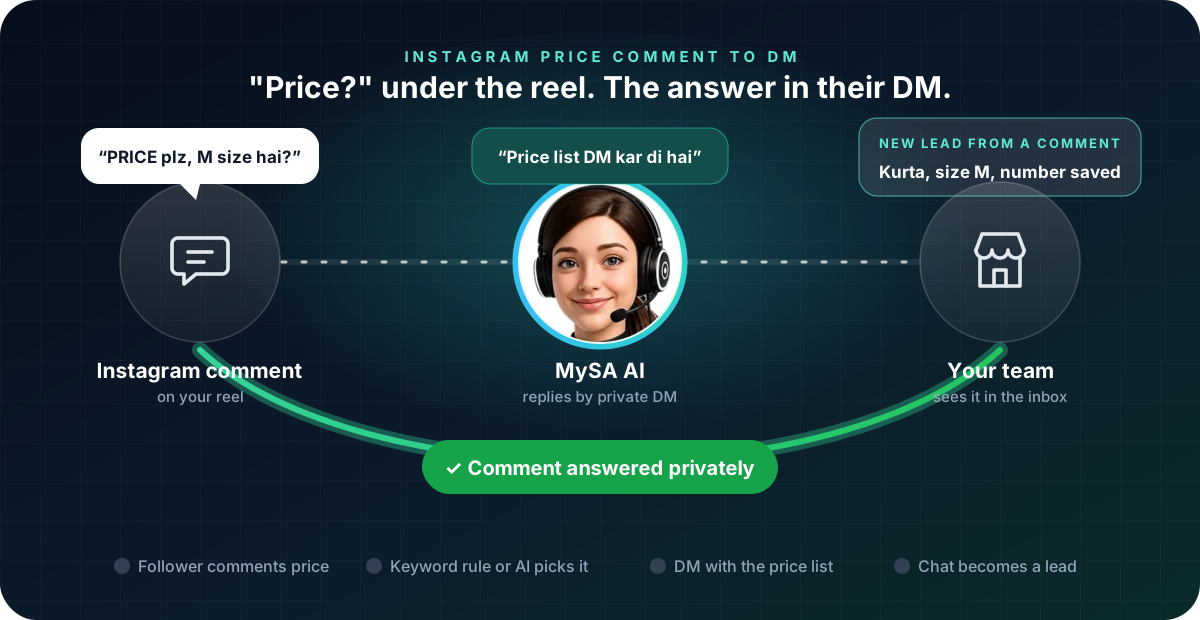
To reply to price comments on Instagram well, answer every "price?", "PRICE plz" and "kitne ka hai?" quickly, in private, with the actual price and a next step, and leave a short public note so other followers can see that you answered. With MySA Business, such comments can get a direct message on their own: either the AI writes the reply from your Business Details, or a keyword you chose sends your price list as a ready-made card.
Why "price?" comments go unanswered
For a boutique, a home baker or a jewellery store on Instagram, "price?" is the most common comment under a reel, and the easiest one to lose:
- They arrive in bursts. A reel that does well brings fifty comments in an evening, most of them the same question.
- Replying by hand takes the whole evening. Each one means opening the comment, typing, opening the DM and typing again.
- A late answer is a lost buyer. Someone who asks at 10 pm and hears back the next afternoon has usually bought elsewhere.
- "Check DM" with nothing in the DM annoys people. Followers notice when a business says it sent details and did not.
Public reply or DM: which to use
There is no single right answer, and it depends on what you sell:
| Reply where | Suits | Watch out for |
|---|---|---|
| Under the comment | One fixed price for everyone, such as ₹499 for every kurta in a drop | Prices that change by size, quantity or city become a long thread |
| In a DM | Prices that depend on size, design or quantity; a full price list; anything with a phone number | A comment that only says "DM sent" helps nobody if the DM never arrives |
| Both | Busy reels where other readers ask the same thing | Keep the public line short so it does not look like spam |
Many Indian sellers prefer the DM, because it is where the customer shares a size, a pincode or a mobile number, and where a conversation can turn into an order. The public note is mostly for everyone else reading the comments.
Two ways MySA answers a price comment
MySA Business has two triggers, and both can be on at once.
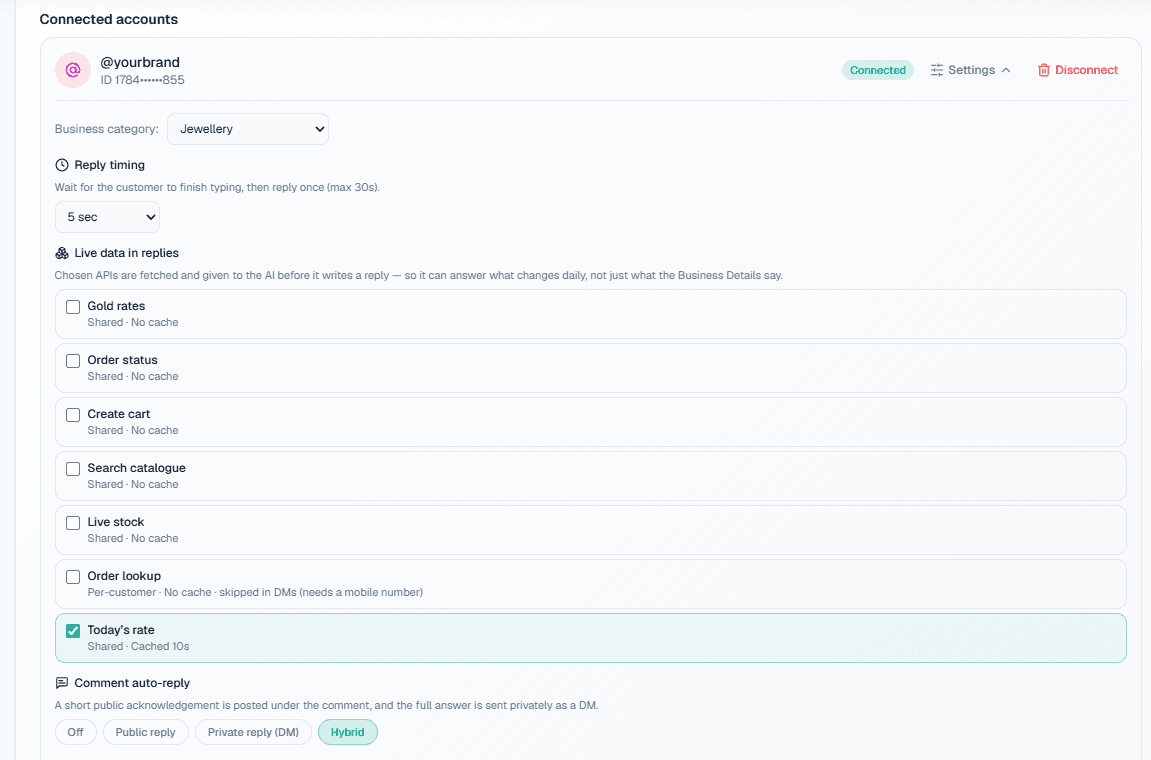
AI comment reply. In your Instagram account's Settings, Comment auto-reply has four modes: Off, Public reply, Private reply (DM) and Hybrid. For price questions, Hybrid is usually the right one: a short public acknowledgement under the comment, which you can word yourself, and a private DM written from your Business Details. Only real questions get a reply, so "beautiful 😍" is left alone.
Keyword comment rule. In the template library you build a template, such as a Price list card, and add a comment rule: a platform, an account, one post or All posts, and a keyword such as price. A comment containing that word, in any letter case, gets the template as a private message. "PRICE kya hai" matches price; "priceless" does not.
Meta allows one private message per comment, so a commenter gets one DM, not two. The complete workflow, both triggers side by side, is on Instagram comment to DM automation.
What the price reply should contain
The comment asked one thing, so the DM should answer it first:
- The price, or the range. "Cotton kurtas ₹499–₹899, size ke hisaab se" is better than "Please share your requirement."
- What changes the price. Size, fabric, quantity, delivery city.
- One next step. Ask for the size, or offer the catalogue.
- A button where it helps. A Card + buttons template can carry a Link to your catalogue or a WhatsApp button that opens a chat with your number.
Example
Comment: PRICE plz, M size hai?
Public reply: Details aapke DM mein bhej diye hain.
DM: Namaste. Yeh cotton kurta ₹649 ka hai, M size available hai. Delivery 4–5 din mein. Kaunsa colour chahiye?
Customer: Blue. COD hai?
The shop and the prices are made up. From the customer's second message on, if they ask about price, availability or a visit, the AI can ask once for their name and mobile number, and a number they share is saved as a lead on Positive Leads. The AI answers COD, delivery and returns only if you wrote them in your Business Details; it does not invent a policy.
Set it up step by step
- Connect your Instagram Business account and pick the Business category it answers from. The prices you want quoted must be in that category. See Instagram & Facebook.
- Choose a comment mode. Start with Hybrid and write a one-line Public acknowledgement text.
- Build a price list template. In the Samples tab, Duplicate the Price list sample, put in your own text, images and links, and Save & activate. See Social templates.
- Add comment rules on the template for the words your followers use: price, rate, kitna. One rule per keyword, on one post or all posts.
- Comment on your own post from another account and check what arrives.
Meta's limits that shape every reply
- One private message per comment. If the AI reply and a keyword rule both fit, the commenter still gets one DM.
- The 24-hour window. A business can message a customer only within 24 hours of that customer's last message, so the price reply goes out at once, and there is no automatic reminder three days later.
- The same template once an hour. A customer who asks again within the hour is pointed to the one already sent.
What works today, and what it does not do
| Works today | Does not do |
|---|---|
| A private DM to a price comment, written by AI from your Business Details | Quote a price you did not write down |
| A price list card sent on a keyword such as price, on one post or all posts | Send more than one private message per comment |
| A short public note under the comment in Hybrid mode | Message the commenter again after Meta's 24-hour window |
| Saving a mobile number shared in the DM as a lead | Take an order or a payment in the chat |
| An AI phone call when the customer agrees, if you switch it on | Reply to a comment that is not a question |
These are scenarios, not customer stories.
Getting started
- Create a workspace and verify your mobile number to get ₹100 of Test credit in the separate Test environment.
- Build your Business Details with your price ranges, sizes, delivery and return rules, and approve them.
- Instagram is switched on per workspace. If it shows as locked, raise a support ticket.
- Connect the account, pick Hybrid, activate a price list template and add your keywords.
Replies on Instagram are part of Instagram DM automation. An AI call that follows a chat is billed from your prepaid wallet like any other call: calls of 10 seconds or less are free, longer calls are billed per started minute, and the rate for your workspace is shown in the console. Talk to sales for volume pricing.