
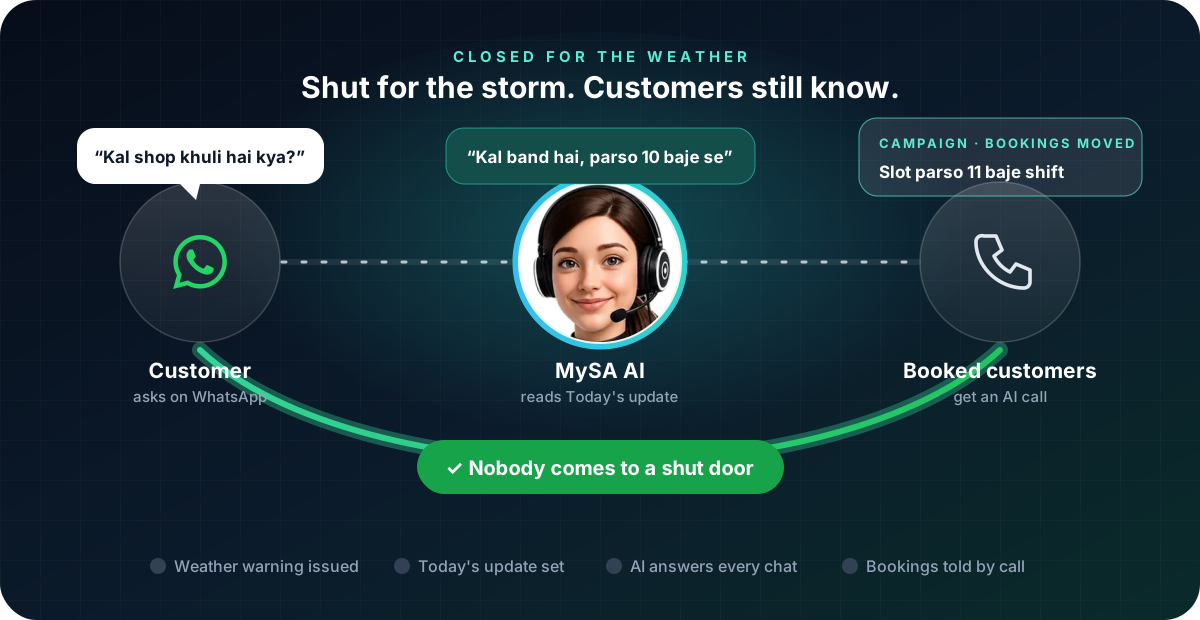
A shop closed due to bad weather message tells customers, before they set out, that you are shut, until when, and what happens to their booking or order. With MySA Business, the AI on your WhatsApp number can answer every "aaj khula hai?" from a one-line Today's update, and an AI call campaign can reach the customers who had a booking. The message is short; the job is to make sure everyone who needs it actually gets it.
Why it matters this week
On 26 October 2026, IMD expected Cyclone Arnab to cross the Andhra Pradesh coast near Yanam, between Bapatla and Visakhapatnam, by the forenoon of 28 October, with red warnings for extremely heavy rain in several coastal Andhra districts and in southern Odisha. Odisha closed schools and colleges in five districts on 27 and 28 October. Forecasts change, so follow the latest IMD bulletin and your district administration, and close for as long as they advise. Safety comes first; this article is about what to tell customers once that decision is made.
The same steps work for any closure you did not plan: a flood warning in Mumbai, a heatwave afternoon, a power cut, a bandh.
Who needs to hear from you
Not every customer needs a message. Sort them first:
| Customer | What they need | How MySA can reach them |
|---|---|---|
| Asks on WhatsApp whether you are open | Closed or open, and when you reopen | The AI answers from Today's update |
| Has a booking or a visit on the closed day | That it is moved or cancelled, and how to rebook | An AI call campaign, or the calendar's own messages |
| Is waiting for an order or a repair | That the delivery date has moved | An AI call campaign with the new date per customer |
| Bought from you before | Usually nothing until you reopen | A broadcast once you are open again |
Answer every "aaj khula hai?" on WhatsApp
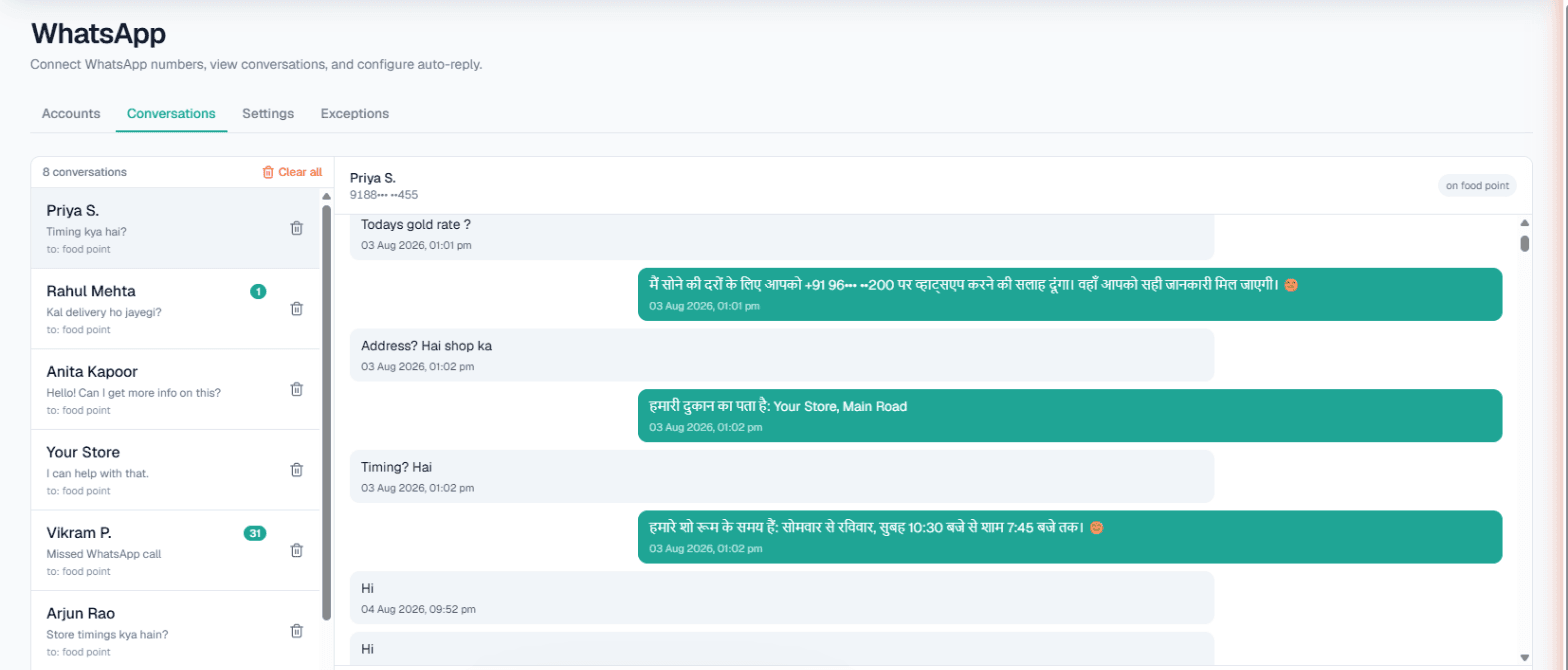
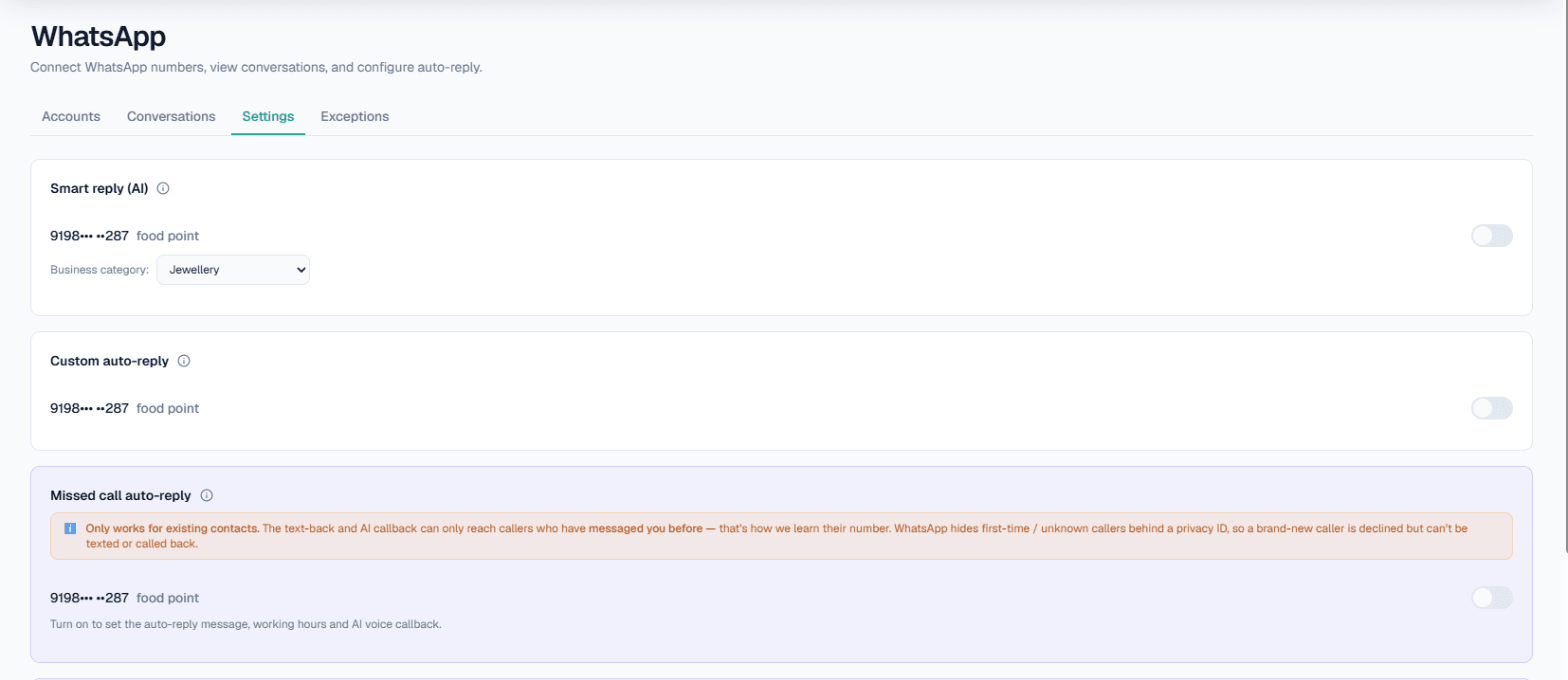
If your WhatsApp number uses Smart reply (AI), open WhatsApp → Settings and write a Today's update for that number, for example "28 October ko cyclone ki wajah se dukaan band hai. 29 October ko 10 baje se khulegi." The AI uses it on top of your Business Details, so a customer who asks about timings, delivery or a visit gets the closure in the answer.
Example
Customer: Kal clinic khula hai? Mera 11 baje ka appointment hai.
AI: Namaste. Cyclone ki wajah se 28 October ko clinic band hai. 29 October ko 10 baje se khulega. Aapka appointment shift karne ke liye hamari team aapko call karegi.
The clinic is made up. Change Today's update back when you reopen; the AI does not know the weather, only what you wrote. More on how the replies work is in WhatsApp auto reply for business.
If a customer rings your WhatsApp number instead, Missed call auto-reply can decline the call and text them back, if they have messaged you before. The AI cannot answer WhatsApp calls itself.
Call the customers who were booked
Customers with a booking on the closed day should not find out at a locked door. An outbound campaign takes a list, an Excel or CSV file of their numbers, and calls each one with your purpose, such as "28 October ki booking cyclone ki wajah se cancel hai; customer se naya din poochho." Columns named var1 to var15 let each call carry its own detail, such as the booking time, so the AI can say "aapka 11 baje ka appointment". Run a test call to your own phone first. See Campaigns.
If your bookings live in Appointments, you can cancel a whole closed day at once from the List view (tick Select all, then Cancel N bookings), and each customer with a Live booking gets a WhatsApp from MySA's number saying which booking was cancelled and your number to book again. On an inbound call, the AI can also move a caller's own booking to a new day when they ask. See the Appointments docs.
Customers who say "jab khulega tab call karna" are added to Follow-ups with the time they asked for, and Auto-callback can ring them then. See how to handle "call me later".
Calls are never placed inside your DND hours, so a late-night list waits for the morning.
Tell everyone when you reopen
A message to all past customers on the closed day adds noise to an already anxious day. The better moment is the day you reopen. If Broadcasts is enabled for your workspace, you can send one approved WhatsApp template, such as a reopening notice with your timings, to a list of past customers from your own WhatsApp Business number, now or scheduled, with your Opted out list left out. The template needs Meta's approval before you can send it, so set it up ahead of the next monsoon, not on the day. See WhatsApp Broadcasts.
Phone calls on your business number
On inbound calls, the AI answers from your approved Business Details, and approved wording cannot be edited; changing it means building a new version and approving it. That is too slow for a one-day closure. So for the closed day, rely on WhatsApp's Today's update and on calling booked customers yourself first, and keep your Business Details for the facts that stay true. If you want the AI to say that you close during red alerts, write that rule into your next version.
What works today, and what it does not do
| Works today | Does not do |
|---|---|
| AI WhatsApp replies that include your Today's update | Know about the weather or a warning on its own |
| AI calls to a list of booked customers, with each one's details | Change your Business Details for calls in minutes |
| Cancelling a whole day in Appointments, with a WhatsApp to each customer | Send SMS or email |
| Call-backs at the time a customer asked | Call inside your DND hours |
| A reopening broadcast from an approved template, if Broadcasts is enabled | Work if your WhatsApp number or phone line itself is down |
These are scenarios, not customer stories.
Getting started
- Create a workspace and verify your mobile number to get ₹100 of Test credit in the separate Test environment.
- Build and approve your Business Details: timings, branches, booking and delivery rules.
- Press Try now: the AI rings your own phone, so you hear how it speaks.
- Go Live and top up the prepaid wallet. WhatsApp AI replies run on your Live workspace; connect your number under Channels → WhatsApp and turn on Smart reply (AI).
Calls of 10 seconds or less are free; longer calls are billed per started minute. The rate for your workspace is shown in the console. Talk to sales for volume pricing.