Bike launch enquiry follow-up means keeping every "kab aayegi, price kya hai?" caller from the weeks before a new motorcycle arrives, and calling each of them back the day you can actually sell it. With MySA Business, an AI voice assistant answers those calls on your showroom's number with what is really known, tags the caller as interested, and later calls the whole list to book test rides and showroom visits. Your sales team then spends launch week with buyers instead of working through a notebook of names.
Why showrooms get calls about bikes they cannot sell yet
New two-wheelers are often shown to the world months before they reach Indian showrooms. On 4 November 2026, "XPulse 450" and "TVS RTR 125" were among India's rising searches after both bikes were unveiled at the EICMA show in Milan. As of that date neither company had announced an India launch date or price; reports pointed to a later India launch for the Hero, and TVS had not confirmed India at all.
That does not stop buyers from calling their nearest dealer. The calls sound alike:
- "XPulse 450 kab aa rahi hai? Booking ho sakti hai?"
- "Price kya hoga roughly?"
- "Launch ho to mujhe call kar dena."
Each caller is a warm lead with nothing to buy yet. Most showrooms write names on paper or in a WhatsApp group, and by launch day the list is incomplete and the buyers have moved on.
Answer honestly before the launch
The AI answers from your Business Details, so the first job is writing down what you know and what you do not. For example:
- "XPulse 450 ki India launch date aur price company ne abhi announce nahi kiye hain."
- "Pre-booking abhi nahi ho rahi. Launch hote hi hum interested customers ko call karenge."
- "Abhi showroom mein XPulse 210 test ride ke liye available hai." (only if it is)
The AI says only what is written there. It does not guess a price, promise a date or take a booking amount. If a caller asks something the details do not cover, it says the team will check and creates an Action required follow-up. Inbound calls explains how calls on your number are answered.
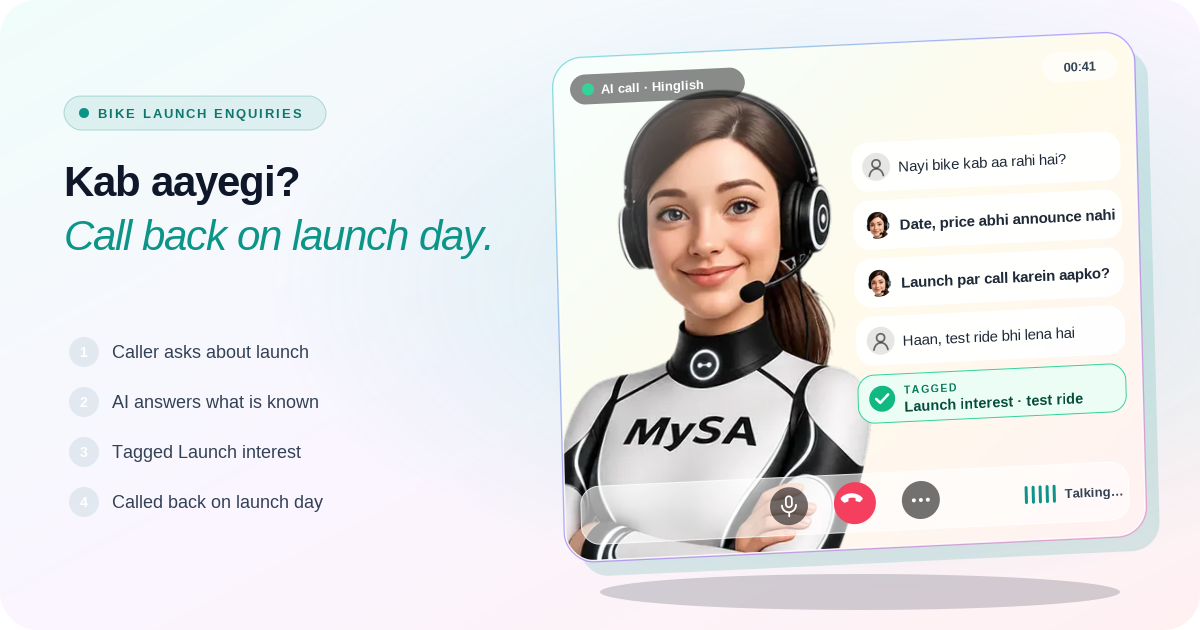
Caller: XPulse 450 kab tak aayegi aapke yahan? AI: Ji, company ne abhi India launch date aur price announce nahi kiye hain. Launch hote hi kya hum aapko call karein? Caller: Haan, zaroor. Test ride bhi lena hai. AI: Theek hai, maine note kar liya. Launch par aapko call aayegi.
After the call, the showroom sees a summary, the caller's interest and the tags the AI applied.
Keep the interest list with a tag
Add a tag such as Launch interest on the Tags page; you can add up to five of your own next to the ones MySA prepares. After every call the AI applies only tags from your list, so each "call me at launch" caller is labelled the same way.
When the launch is announced, open the Detailed Report, filter by that tag and Download CSV. The file carries each caller's number, summary and tags. That is your launch list, built by the calls themselves.
Buyers who fill a "notify me" form on your website or a Facebook ad can be called the minute they arrive through a webhook campaign; call Facebook leads instantly shows the setup.
Launch day: call the whole list
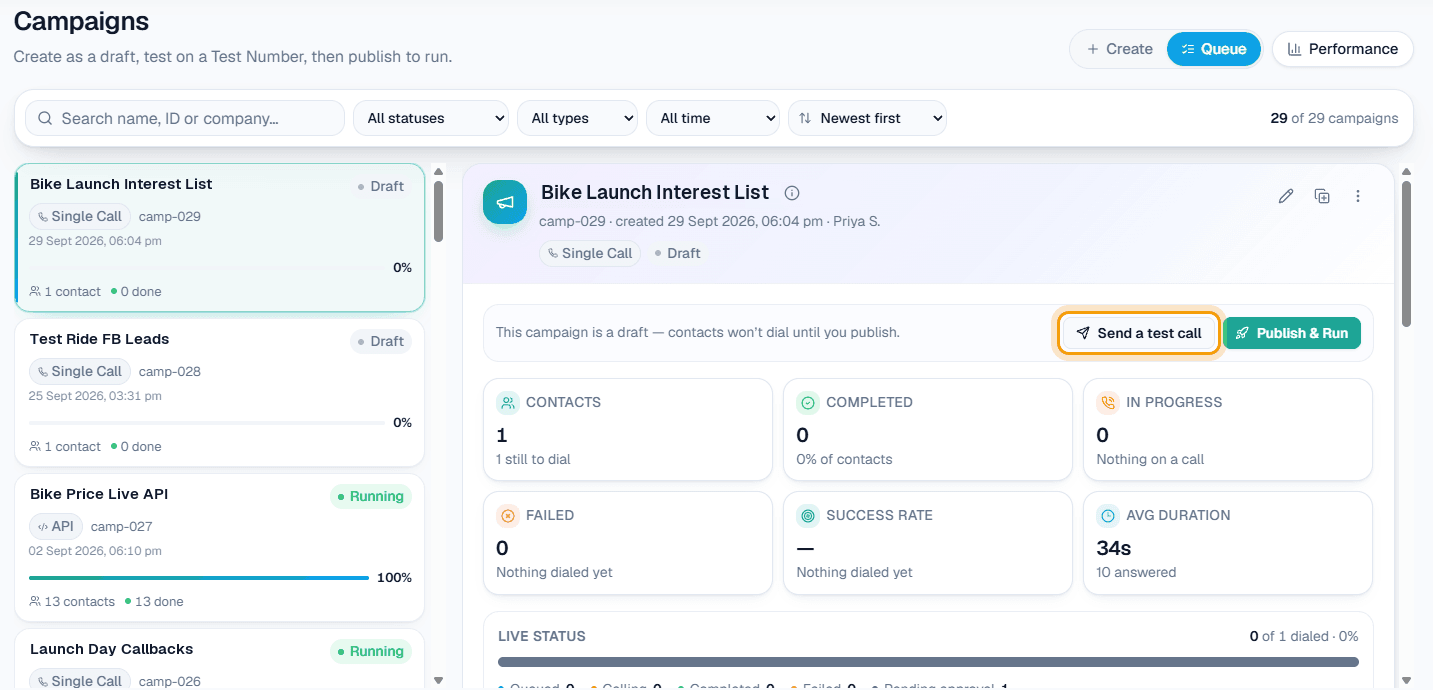
Upload the CSV as a CSV Upload campaign. Put the useful details in var1 to var15 columns, such as the model each caller asked about and their area, so the AI opens with "Aapne XPulse 450 ke baare mein poocha tha". The purpose tells the AI what to offer: the announced price from your Business Details, test-ride slots, the documents for booking.
The campaigns page explains the campaign types. A few details matter on launch day:
- Your DND hours hold calls that would otherwise ring at night.
- Buyers who say "Sunday aata hoon" get a call that day through visit reminders.
- "Abhi nahi, next month" goes onto Follow-ups for the date asked; see how to handle "call me later".
- A buyer ready to book can be handed to your sales consultant with call transfer, after the AI briefs them.
After the call, the AI can send your approved WhatsApp template with the brochure link through On Call Messaging, if you set up that rule.
What works today, and what it does not do
These are scenarios, not customer stories.
| Works today | Does not do |
|---|---|
| Answers launch questions from your Business Details | Know a launch date or price you have not written down |
| Tags interested callers with your own tag | Take a booking amount or payment on the call |
| CSV download of tagged callers from the Detailed Report | Call the tagged list by itself on launch day; you upload it |
Launch-day calls with each caller's model in var1–var15 | Promise stock or delivery dates |
| Visit reminders, follow-ups and transfer to your consultant | Replace your sales team at the booking desk |
For the wider showroom picture, service reminders and test-drive leads, see AI calling for car and bike dealers.
Getting started
- Create a workspace and verify your mobile number to get ₹100 of Test credit in the Test environment.
- Write your Business Details, including what you know and do not know about upcoming launches.
- Add a Launch interest tag and press Try now to hear the AI answer a launch question on your own phone.
- Go Live on your showroom's number and top up the prepaid wallet.
Calls of 10 seconds or less are free; longer calls are billed per started minute. The rate for your workspace is shown in the console; talk to sales for volume pricing.