
To follow up leads after Diwali means calling, in the first working days after the festival, everyone who asked about a product during the festive rush but did not buy. Many of them said "Diwali ke baad dekhte hain", and they meant it. A week later most of them have forgotten whom they asked. With MySA Business, an AI voice assistant can ring that list over a few days, ask whether the customer is still interested, note the next step they agree to and pass the warm ones to your sales team. The AI makes the first call; your people close.
Why the week after Diwali matters
In 2026 Diwali falls on Sunday, 8 November, and many shops, offices and dealers stay shut or short-staffed through Govardhan Puja and Bhai Dooj. During Dhanteras and Diwali the counter was busy, the phone rang more than anyone could answer, and enquiries landed in WhatsApp, the call log and a register at once.
The customer who asked about a sofa, a two-wheeler or a gold chain before Diwali has not stopped needing it. But when you reopen they are also back at work, and the next shop that calls them first has an easy conversation. A short, polite call in the first week keeps the enquiry yours.
Which leads to call first
| Lead | Why call | What the call asks |
|---|---|---|
| Said "Diwali ke baad aate hain" | They asked you to | Is it still on, and which day suits them |
| Asked the price but did not buy | Interest was real; the timing was not | Are they still looking, and what held them back |
| Visited the showroom, no booking | They were close | A visit or a call with your salesperson |
| Called while you were closed | Nobody answered them | What they wanted, in their own words |
| Already bought from you | Do not sell again | A thank-you, or nothing |
Leave out anyone who has already bought. A sales call to a customer who paid you last week costs more goodwill than it earns.
Put the list together
The list usually sits in four places:
- Call Logs. Filter the festive weeks by sentiment, pick Positive, and press Download for a CSV with each call's AI summary. The Positive Leads page lists the calls that achieved what they were dialled for. See Call logs.
- Missed calls on your shop number during the closed days.
- WhatsApp chats that asked for a price or a catalogue and went quiet.
- The counter register or your billing software's quotation list.
Put them into one Excel or CSV file with each customer's mobile number. Use the columns var1 to var15 for what the AI should mention: var1 the name, var2 the product they asked about, var3 the date they enquired.
Spread the calls over a few days
A Scheduled campaign with Split over days takes one file and calls a fixed number of people each day. Set Calls per day to what your team can handle afterwards. Fifty calls a day that produce ten warm leads is better than three hundred in one morning that nobody follows up. Every start time falls between 9:00 AM and 9:00 PM IST, and no call goes out inside your DND hours.
Write the purpose as one plain instruction, for example: "Call {var1} ji, who asked about {var2} on {var3}. Ask politely if they are still interested. If yes, ask when they can visit or whether our salesperson should call. If they have already bought elsewhere, thank them and end the call." Then Send a test call to your own phone from the Queue and Publish & Run. See Campaigns and campaign scheduling.
A follow-up call, as the customer hears it
Example
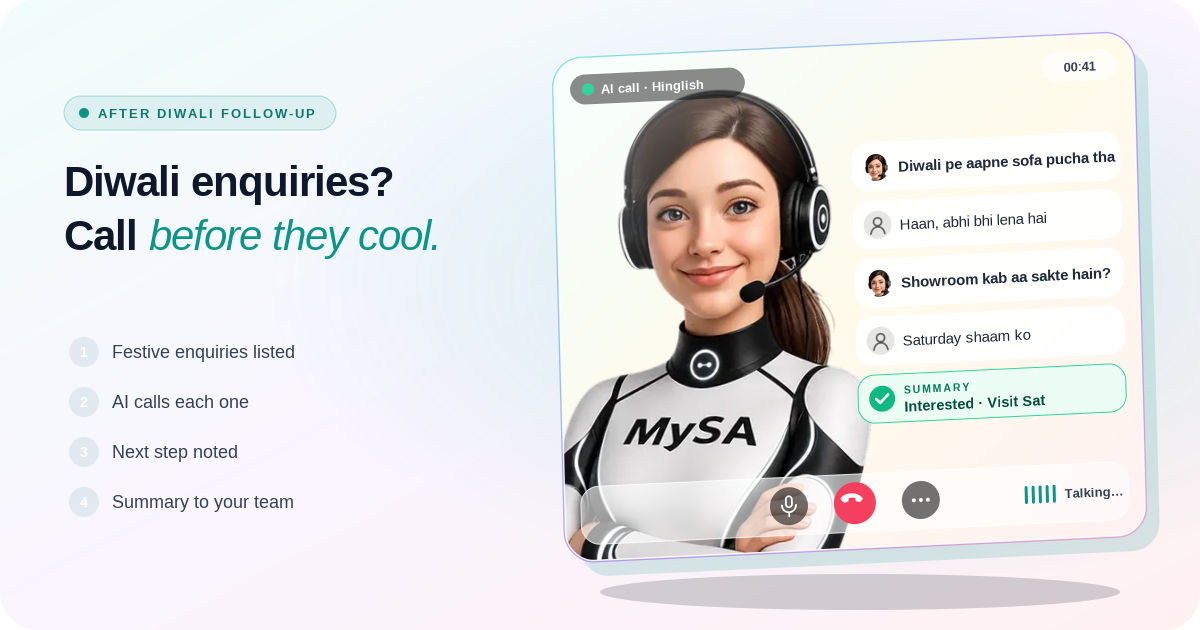
AI: Namaste Sharma ji, main ABC Furniture se bol raha hoon. Diwali se pehle aapne teen-seater sofa ke baare mein pucha tha. Kya abhi bhi dekh rahe hain?
Customer: Haan, lena hai, bas time nahi mila.
AI: Showroom kab aa sakte hain? Ya hamare salesperson aapko call karein?
Customer: Saturday shaam ko aa jaunga.
ABC Furniture is made up. After the call, Call Logs has the recording, an AI summary ("still interested, visiting Saturday evening") and the sentiment. If Visit reminders is switched on in your Live workspace, a visit the customer names is noted and the AI rings them on that day to check they are still coming. See Visit reminders.
Hand the warm ones to a person
The call's job is to find out who is still buying, not to close the sale. Make sure the answers reach someone:
- Lead Feed sends the leads you choose to an email or a Google Sheet. A WhatsApp nudge is also available on request, charged per message.
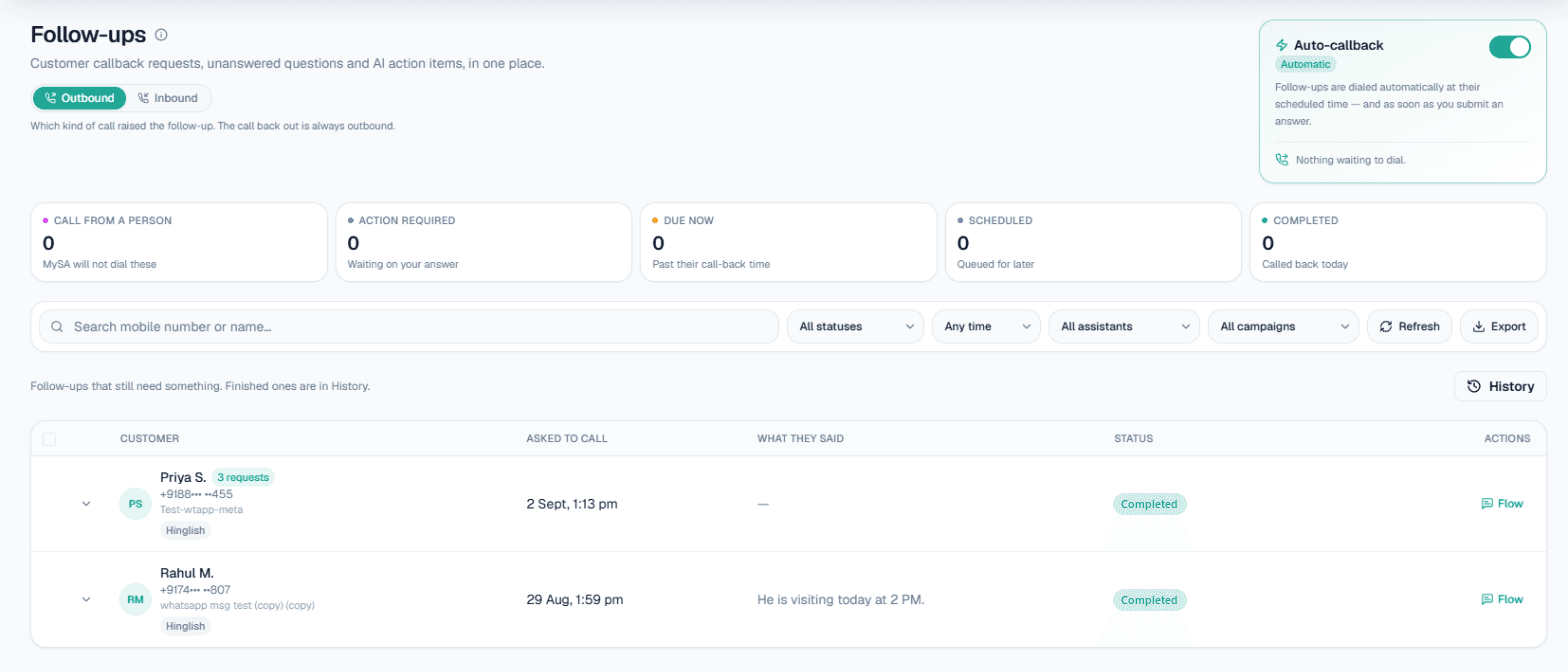
- "Abhi busy hoon, kal call karna" goes into Follow-ups, and Auto-callback rings at the time they asked. See how to handle "call me later".
- A question your details do not answer, such as an exact discount, becomes Action required. You type the answer once and the AI calls back with it.
- "Kisi se baat karao": with Call transfer set up in your Live workspace, the AI can connect the customer to a named number such as "Sales" during the call.
What works today, and what it does not do
| Works today | Does not do |
|---|---|
| One call to each person on your list, a set number each day | Know who has bought from you since, unless you remove them from the file |
| The product and enquiry date mentioned from your file | Invent an offer or a price you did not write down |
| Interest, next step and sentiment in the call summary | Send a quotation or catalogue on its own |
| Call-backs at the time the customer asked | Call inside your DND hours |
| Warm leads sent to email or a Google Sheet | Close the sale |
These are scenarios, not customer stories. If you ran festive campaigns before Diwali, see Diwali marketing with WhatsApp and AI calls; for enquiries that arrive on Saturdays and Sundays, see weekend lead follow-up.
Getting started
- Create a workspace and verify your mobile number to get ₹100 of Test credit in the separate Test environment.
- Fill in your Business Details with your products, showroom hours and any post-Diwali offer you are really running.
- Press Try now: the AI rings your own phone. Answer as a customer who already bought elsewhere.
- Run a test campaign with three of your own numbers and
var1tovar3filled in. - Go Live, top up the prepaid wallet, and schedule the list from your first working day after Diwali.
Calls of 10 seconds or less are free; longer calls are billed per started minute. The rate for your workspace is shown in the console. Talk to sales for volume pricing.