
An AI call agent for marketing is an AI voice assistant that makes and takes the phone calls your marketing creates: calling back a person who just filled your ad form, answering the calls a campaign brings in, and telling existing customers about something new. In MySA Business it speaks from the Business Details you approved, in the language you pick, and hands each call's summary to your sales team. In India, how you use it is shaped as much by TRAI's rules as by the technology, so this guide covers both.
Where an AI call agent fits in marketing
Not every marketing call is the same kind of call, and the difference matters both for results and for the rules:
| Call | Who started it | What the AI does |
|---|---|---|
| Call-back on an ad or form enquiry | The person, by filling your form | Calls within about a minute, answers their questions, qualifies them |
| Inbound calls from a campaign | The person, by ringing your number | Answers 24/7 from your Business Details |
| Service calls to existing customers | You, about something they bought | Delivery updates, appointment or visit reminders, an order that is ready |
| Promotional calls | You, to sell something new | An offer, a new collection, a festive sale |
The first three are where an AI call agent earns its keep for most businesses. The fourth is the one TRAI regulates most tightly.
Call ad leads back while they still care
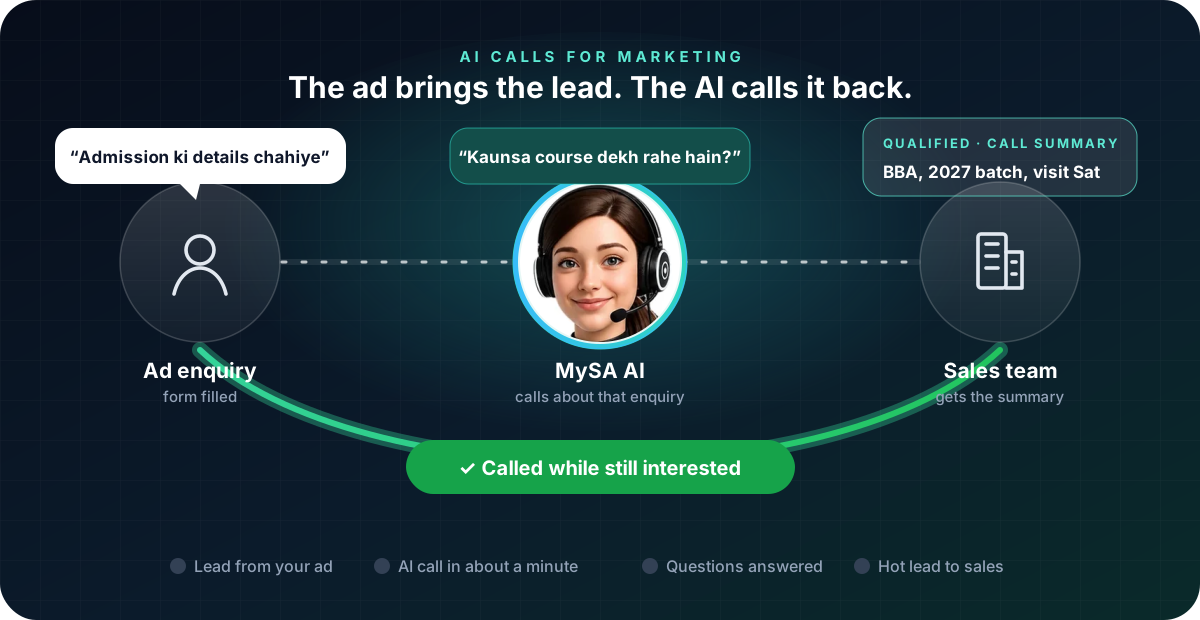
A lead from a Facebook ad or a website form goes cold fast. With a webhook campaign, you point your form, CRM or ad platform at a MySA Business webhook, and every new lead gets an AI call within about a minute, with caps on how often one person is called. The AI asks what they were looking for, answers from your Business Details and, if they are interested, notes a visit or a call-back. See Webhook campaigns.
Example
AI: Namaste Rohit ji, aapne abhi hamare BBA course ke baare mein form bhara tha. Kya do minute baat kar sakte hain?
Caller: Haan, fees kitni hai?
AI: BBA ki fees semester ke hisaab se lagti hai, details main abhi bata deti hoon. Kya aap campus visit karna chahenge?
Caller: Saturday ko aa sakta hoon.
The institute is made up. Afterwards, the call is in Call Logs with the recording, an AI summary, sentiment and tags, the interested lead can be sent to your CRM through Lead Feed, and the Saturday visit can get a reminder call with Visit reminders. How the AI decides who is worth a second call is in intent-based calling.
Answer the calls a campaign brings in
A hoarding, a newspaper ad or a reel with your number brings calls at all hours. With inbound calls switched on for your number, the AI answers each one from the Business Details category you chose, so a 10 pm caller is not lost to voicemail. Callers who ask for a person can be handed to your team with Call transfer.
What TRAI's rules mean for marketing calls
TRAI's Telecom Commercial Communications Customer Preference Regulations, amended on 12 February 2025, set the rules for commercial calls in India. In plain terms:
- Promotional calls go from 140-series numbers. Service and transactional calls go from the 1600 series allotted by DoT. Commercial calls from ordinary 10-digit numbers can get all of a sender's telecom resources suspended or disconnected.
- A promotional call can reach only people who have not blocked that category in their DND preferences, unless the person gave you explicit digital consent.
- Mixing an offer into a service call makes it a promotional call. A delivery-update call that ends with "and we also have a sale" is treated as promotional.
- Service calls to existing customers cannot cross-sell or upsell. They are for information about what the customer already bought or is buying.
- Customers can complain within seven days, and complaints from five or more people within ten days start action against the sender, from a 15-day bar on all outgoing calls to a year's disconnection for repeat cases.
- Automated or robo calls must be declared in advance to your telecom operator.
This is a summary, not legal advice. Read the regulation on TRAI's website and check with your telecom provider before you run promotional calls.
What this means when you use MySA Business
MySA calls go out from the business numbers in your workspace, and the AI says what your purpose tells it to say. It does not make a promotional call compliant on its own:
- Know which series your caller ID is. Before a promotional campaign, ask your account manager or talk to sales which number series your calls go out on.
- Keep service calls free of offers. A reminder or an order-ready call should stay a reminder.
- Upload only people you are allowed to call. A campaign calls the list you give it.
- Set your DND hours. These are the quiet hours in which MySA will not ring anyone. They are not the national DND register; they do not check whether a number has blocked promotional calls.
Festive calls to your own customers
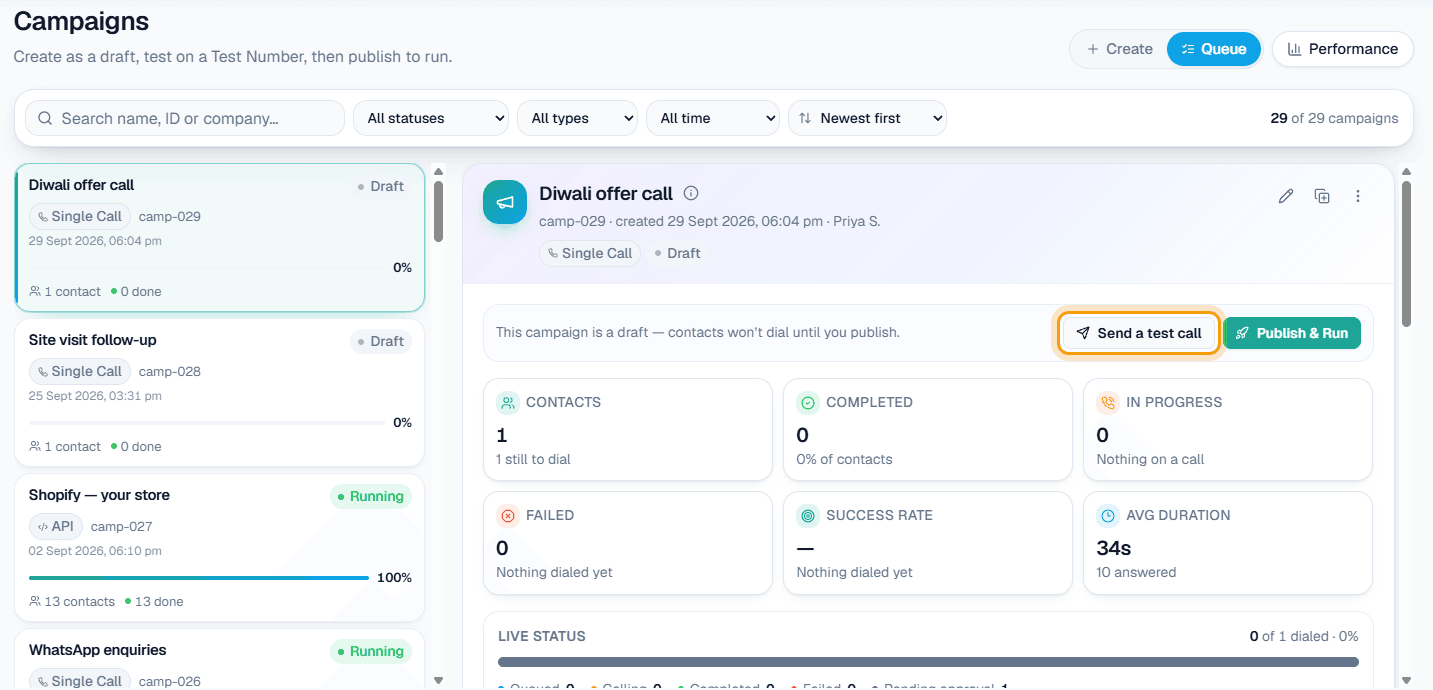
Before Diwali or a sale, a Scheduled campaign takes one contacts file and calls it over several days instead of all at once: split over days, on dates you pick, or every few days. Each day becomes its own campaign with its own test call, pause, stop and report, and columns var1 to var15 let each call carry the customer's own details. See Campaigns and, for the bigger picture, automated outbound calling software.
Whether these calls count as service or promotional depends on what they say. "Your gold scheme instalment is due on 5 November" is service; "come see our new Diwali collection" is promotional.
What works today, and what it does not do
| Works today | Does not do |
|---|---|
| Calling a new form or ad lead within about a minute through a webhook | Check the national DND register for you |
| Answering campaign calls 24/7 on your number | Decide whether a call is promotional or service for you |
| Scheduled campaigns spread over days, with per-customer details | Send SMS or email |
| Call summaries, sentiment and tags, and leads to your CRM through Lead Feed | Promise a conversion rate; that depends on your offer and your list |
These are scenarios, not customer stories.
Getting started
- Create a workspace and verify your mobile number to get ₹100 of Test credit in the separate Test environment.
- Build and approve your Business Details: courses, products, prices you are happy to quote, timings and locations.
- Press Try now: the AI rings your own phone, so you hear how it handles a lead.
- Go Live, top up the prepaid wallet, and start with the calls your marketing already creates: ad leads and inbound calls.
Calls of 10 seconds or less are free; longer calls are billed per started minute. The rate for your workspace is shown in the console. Talk to sales for volume pricing and for the number series your calls use.