
An AI voice agent for business is software that holds a real phone conversation on your behalf: it listens to the customer, understands what they want, answers from information you have approved, and records the outcome. It can call customers (a new lead, a renewal, a reminder) or pick up when they call you. Unlike an IVR menu, the customer simply talks, and the agent replies in the same conversation.
What an AI voice agent for business actually does
On a typical call it will:
- Greet the customer by name, from your business number.
- Explain why it is calling, or ask how it can help.
- Answer questions about prices, timings, services and policies.
- Move the customer towards the outcome you want: a booking, a site visit, a confirmed order, a qualified lead.
- Handle "call me later" by setting a time instead of losing the lead.
- Leave you a record of what happened.
"AI voice assistant", "AI voice bot for calls" and "conversational AI calls" usually mean the same thing. What matters is whether it holds a two-way conversation and stays accurate about your business.
How it works, step by step
A conversational AI call has three parts working together.
- Listening. The customer's speech is turned into text the system can understand, including mixed-language speech such as Hinglish.
- Deciding what to say. A language model works out a reply, guided by two things you control: the purpose of the call and the business information it is allowed to use.
- Speaking. The reply is spoken back in the chosen language, and the loop repeats until the call ends.
The quality of the second step is what separates a useful agent from a risky one. In MySA Business, each call is shaped by a purpose written in plain language ("Confirm the customer's order, tell them the delivery date, and ask if they have any questions") rather than a script it reads out, and the agent answers only from the Business Details you approved. If your details do not mention a discount, the agent should not invent one. More on this in assistants and purposes.
Where businesses use an AI voice agent
| Job | Direction | What a good call ends with |
|---|---|---|
| Calling new website or ad leads | Outbound | A qualified lead or a booked visit |
| Working through an existing list | Outbound | Interest confirmed, or a follow-up time |
| Answering the business number | Inbound | A question answered or an appointment booked |
| Reminding customers of a visit | Outbound | The visit confirmed on the day |
| Calling a customer who showed interest in a chat | Outbound | The chat question resolved on the phone |
For outbound work, see AI outbound calling campaigns. For answering your number, see inbound calls or our guide to an AI receptionist for business.
The last row deserves a word. With intent-based calling, a WhatsApp, Instagram or Facebook chat can turn into a call: when the customer shows buying intent (price, booking, availability, a visit, a quote), the AI asks once whether your team may call, and on a yes an AI call goes out in their language with the chat summary as context.
Setting up an AI voice agent
You do not build an agent from scratch. In MySA Business the setup is a sequence of choices:
- Write your Business Details. Prices, timings, services, policies, the questions customers ask most. This is the only knowledge the agent uses, so be specific.
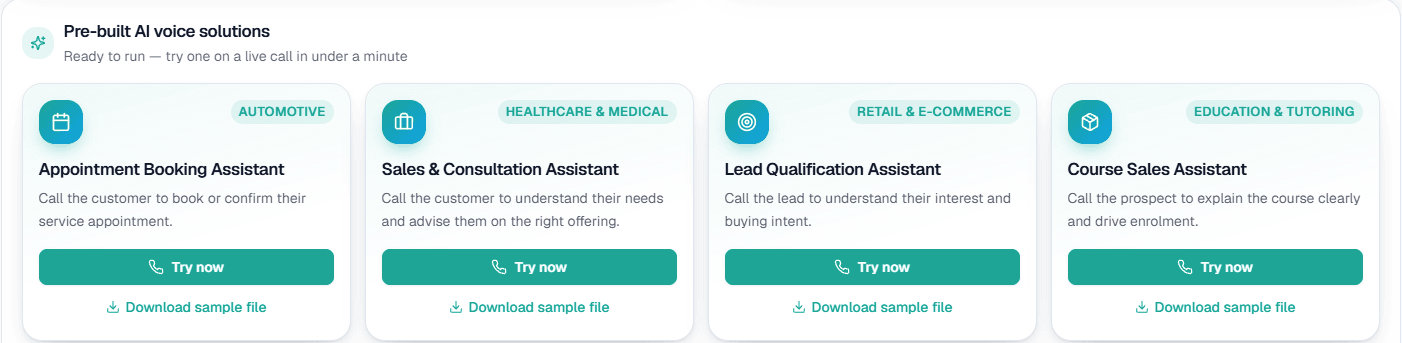
- Pick a ready-made assistant. There are assistants for booking, sales and consultation, lead qualification and course sales.
- Give it a purpose. One or two sentences on what the call should achieve. If you are unsure what to write, the purpose writer can draft one for you to edit.
- Choose the language. Calls default to Hinglish; you can choose another language per campaign, test call and inbound number.
- Choose the number. Calls go out from your business's own number, bought in the app or assigned to you, so customers see a real caller ID. See numbers and caller ID.
- Test it on your own phone. Every workspace has a separate Test environment with its own wallet, and ₹100 of Test credit once the owner verifies their mobile number. Try now rings your own phone.
Only after the test calls sound right do you switch to Live.
Connecting live data
Some answers change every day: a gold rate, an order's status, whether stock is available. With Custom APIs (enabled per workspace and set up by the Owner under Integrations → My APIs), your own API can be fetched just before each outbound call and handed to the agent as facts, or called by the agent during the call when the customer mentions something like an order number. An API failure never stops a call. See Custom APIs.
What you get after each call
An agent you cannot review is an agent you cannot trust. After every MySA call you get a recording, an AI summary, a sentiment reading and tags. Turn-by-turn transcripts are not stored; the summary and recording are the record.
Calls that did their job are listed as Positive Leads and can be delivered to your team by email, Google Sheet, webhook or API. A customer who asked to be called later gets a follow-up call at the time they asked, in the language of the original call. And when a caller asks for a person, call transfer rings your colleague, briefs them, and connects the customer; transfer minutes are billed separately at the rate shown in your workspace.
What to check before you go live
- Ask it something your details do not cover. It should say it will check, not guess.
- Switch language mid-call. Hear how it responds, and decide whether to hold it to one language.
- Say "call me tomorrow at 11". Confirm a follow-up appears for that time.
- Ask for a person. Check what happens with and without call transfer set up.
- Set DND hours. Calls are not placed inside your DND window; they are held, not lost.
- Confirm consent. Make sure you have the customer's permission to call.
For a fuller buyer's list, read how to choose AI calling software.