
AI calling for schools and colleges means an AI voice assistant makes and answers the routine calls of the academic year: fee reminders, PTM and exam notices, hostel and transport questions, event invitations. With MySA Business it calls from the institution's own number, in the language parents speak at home, and every call comes back as a recording, a summary, a sentiment and tags. The office staff keep the conversations that need a person.
For admission enquiries, read admission enquiry follow-up or coaching lead automation. This piece covers the rest of the year.
Where education sits in India, and the language each region calls in
Each education region has its own language on the phone:
- Hindi belt: Kota, Patna, Prayagraj and Delhi are known for coaching students for entrance and government exams. Lucknow, Bhopal, Gwalior, Ajmer, Rohtak and Greater Noida have large numbers of schools and colleges, and Dehradun is known for its boarding schools. Calls here run in Hindi or Hinglish.
- Punjab and Chandigarh: Patiala and Chandigarh, with Punjabi or Hinglish depending on the family.
- Karnataka: Udupi, Mangaluru and Mysuru, college towns where Kannada, English and Hindi all reach the office phone.
- Tamil Nadu: Vellore, Tiruchirappalli and Tirunelveli, where most parents will want Tamil.
- Telugu states: Warangal and Tirupati, in Telugu.
- East and North-East: Bhubaneswar in Odia, Bardhaman and Silchar in Bengali, Jorhat in Assamese, and Shillong, where English or Hindi usually works best.
All of these can be chosen as the call language, per campaign or per row with a language column. Hear each one on a test call before you decide.
Fee due reminders, spread across the month
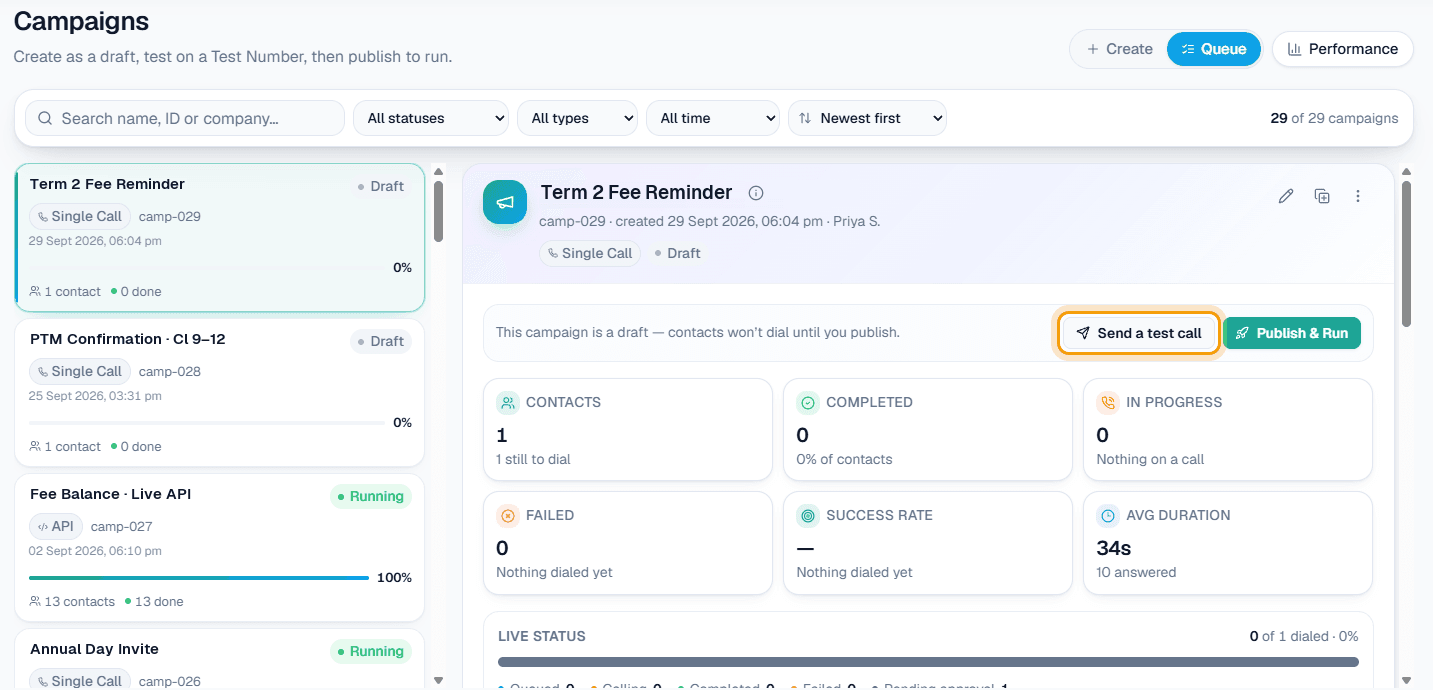
The accounts office has a list of families with dues, a deadline, and two clerks who also run the counter. A Scheduled campaign takes that list once and calls it on the dates you choose. Pick On dates I pick, for example seven days and two days before the due date, and untick Skip people already reached so everyone hears the second reminder too. Each date becomes its own campaign with its own report.
Put the details in the file as columns var1 to var15: student name, class, amount, due date. Write the purpose with them in it, for example "Batao ki {var1} ki term fee {var2} {var3} tak due hai. Poochho kab tak jama karenge." Each call speaks its own row.
Example
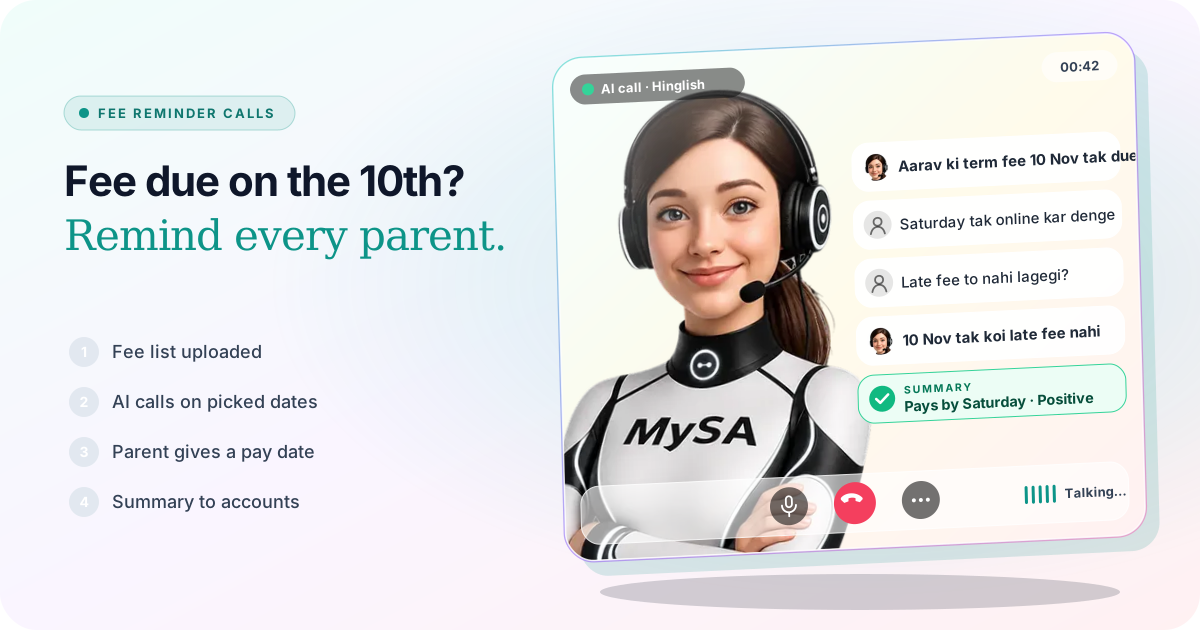
AI: Namaste, main ABC Public School ke accounts office se bol rahi hoon. Aarav ki second term fee ₹18,500 hai, jo 10 November tak due hai.
Parent: Haan pata hai. Saturday tak online kar denge. Late fee to nahi lagegi?
AI: 10 November tak bina late fee ke jama ho sakti hai. Main note kar leti hoon ki aap Saturday tak karenge.
The school is made up. Afterwards the office sees a summary ("will pay online by Saturday, asked about late fee"), a positive sentiment and the recording in Call Logs. The AI answered the late-fee question only because the rule was written in the approved Business Details. A parent who says "abhi nahi, shaam ko call karna" goes to Follow-ups at the time they asked; see how to handle "call me later".
If your fee system has an API, a Customer-specific (uses their mobile) API under Integrations → My APIs is read just before each call, so a parent who paid yesterday hears today's balance. See Custom APIs; it appears once enabled for your workspace.
PTM, exam and holiday notices that need an answer
A circular announces the PTM; a call asks whether the parent is coming. Upload the class list into a CSV campaign with the date and time in var1 and var2, and the summary tells the class teacher who confirmed, who cannot come and who wants another slot.
When a parent says "main Saturday 11 baje aa jaungi", MySA can note it as a plan. With Visit reminders switched on, it rings that parent an hour before the time they gave to check they are still coming. The same works for exam-date changes, rain holidays and admit-card collection: anything where you want the answer back, not just the message sent.
For a plain notice that needs no reply, an approved WhatsApp template sent with WhatsApp Broadcasts is cheaper and quieter than a call.
The office line after 4 p.m.
Parents ring after work, when the office has closed. Switch on inbound calls for the school's number and the AI answers from your Business Details: bus routes and pick-up times, hostel rules and visiting days, the documents needed for a transfer certificate, the fee structure for next year.
| Parent says | AI does |
|---|---|
| "Bus route 7 ka pick-up time kya hai?" | Answers from the transport timings in Business Details |
| "Hostel mein visiting day kab hai?" | Gives the day and timings you approved |
| "TC ke liye kya documents chahiye?" | Lists what your office has written down |
| "Mujhe principal se baat karni hai" | Transfers to the number you named, or creates a Call from a person follow-up |
| "Kal subah call kar dena" | Schedules the call-back for that time |
| Asks something not in Business Details | Promises to check; the row appears as Action required for your staff to answer |
With call transfer the AI can hand a caller to a named number, such as "Accounts" or "Hostel warden", brief that person first, then connect them. Transfer minutes are billed separately. Inbound calls are not blocked by DND unless you choose that, while outbound calls wait until your quiet hours end; see DND hours for AI calls.
Alumni meets, annual day and open house
For an alumni meet or annual day, a CSV campaign calls the list, gives the date and venue, and asks who is coming. The summaries become a headcount. Anyone who wants to talk to the organiser is flagged Needs a human.
Saathi on the school or college website
Parents also browse the website at night, on the fee, hostel or course pages. Saathi puts an AI video agent, MySA, there: a visitor taps the call bubble and talks to it, and it answers from the same Business Details while it opens pages, scrolls and points at the fee table. It speaks Hindi, Hinglish, English, Tamil, Telugu, Kannada, Bengali and a few more. Calls appear under Saathi → Video calls with a summary; the Saathi docs cover setup.
What works today, and what it does not do
| Works today | Does not do |
|---|---|
| Fee reminders on the dates you pick, with each family's own amount and date | Collect the fee or send a payment link during the call |
| Calls in Hindi, Tamil, Telugu, Kannada, Odia, Bengali, Assamese, Punjabi and more | Promise how natural any language sounds; hear it on a test call |
| Answers the office line from your Business Details after hours | Know a student's marks or attendance unless your own API provides it |
| Transfers a caller to Accounts or the warden, if set up | Keep turn-by-turn transcripts (recording and summary only) |
| Holds outbound calls during your DND hours | Send SMS or email notices |
These are scenarios, not customer stories.
Getting started
- Create a workspace and verify your mobile number to get ₹100 of Test credit in the separate Test environment.
- Write your Business Details: fee structure and late-fee rule, transport routes, hostel rules, office hours. Approve them.
- Press Try now: the AI rings your own phone. Try two or three call languages and keep the one your parents will be comfortable with.
- Upload a small fee list, send a test call to your own number, then go Live, top up the prepaid wallet and run the full schedule.
Calls of 10 seconds or less are free; longer calls are billed per started minute. The rate for your workspace is shown in the console. Talk to sales for volume pricing.