
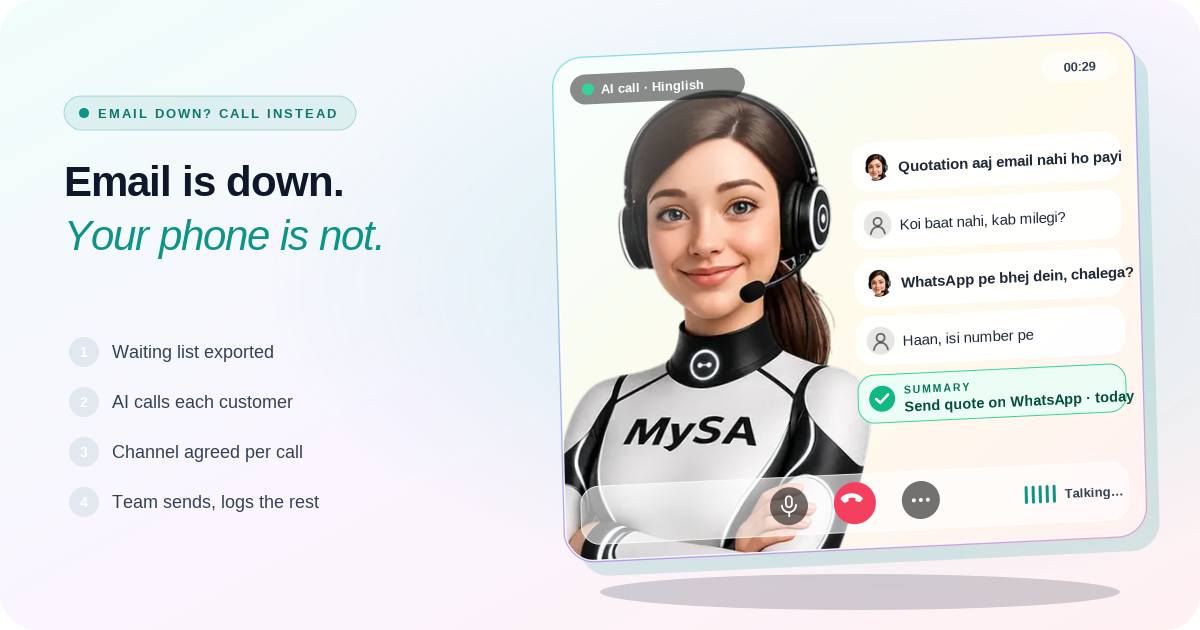
Email outage customer communication is the plan for reaching customers when your email stops working: who needs to hear from you, on which channel, and who sends what. Email rarely fails for long, but when it does, quotations, invoices and order confirmations stop moving, and customers do not know why. With MySA Business, an AI voice assistant can answer your business number, call the customers who are waiting on an email, and note how each one wants it instead, so your team can send it on WhatsApp or by hand. Your email provider still fixes the email; this is about the customers in the meantime.
What happened on 12–13 November
A Microsoft 365 outage that began on 12 November 2026 left Outlook and Teams unreliable in many countries, India included, and it was still affecting users on the morning of 13 November (Business Standard). "Outlook" was among the most searched terms in India that day. The cause and the full timeline are Microsoft's to publish; check the Microsoft 365 service health page for your own tenant.
Every email provider has days like this. The point is not which one failed, but that a business whose customers hear from it only by email goes quiet when it does.
What stops when email stops
| Waiting on email | Who notices first | What they need from you |
|---|---|---|
| A quotation you promised today | The buyer comparing three suppliers | The rates, by any route, today |
| An invoice or payment receipt | Their accounts team | A date when it will come |
| An order or dispatch confirmation | The customer waiting for goods | Whether the order is on time |
| Replies to customer complaints | The customer who wrote | That you have seen it and when you will answer |
| Internal approvals | Your own team | A phone call to the person who approves |
The first four are customers. They are the list worth calling.
Keep the phone answered
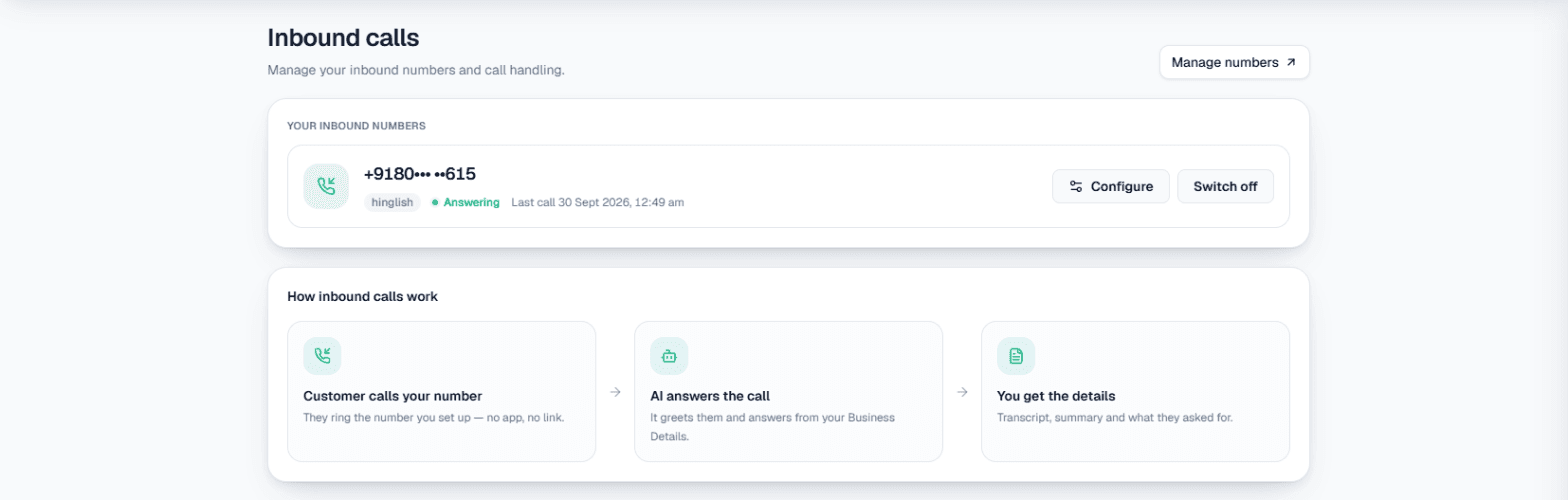
When email is down, more customers ring. If your number is answered by staff who are busy fixing the email, calls go unanswered.
With inbound call answering, the AI picks up when a customer rings a number you bought from MySA, using your Business Details to answer common questions. On a day like this, add a line to the AI instructions on Phone system → Inbound: "Our email is down today. If someone is waiting for a quotation, invoice or confirmation, take their name and what they are waiting for, and tell them we will send it on WhatsApp today." Saving the change never interrupts a number that is already answering. See Inbound calls.
Inbound works in your Live workspace only, on a number you bought. If customers ring your mobile, they reach your mobile as before.
Call the customers who are waiting
Make a list of the customers who were due an email today: open quotations, invoices due, orders confirmed. Your billing or order software can usually export it, even when email cannot send.
- Put the list in a CSV or Excel file with each customer's mobile number. Use
var1for the name andvar2for what they are waiting for ("quotation for 200 cartons", "invoice 1042"). - Create a CSV Upload campaign with a purpose such as: "Tell {var1} that our email is not working today, so {var2} could not be sent. Ask whether we can send it on WhatsApp to this number, or whether they want it on another number or email later. Note what they say."
- Send a test call to your own phone, then Publish & Run.
The summaries in Call Logs become your send list: who said WhatsApp, who gave another number, who will wait. See Campaigns. For a fuller version of this call when goods are late, see order delay message to customers.
Send it on WhatsApp instead
If your business already sends WhatsApp templates after calls, an On Call Messaging rule can send one when the call ends, or only when the customer asked for it (After the call, if the customer asked), from your own WhatsApp Business number or from MySA WhatsApp. A template carries text and the values you choose; it does not attach the quotation PDF from your email. Sending the document itself on WhatsApp is still your team's job, and the call summaries tell them whom to send it to first.
Prepare before the next outage
- Keep customer mobile numbers outside your mailbox, in your billing software or a sheet, so you can call people when email is down.
- Save a purpose for "our email is down" in MySA now, so the campaign takes minutes on the day.
- Decide who sends documents on WhatsApp and from which number.
- Put a phone number in your email signature and on your quotations, so customers have another way to reach you.
What works today, and what it does not do
| Works today | Does not do |
|---|---|
| AI answers your bought business number and takes down what callers are waiting for | Fix or bypass your email |
| One call to each customer on your list with what they are waiting for | Read your mailbox or know what was unsent |
| How each customer wants it, in the call summary | Send email |
| A WhatsApp template after the call | Attach your quotation or invoice PDF |
| Recordings and summaries in Call Logs | Know when your email provider will recover |
These are scenarios, not customer stories.
Getting started
- Create a workspace and verify your mobile number to get ₹100 of Test credit in the separate Test environment.
- Fill in your Business Details with your products, timings and the number customers can WhatsApp.
- Press Try now: the AI rings your own phone. Answer as a customer waiting for a quotation.
- Save an "email is down" purpose and run a test campaign with three of your own numbers.
- Go Live and top up the prepaid wallet so it is ready the day you need it.
Calls of 10 seconds or less are free; longer calls are billed per started minute. The rate for your workspace is shown in the console. Talk to sales for volume pricing.