

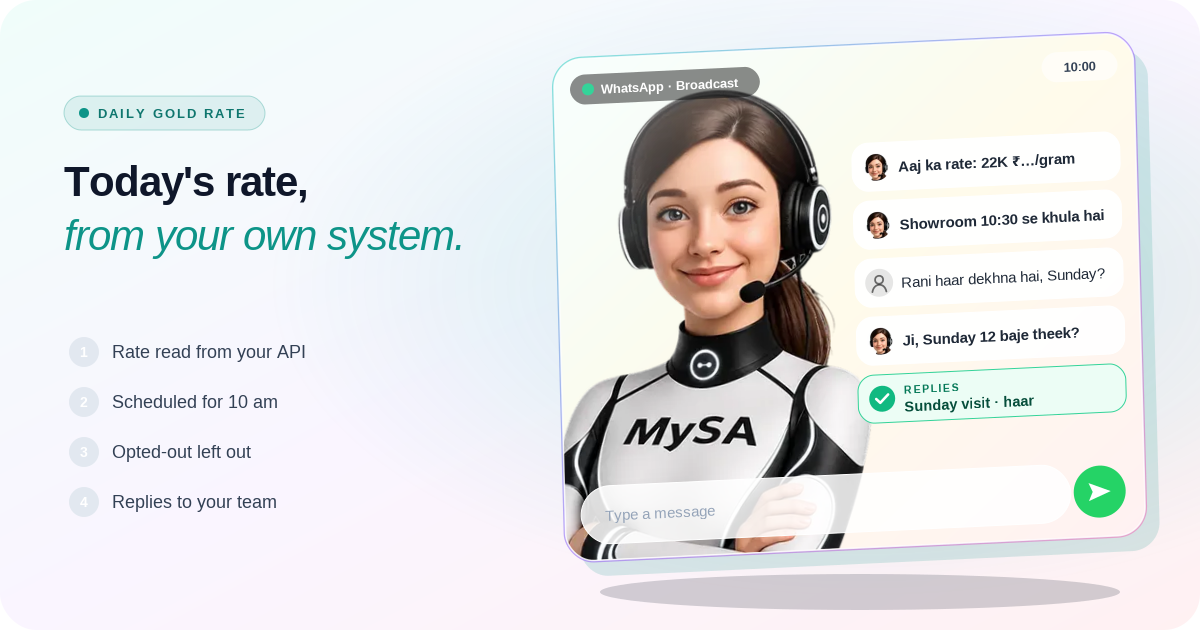
A gold rate message to customers is a short WhatsApp update a jewellery shop sends its own buyers with today's gold and silver rate, so they hear the shop's rate before they search for the market one. With MySA Business, that message is a WhatsApp broadcast whose rate is filled from your shop's own rate system at the moment it is sent, not typed in by someone the night before. It can be scheduled for the morning, it leaves out everyone who asked to stop, and the replies land where your staff can answer them.
Why customers check the rate before they call you
"Gold silver rate" was one of the business searches climbing in India on 4 November 2026, alongside Hindi, Tamil and Telugu searches for सोना, चांदी and today's rate. It is the same every season: families planning wedding jewellery, a gift, or an exchange of old gold check the rate first, and then decide which jeweller to message.
Most shops already answer "aaj ka rate kya hai?" on WhatsApp, and WhatsApp automation for jewellery shops covers answering those questions automatically. This article is about the other direction: sending the rate to customers who want it, so your shop is the first number they think of when the rate suits them.
What the message should say
A rate message works when it is short, correct and clearly from your shop. A typical template:
Namaste {{1}}, aaj ka rate {{2}}: 22K ₹{{3}}/gram, 24K ₹{{4}}/gram, Silver ₹{{5}}/kg. Showroom 10:30 se 8:30 tak khula hai. — {{6}}
{{1}}is the customer's name, with a fallback such as "ji" for contacts without one.{{2}}is today's date.{{3}}to{{5}}come from your own rate system.{{6}}is your business name.
WhatsApp only allows approved templates for messages like this, so the wording is approved once and the values change every day. Keep a line that says how to stop the messages; customers who reply "stop" can be added to the Opted out list, and they are left out of every broadcast after that.
Filling the rate from your own system
The rate is the one value that must never be guessed. MySA does not publish market rates. It reads yours.
If your billing or ERP software already exposes today's rate, the workspace Owner adds it under Integrations → My APIs, fetches a sample and picks the fields, such as 22K, 24K and silver. In the broadcast's Message step, each rate slot is filled from that API. The details are in Custom APIs and the overview on Custom APIs.
The important part is timing. The value is fetched when each message goes out, the same way it is fetched for an AI call in AI calls with real-time data. A broadcast scheduled for 10 am tomorrow carries tomorrow's 10 am rate, not tonight's. If a value comes back empty, that message is not sent and is listed as Not sent with the reason, so no customer ever receives "22K ₹0/gram".
Sending it: who, when and how often
Open Broadcasts → New broadcast, choose the approved template, then the audience:
- A CSV file of customers who asked for rate updates, with a phone column and a name column.
- A campaign of earlier calls, such as everyone your AI called before Dhanteras.
Then pick Send now, or schedule a date and time in India time, up to 30 days ahead. Review shows the exact number of people, who was left out and why, the first messages exactly as they will be sent, and what the broadcast will cost from your wallet. The steps are in WhatsApp broadcasts.
How often is a judgement call. A daily rate message is welcome for customers who asked for it, such as a family in the middle of wedding shopping, and unwelcome for someone who bought a ring two years ago. A few practical rules:
- Send daily only to people who asked. Everyone else can get a weekly or occasion-based message.
- Watch the Opted out count. If it rises after each send, send less often.
- Expect WhatsApp's own limits. WhatsApp limits how many marketing messages one person receives, and a message it refuses shows as Not sent with the reason. Messages also go out within a daily limit for your number; anything over it continues on its own.
Your own number or MySA WhatsApp
A broadcast goes out through the WhatsApp provider you use under Integrations → On Call Messaging:
- Your own WhatsApp Business number, through Meta WhatsApp or Automate Chats. Customers see your shop's number, and the rate template is your own, approved on your account.
- MySA WhatsApp, MySA's own WhatsApp business number, for a shop with no WhatsApp Business account. It sends the templates approved for your account; a rate template you need can be asked for with Request a new template. It has its own, smaller daily limit.
Each broadcast message is charged from your wallet, and messages WhatsApp refuses are refunded. Review shows the price before you send. For pricing on your volume, contact our sales team.
From a rate message to a showroom visit
The rate brings the reply; the reply brings the visit. When a customer answers "Rani haar dekhna hai, Sunday aa sakte hain?", your staff, or the AI with Smart reply on a connected number, can answer and offer a time. If the customer agrees to a call, an AI call can fix the visit, and visit reminders ring them on the day. For festival rushes, Dhanteras pre-booking calls shows the same idea as a calling campaign.
What works today, and what it does not do
These are scenarios, not customer stories.
| Works today | Does not do |
|---|---|
| Today's rate filled from your own API when each message is sent | Publish market rates or invent a rate |
| Scheduled broadcasts in India time, up to 30 days ahead | Repeat by itself every morning; each day is its own broadcast |
| Opted-out numbers left out of every broadcast | Send SMS or email |
| A message with an empty value held back as Not sent | Guarantee WhatsApp delivers every marketing message |
| Cost shown on Review before sending, refunds for refused messages | Send without enough wallet balance; the broadcast pauses until you top up |
Getting started
- Sign up and verify your mobile; the Test environment gets ₹100 of Test credit.
- Choose your WhatsApp provider under Integrations → On Call Messaging: your own Meta or Automate Chats account, or MySA WhatsApp.
- Get a rate template approved, with slots for the date and each rate.
- If your shop has a rate API, add it under My APIs. Broadcasts are enabled per business; if you do not see Broadcasts under Channels, raise a support ticket.
- Send your first broadcast to a small list of customers who asked for the rate, and check the report.