
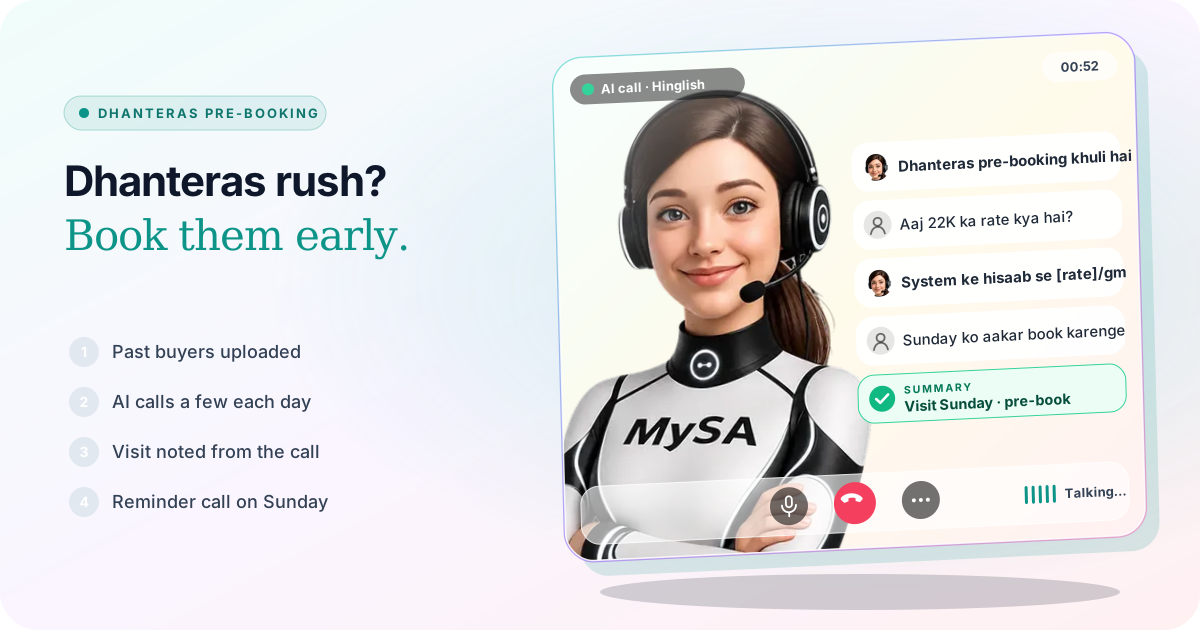
Dhanteras pre-booking for jewellery shops means the customer chooses a piece, or books an amount of gold, before the festival and collects it on the day. Jewellers in 2026 are running it with a small advance and protection from a rising gold rate. The offer is yours to set. The work is telling every past buyer about it in the week before Dhanteras, without the counter staff spending that week on the phone. With MySA Business, an AI voice assistant can make those calls, read today's rate from your own system, and turn "Sunday ko aate hain" into a visit with a reminder call.
Why pre-booking calls matter this week
Dhanteras falls on Friday, 6 November 2026. Trade reports from the last week of October describe retailers pushing advance booking and gold rate-locking ahead of the festival and the winter wedding season, because buyers are wary of the rate moving before they buy. Most pre-booking offers close a day or two before Dhanteras, which leaves roughly a week to reach the people most likely to book: customers who bought from you last Dhanteras, at a wedding, or under your savings scheme.
That is a list you already have in your billing software. What a shop usually lacks is the time to ring two or three hundred people while serving walk-ins.
Decide the offer before anyone calls
The AI can only tell customers what you wrote down. Before the first call, settle these and put them in a new version of your Business Details:
- What can be pre-booked: jewellery, coins, an amount of gold, or all of these.
- The advance: how much, and how it can be paid (at the shop, by UPI to your account).
- The rate rule: which rate the customer pays at pickup, in your own words, for example "booking-day rate or Dhanteras-day rate, whichever is lower".
- Making charges and exchange: any festive discount on making, and your old-gold exchange rule.
- The last date to book and the pickup days.
Approved Business Details cannot be edited, so this is a new version of the category; see Business Details. If the AI is asked something you did not write, it does not guess. The question becomes an Action required follow-up for you to answer once.
Call past buyers over a few days, not one afternoon
Calling everyone at once fills the counter with callbacks on the same day. A Scheduled campaign takes one contacts file and spreads it out:
| Option | How it fits Dhanteras |
|---|---|
| Split over days | A long list of past buyers, a fixed number each day from now to 4 November |
| On dates I pick | The whole list on two dates, such as 31 October and 4 November |
With On dates I pick, Skip people already reached is on by default, so a customer who spoke on the first round is not rung again. Each day or round is its own campaign with its own test call, pause and report. Scheduled calls only go out between 9 AM and 9 PM IST, and never inside your DND hours.
The file is an Excel or CSV with each customer's number. Columns named var1 to var15 carry each person's details into the call: var1 the name, var2 what they bought last time. A purpose such as "Tell {var1} ji that Dhanteras pre-booking is open till 4 November. They bought {var2} from us last year. Ask whether they would like to visit to book" is spoken with each customer's own details. The full set-up is in Campaigns.
Today's rate on the call, from your own system
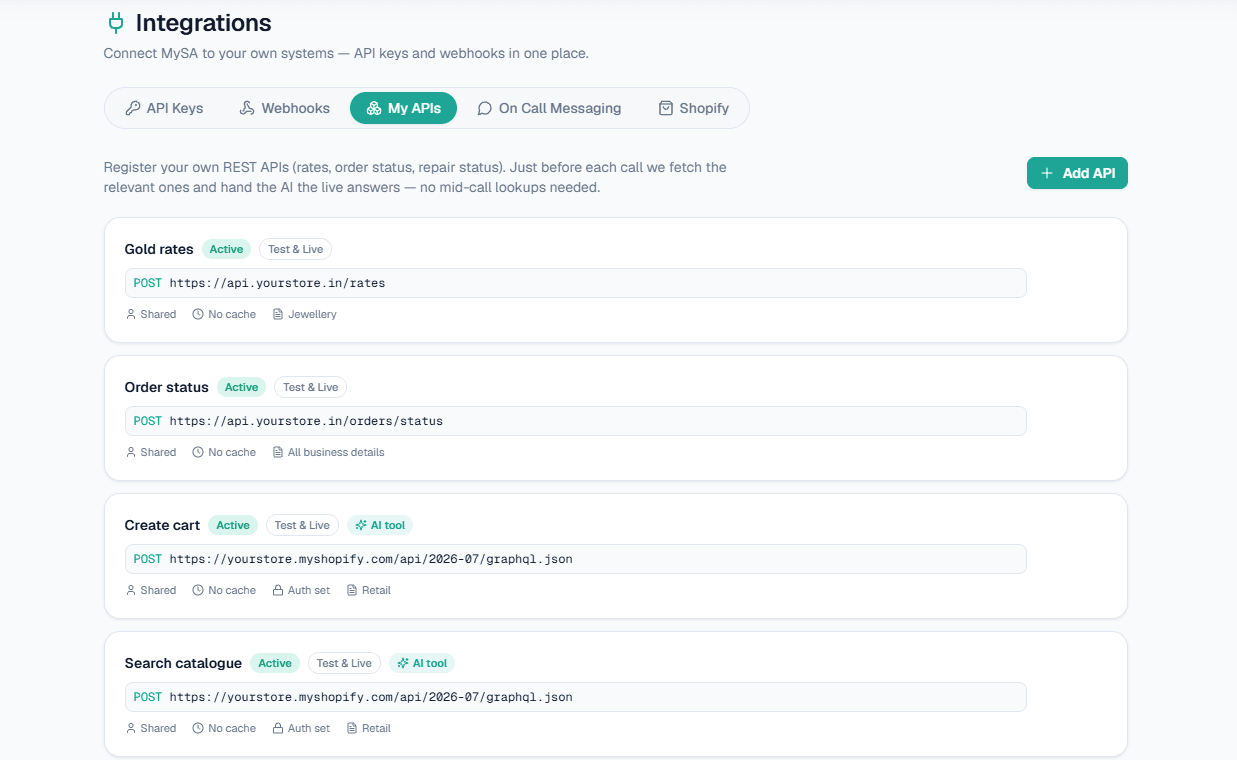
The first question on most pre-booking calls is "aaj ka rate kya hai?". If your billing or ERP software has a rate API, the workspace Owner adds it under Integrations → My APIs (Custom APIs are enabled per workspace). On outbound calls it is fetched just before each call and given to the AI, so the customer hears the figure your system returns. Without an API, the AI does not make up a rate. It says the day's rate is confirmed at the counter. See Custom APIs and AI calls with real-time data.
Example
AI: Namaste Sharma ji, main ABC Jewellers se bol rahi hoon. Dhanteras ke liye pre-booking 4 November tak khuli hai. Pichhle saal aapne humse gold chain li thi.
Customer: Aaj 22 carat ka rate kya hai?
AI: Hamare system ke hisaab se aaj 22K gold [rate from your API] per gram hai. Pre-booking ke liye showroom aakar design chun sakte hain.
Customer: Sunday ko aakar book karenge.
ABC Jewellers is made up, and the bracket stands for what your API returns. After the call, Call Logs has the recording, an AI summary and sentiment, and the campaign report can be downloaded when the round is done.
Turn "Sunday ko aayenge" into a visit
Pre-booking is still done in the showroom, so the job of the call is a visit. Two features cover the two ways a customer says it:
- Visit reminders. A visit the customer mentions ("Sunday ko aayenge") is noted from the call, and MySA rings them on that day: an hour before the time they gave, or inside your Call between window if they named only a day. It is off until you switch it on. See Visit reminders.
- Follow-ups. A call-back the customer asks for ("shaam ko call karna") is saved for that time, and Auto-callback can dial it. See Follow-ups.
On Dhanteras itself
On the day, the phone rings while every person in the shop is serving a customer. If inbound is switched on for your number, the AI answers from the same Business Details: timings, parking, whether pre-booked pieces are ready, and today's rate if the API is ticked under Live data (your APIs) on the number. A buyer who wants to talk about a bridal set can be handed to a named number such as "Owner" with Call transfer, in your Live workspace; transfer minutes are billed separately. More on inbound is on Inbound calls.
For customers who prefer messages, the same offer can go out on WhatsApp; see WhatsApp automation for jewellery shops.
What works today, and what it does not do
| Works today | Does not do |
|---|---|
| Calls to past buyers with their name and last purchase | Take the advance payment or confirm that it was paid |
| Today's rate read from your own API on each call | Lock a rate or publish market rates |
| A list spread over days, or called again on dates you pick | Know your offer unless it is in your Business Details |
| Visit reminder calls and follow-ups at the time the customer asked | Send SMS or email |
| Answering the shop number on Dhanteras and handing a buyer to the owner | Reserve a particular piece in your stock system |
These are scenarios, not customer stories.
Getting started
- Create a workspace and verify your mobile number to get ₹100 of Test credit in the separate Test environment.
- Write your pre-booking offer, advance, rate rule and last date into Business Details, and approve them.
- Press Try now: the AI rings your own phone. Ask it what a customer would ask.
- Go Live, top up the prepaid wallet, and create a Scheduled campaign from your list of past buyers.
Calls of 10 seconds or less are free; longer calls are billed per started minute. The rate for your workspace is shown in the console. Talk to sales for volume pricing. For the rest of a jeweller's phone work, read AI calling for jewellery shops.