
How to inform clients about GST changes comes down to one call a CA firm or tax consultant makes when a rule changes: "this applies to you, here is what changed, do you want to discuss it?" With MySA Business, an AI voice assistant can make that first call to every affected client from your list, ask one or two questions to find who the change matters to, and hand the interested ones to your team. The AI carries the news; the advice stays with the CA.
Why this week
On 26 October 2026 the government notified amendments to the CGST Rules (Notification No. 05/2026–Central Tax). One of them, a new Rule 14B, gives an option from 1 November 2026: a seller who sells only through an e-commerce operator, and who is already registered in at least one state, can register in another state by using the operator's warehouse there as the principal place of business, with the operator's consent and within a monthly limit. Other changes in the same notification follow on 1 December 2026 and 1 April 2027.
Read the notification itself before you brief anyone; reports differ on how the monthly limit is worded, and the conditions decide who qualifies. This article is not tax advice. It is about the part that comes after your firm has understood the change: telling the right clients, quickly, without forty phone calls by hand.
Not every client needs the call
A rule like this touches some clients and not others. Sort the list before you call:
| Client | What they need to hear | Next step |
|---|---|---|
| Sells only through online marketplaces | The new option and that you can discuss whether it suits them | A call from the CA if they are interested |
| Sells online and from a shop or their own website | That the option is limited to sales through the operator | A short meeting if they want to restructure |
| Does not sell online | Nothing yet | Leave them out of this campaign |
| Unsure how they sell | One question to find out | The AI asks; your team reads the answer |
A smaller, right list is better than calling everyone. A client who hears about a rule that does not apply to them learns to ignore your next call.
Set up the update campaign
A CSV Upload campaign calls a list you already have, once. That fits a one-time update.
- Prepare the file. An Excel or CSV file with each client's mobile number and name. Columns named
var1tovar15let each call carry its own details:var1the client's name,var2the business name,var3the state they are registered in. - Write the purpose in plain words. For example: "Tell {var1} ji that from 1 November there is a new GST registration option for sellers who sell only through online marketplaces. Ask whether {var2} sells only online, and whether they want the CA to call them about it. Do not give tax advice."
- Give the AI the facts. The AI answers questions from your approved Business Details, so add a short note on the change in your firm's own words, with what you are offering (a call, a meeting, a fee if any). Approved wording cannot be edited, so this means a new version of the category; see Business Details.
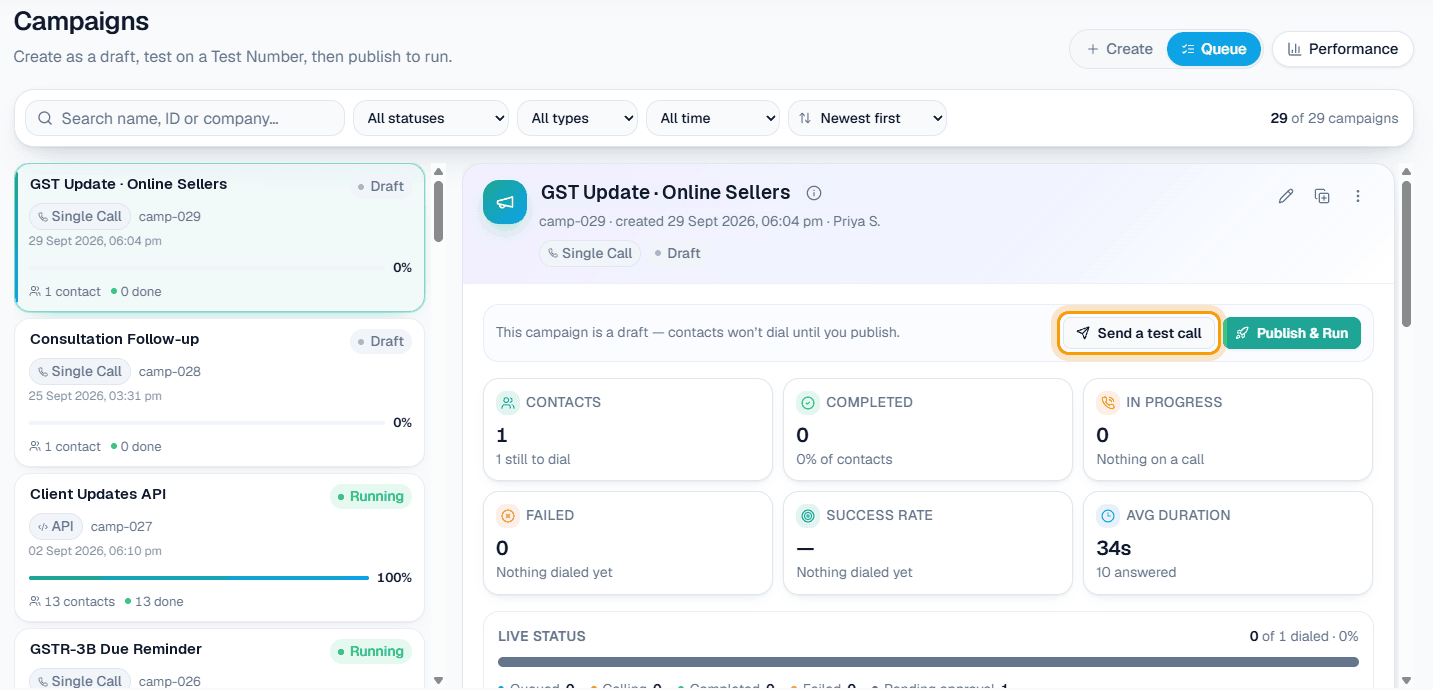
- Send a test call from the Queue to your own phone. Ask the questions a client would ask, including the ones the AI should not answer.
- Publish & Run. Calls go out from the start time you set, and never inside your DND hours.
The full reference is in Campaigns, and the overview on Campaigns.
An update call, as the client hears it
Example
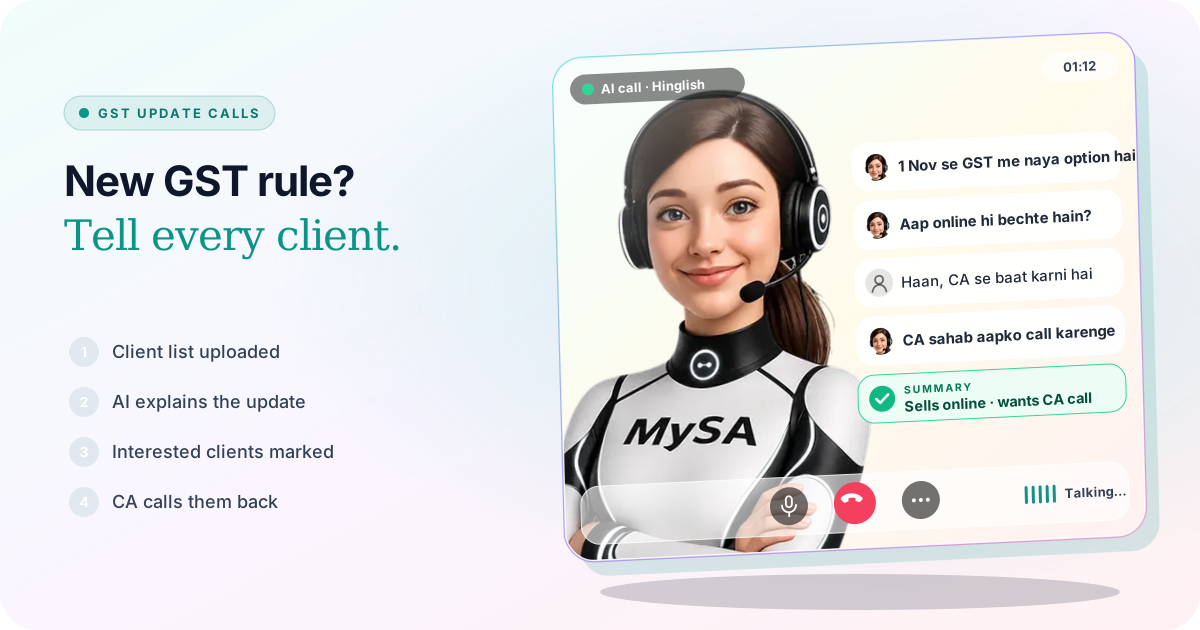
AI: Namaste Gupta ji, main XYZ & Co. se bol raha hoon. 1 November se GST mein online sellers ke liye ek naya registration option aa raha hai. Kya aap sirf online marketplace par bechte hain?
Client: Haan, sab kuch marketplace se hi jaata hai. Iska matlab doosre state mein registration lena padega?
AI: Ye aapke business par depend karta hai, isliye CA sahab hi bata payenge. Kya main unse aapko call karne ko kahoon?
Client: Haan, kal dopahar ke baad.
The firm and the client are made up. After the call, the firm sees a recording, an AI summary ("sells only on marketplaces, wants a CA call tomorrow afternoon") and sentiment in Call Logs, and the report can be downloaded when the campaign is done. The AI did not decide whether the option suits the client. It found out who wants to talk.
When a client asks a question the AI cannot answer
Tax questions are exactly where a wrong answer costs most, so the AI should not guess. MySA keeps three cases apart in Follow-ups:
- "Kal call karna". The time is picked up and added to Follow-ups. With Auto-callback on, the AI rings at that time; otherwise someone presses Call now. More in how to handle "call me later".
- A question your Business Details do not cover. The follow-up is marked Action required. You type the answer once, and the AI calls the client back with it.
- "CA sahab se baat karni hai". The follow-up becomes Call from a person, and MySA never dials it with the AI. If you would rather connect the client during the same call, set up Call transfer to a named number, such as "Partner"; see also AI call transfer to a human.
Sample messages for a GST change
The call finds who is interested. A written note gives them something to read before they talk to you. Change the details to your own firm and the rule in question:
WhatsApp, short:
Namaste {name} ji. 1 November 2026 se GST mein online marketplace par bechne walon ke liye doosre state mein registration ka naya option aaya hai (Rule 14B). Ye aap par lagu hota hai ya nahi, iske liye humein call karein ya reply karein. – XYZ & Co.
Email, for clients who prefer it:
Subject: GST change from 1 November 2026: registration option for online sellers
Dear {name}, a notification dated 26 October 2026 adds a new way for sellers who sell only through e-commerce operators to register in another state, using the operator's warehouse as the principal place of business. Conditions apply, including the operator's consent and a monthly limit. If {business} sells this way, we would like to discuss whether it suits you. Please reply with a convenient time.
Sending these is your team's job: MySA's WhatsApp Broadcasts can send an approved template to a list if Broadcasts is enabled for your workspace, but MySA does not send email.
After the update
The same campaign set-up works for the next change. A rule announcement, a new form, a changed due date: upload the clients it affects, write the purpose, test, run. For dates that repeat every month, a Scheduled campaign fits better; that is covered in GST filing reminder calls for CA firms.
What works today, and what it does not do
| Works today | Does not do |
|---|---|
| One AI call to every client on your list, with their name and details | Read GST notifications or know about a rule change on its own |
| One or two questions to find who the change affects | Decide whether a client qualifies or give tax advice |
| Questions held for your answer, then a call back | Apply for registration or log in to the GST portal |
| A person's call marked for the CA, or a transfer during the call | Send SMS or email |
| Recordings, summaries and a downloadable report | Call inside your DND hours |
These are scenarios, not customer stories.
Getting started
- Create a workspace and verify your mobile number to get ₹100 of Test credit in the separate Test environment.
- Build and approve your Business Details, including a short note on the change and what your firm offers.
- Press Try now: the AI rings your own phone. Ask it what a client would ask.
- Run a test campaign with three clients and
var1for their names. - Go Live, top up the prepaid wallet, and upload the clients the change affects.
Calls of 10 seconds or less are free; longer calls are billed per started minute. The rate for your workspace is shown in the console. Talk to sales for volume pricing.