
AI calling for manufacturers means an AI voice assistant makes the routine calls to your dealers and distributors — price revisions, stock checks, launch announcements, payment reminders — and answers your enquiry line when nobody is free. With MySA Business, the calls go out from your business number in the dealer's language, and every call comes back as a recording, a summary and tags. Your sales engineers keep the technical conversations; the AI handles the list.
Where manufacturing sits in India, and the language each call needs
Indian manufacturing runs in clusters, and each cluster trades in its own language:
- Gujarat: machine tools and foundries in Rajkot, ceramic tiles and sanitaryware in Morbi, brass parts in Jamnagar, chemicals in Vadodara, Bharuch and Vapi. Gujarati, Hindi or Hinglish.
- Maharashtra and Karnataka: the foundry clusters of Kolhapur and Belagavi, largely supplying auto castings, and steel around Ballari. Marathi, Kannada or Hindi.
- Tamil Nadu: pumps and machinery in Coimbatore, steel in Salem, fabrication in Tiruchirappalli. Tamil or English; see the Coimbatore article.
- East and central India: foundries in Howrah, steel in Durgapur, Asansol, Jamshedpur, Bokaro, Rourkela, Bhilai and Raipur. Bengali, Odia or Hindi.
- North India: hardware in Ludhiana and Faridabad, sports goods in Jalandhar and Meerut, locks in Aligarh, brassware in Moradabad, glass in Firozabad, plywood in Yamunanagar. Punjabi, Hindi or Hinglish.
All of these can be chosen as the call language. Set one per campaign, or add a language column so one dealer list calls each row in its own language. Hear each on a test call before your dealers do.
Use case 1: a price revision, told to every dealer the same day
Steel, brass and resin prices move, and your rate list moves with them. Usually someone spends two days calling dealers one by one, and the last thirty hear it from a competitor.
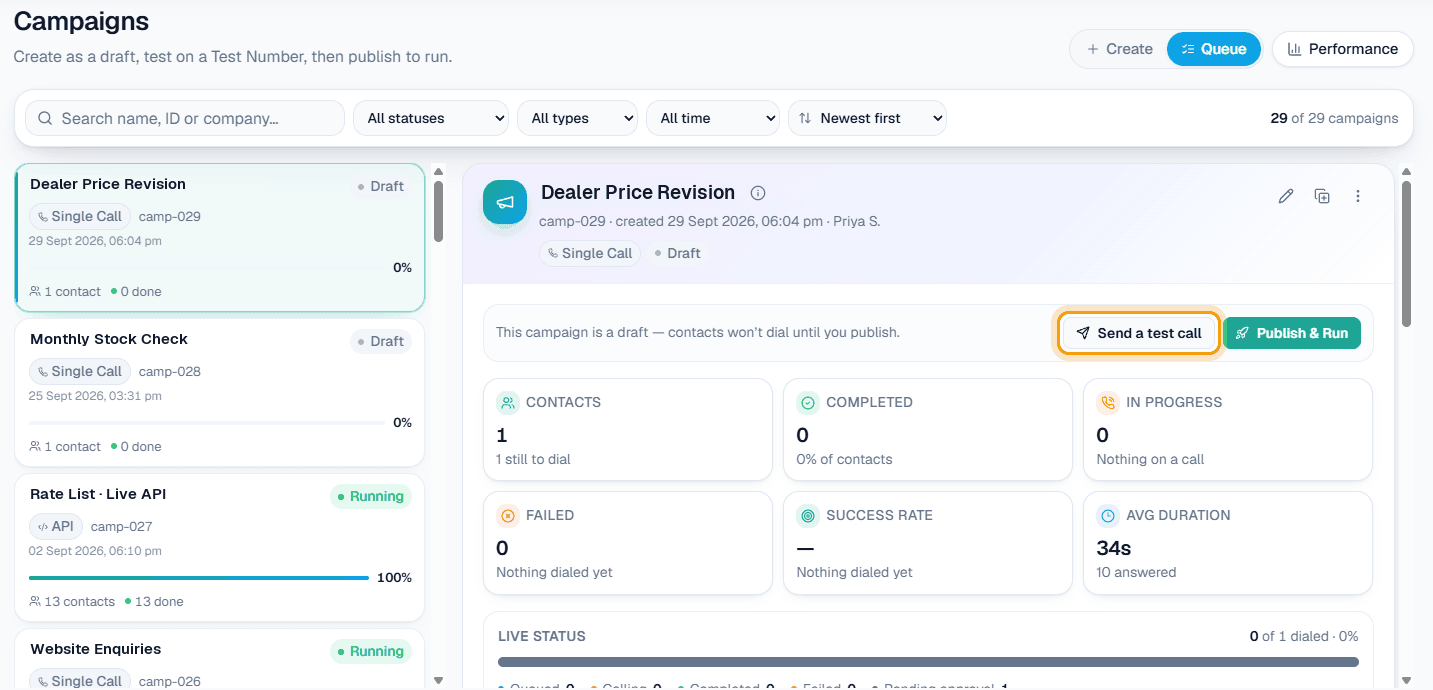
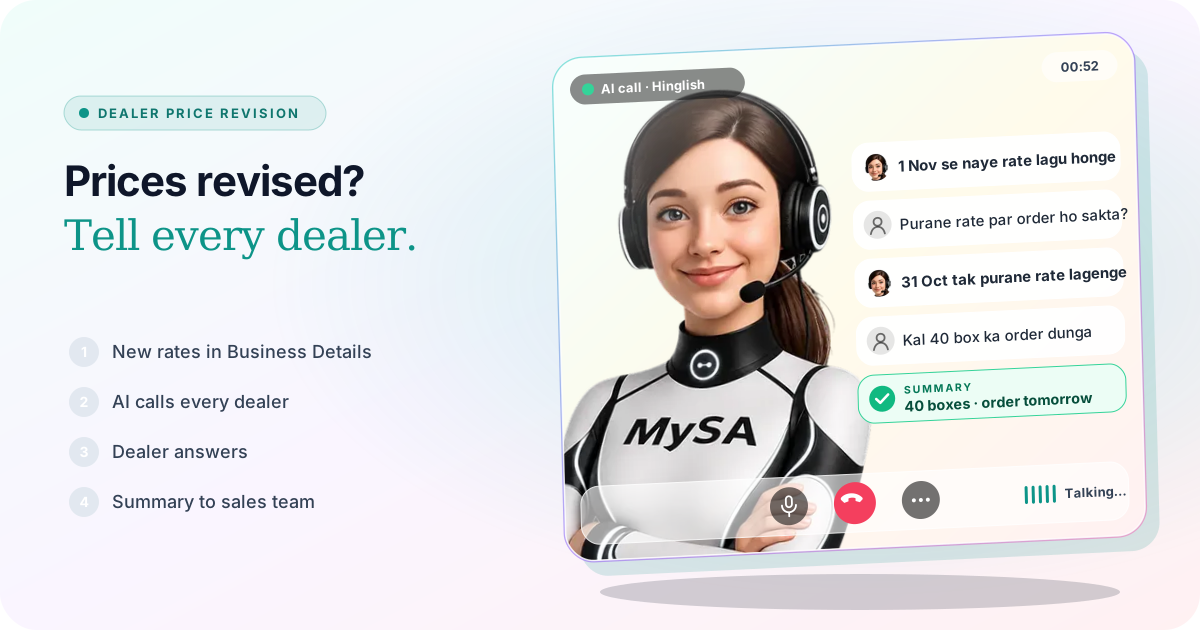
Write the revision into your Business Details — new rates, the date they apply from, what happens to orders already booked — and approve it. Then upload your dealer list into a CSV Upload campaign with a purpose such as "tell the dealer about the price revision from 1 November and ask whether they want to book at the current rate before then". Columns var1 to var15 carry each dealer's own details, such as their sales officer's name.
Example
AI: Namaste Sharma ji, ABC Tiles, Morbi se bol rahi hoon. 1 November se hamare floor tiles ke naye rate lagu ho rahe hain. 31 October tak confirm hue order purane rate par hi bill honge.
Dealer: Achha. Purane rate par kitna maal le sakta hoon?
AI: Jitna aap 31 October tak confirm karein. Quantity aur dispatch aapke sales officer Ramesh ji confirm karenge.
Dealer: Theek hai, 40 box ka order dunga. Kal subah call karna.
AI: Ji, kal subah dobara call karenge. Dhanyavaad.
The firm is made up. Afterwards the sales office sees an AI summary in Call Logs ("40 boxes at old rate, call tomorrow morning"), a positive sentiment, tags such as Pricing, and the recording. The call-back is already in Follow-ups for the morning, in the same language; see how to handle "call me later". The AI quoted nothing that was not in the approved Business Details.
Use case 2: stock checks and launches spread over the week
A Scheduled campaign takes one file and calls it over several days. Split over days suits a monthly stock check, 40 dealers a day, so replies reach dispatch at a pace they can handle. On dates I pick suits a product launch: the whole list on launch day and again a week later, with Skip people already reached on. Scheduled runs call only between 9:00 AM and 9:00 PM IST, and calls are held during your DND hours.
Use case 3: payment follow-ups without the awkward call
Put the invoice number, amount and due date into var1 to var3, and the purpose reads: "Remind the dealer that invoice {var1} for {var2} was due on {var3}, and ask when payment will be made." The summary records the date the dealer gives. A dealer who disputes the amount is flagged Needs a human, or handed to your accounts number during the call with call transfer. Agreeing a new credit term is still your team's job.
Use case 4: an enquiry line that answers at 11 at night
Buyers ring a pump or machine-tool maker at odd hours. Switch on inbound calls for your business number: the AI picks up, answers from your Business Details — product range, dealer locations, standard delivery times — and asks what the caller needs.
When the question turns technical, transfer hands it over. Under Phone system → Call transfer, add a number named "Sales engineer" with When to transfer here set to "when they ask about a technical specification or a bulk order", and one named "Accounts" for payments. The AI briefs your colleague, then connects the caller. Transfer works in Live only, and its minutes are billed separately.
| Caller or dealer says | AI does |
|---|---|
| "Naya rate kab se lagu hai?" | Gives the date and rates from your approved Business Details |
| "Kal call karna" | Schedules a call-back in Follow-ups at the time asked |
| "Is pump ka head aur flow kya hai, 200 piece chahiye" | Transfers to the sales engineer, if transfer is set up |
| A question your Business Details cannot answer | Marks it Action required; you type the answer and the AI calls back with it |
Use case 5: website enquiries called within a minute
Create a webhook under Integrations → Webhooks, point your website's enquiry form or your Justdial leads at it, and attach it to a webhook campaign. Each new lead is called, usually within a minute, and asked what you wrote: product, quantity, city. The webhook docs show the format.
Live rates from your own system
If your rate list lives in your ERP, add your rate API under Integrations → My APIs with caching on. The AI is handed today's rates before each call, so a dealer asking "aaj MS angle ka rate kya hai?" hears today's number, not last week's PDF. See the real-time data guide and the Custom APIs docs; My APIs appears once Custom APIs are enabled for your workspace.
Saathi on your product website
If buyers browse your catalogue online, Saathi puts an AI video agent, MySA, on that website. A buyer taps the call bubble and talks to it; it answers from your Business Details, opens the right product page and points at what is being discussed. It can start in Gujarati, Tamil, Marathi, Bengali, Kannada, Hindi or Hinglish, and every call appears under Saathi → Video calls with a summary. Setup is one line of code per page; see the Saathi docs.
What works today, and what it does not do
| Works today | Does not do |
|---|---|
| Calls every dealer with their own details from your Excel | Take or book orders in your ERP |
| Rates and terms from your approved Business Details | Invent a discount, credit term or delivery date |
| Live rates or dealer data from your API, if Custom APIs are enabled | Read your ERP without an API you provide |
| Transfers a caller to a named colleague | Answer technical questions you have not written down |
| Calls new leads from Justdial, your website or any source that posts to a webhook | Send SMS or email |
| Recording, summary, sentiment and tags | Keep turn-by-turn transcripts |
These are scenarios, not customer stories.
Getting started
- Create a workspace and verify your mobile number to get ₹100 of Test credit in the separate Test environment.
- Approve your Business Details: product range, current rates, the date of any revision, dealer terms.
- Press Try now: the AI rings your own phone. Try the language your dealers use.
- Upload ten dealers, send a test call, then go Live, top up the prepaid wallet and run the full list.
Calls of 10 seconds or less are free; longer calls are billed per started minute. The rate for your workspace is shown in the console. Talk to sales for volume pricing.