

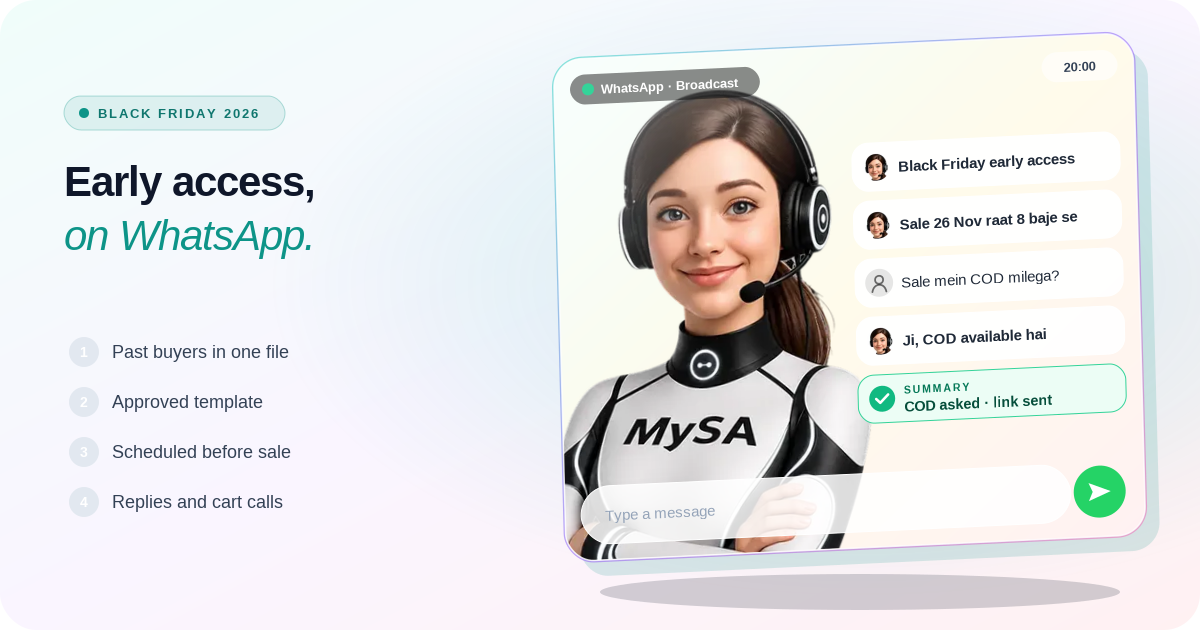
Black Friday WhatsApp marketing is how an Indian online store tells its own customers about a Black Friday sale on WhatsApp, and then handles the replies, questions and abandoned carts the sale brings. With MySA Business, the announcement is a WhatsApp broadcast to a list you choose, shoppers who leave a cart can get an AI call that answers what stopped them, and the questions that pour in during the sale are answered from details you approved. Black Friday 2026 falls on Friday, 27 November, with Cyber Monday on 30 November.
Why Black Friday matters to Indian stores now
Black Friday started as an American shopping day, but large Indian marketplaces and fashion, beauty and electronics brands now run their own sales around it. Searches such as "PS5 Black Friday deals" were already rising in India on 4 November 2026, three weeks out.
For a smaller store the problem is not getting a discount ready. It is being heard among much bigger sales, and handling a week of "COD milega?", "size exchange hoga?" and half-finished checkouts without hiring for one week.
Three weeks out: build the list and the template
Your strongest audience is people who already bought from you. Put them in one file:
- Past buyers from your store's order export, with a phone column and a name column.
- Columns you want in the message, such as the category they bought last ("kurta sets", "earbuds"). Any column can fill a slot, and each person gets their own value.
- Only people you may message. Remove anyone who asked you to stop.
Then get an approved WhatsApp template. WhatsApp requires one for marketing messages, and approval can take time, so do it early. For example:
Hi {{1}}, aapke liye Black Friday early access: {{2}} par sale 26 November raat 8 baje se. Link: {{3}} — {{4}}
Give {{1}} a fallback such as "there", because many contacts have no name. A column left empty for some rows needs a fallback too, or those people are skipped and listed as Not sent.
One week out: schedule the early-access broadcast
Open Broadcasts → New broadcast, pick the template and upload the file (up to 50,000 rows), or choose a calling campaign as the audience. In Schedule, pick the date and time in India time. Review shows the exact number of people, who was left out and why (same number twice, opted out, number not readable), the first messages as they will go out, and what the broadcast will cost from your wallet. The full steps are in WhatsApp broadcasts.
Two limits to plan for:
- The daily limit. Messages go out within a daily WhatsApp limit, 1,000 different people in any 24 hours to start on your own number. A list of 5,000 does not all go out on the morning of the sale; the rest continue as the limit frees up. Start early enough that early access is still early.
- WhatsApp's own marketing limits. WhatsApp limits how many marketing messages one person receives. A message it refuses is listed as Not sent with the reason, and Send again retries only those.
Broadcasts go through the WhatsApp provider you use under Integrations → On Call Messaging: your own number through Meta WhatsApp or Automate Chats, or MySA WhatsApp for a store with no WhatsApp Business account, which has its own, smaller daily limit. Each broadcast message is charged from your wallet, and refused messages are refunded. For pricing on your volume, contact our sales team.
During the sale: carts, calls and questions
Shoppers who leave a cart
Sale traffic means more abandoned checkouts. If your store is on Shopify, Shopify abandoned cart recovery uses the MySA Shopify app: each shopper the app passes on gets an AI call with their cart as the opening context, and the AI answers the question that stopped them.
AI: Namaste Rohit ji, aapne Black Friday sale mein wireless earbuds cart mein chhode the. Koi sawaal tha? Shopper: COD milega sale mein? AI: Ji, COD available hai. Main WhatsApp par link bhej doon?
Be clear about what this is and is not. Only shoppers the app marks as callable are called, calls wait out your DND hours, and MySA does not send email; keep Shopify's own abandoned checkout email running. Whether the shopper completed the order is reported by the Shopify app, not guessed by MySA.
The questions the sale brings
"Offer kab tak hai?", "exchange policy?", "order kab aayega?" Write the sale dates, offer rules, COD and exchange policy into your Business Details before the sale, and the AI answers calls and WhatsApp chats from them. For "where is my order", connect your order-status API under My APIs so the answer comes from your system; see Custom APIs. On a WhatsApp number connected to MySA, Smart reply answers chats, and intent-based calling asks a serious buyer once whether a call would help.
After the sale: follow-ups and the next list
When the sale ends, the calls have already left a record: every call's summary, outcome and tags are in the Detailed Report, which downloads as a CSV. Shoppers who said "salary aane ke baad lunga" sit on Follow-ups for the date they named.
That file is also the start of your next list, for Christmas or the year-end sale. Customers who opted out stay out of every future broadcast.
What works today, and what it does not do
These are scenarios, not customer stories.
| Works today | Does not do |
|---|---|
| Scheduled broadcasts of an approved template, up to 30 days ahead | Write or get your template approved for you on your own account |
| Per-customer values from your file's columns | Show who opened or read the message yet |
| AI calls to Shopify shoppers the MySA app passes on | Call shoppers on other platforms without your own setup |
| Answers from Business Details and your own APIs | Invent offers, coupon codes or delivery dates |
| Cost shown on Review, refunds for refused messages | Send email or SMS |
For a broader festive checklist, see Diwali marketing with WhatsApp and AI calls.
Getting started
- Sign up and verify your mobile; the Test environment gets ₹100 of Test credit.
- Choose your WhatsApp provider under Integrations → On Call Messaging and get your Black Friday template approved.
- Write the sale's dates, offers, COD and exchange rules into your Business Details.
- Broadcasts are enabled per business. If you do not see Broadcasts under Channels, raise a support ticket.
- Send the early-access broadcast to a small list first, check the report, then schedule the rest.