
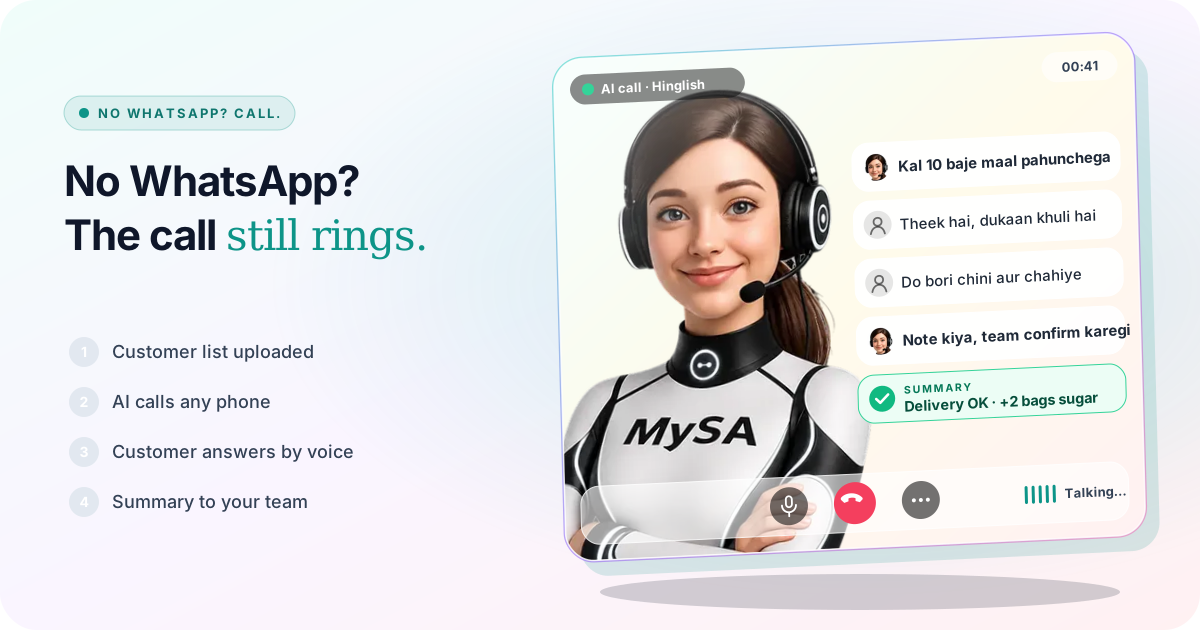
To reach customers without WhatsApp, you call them. A plain phone call rings on every handset, from a ₹1,000 keypad phone to the newest smartphone, and needs no app, no data pack and no reading. With MySA Business, an AI voice assistant makes those calls from your number, in the customer's language, says what you need said, listens to the answer and gives your team a summary of each call.
Most automation advice in India assumes the customer is on WhatsApp. A large share of the people many businesses serve are not, or are there but never read a message from a business.
Who is still on a basic phone
Feature phones have not gone away. In July 2024, IDC's Navkendar Singh told TechCrunch that around 350 million people in India still used a feature phone. The same article cited Counterpoint data that 2G feature phones still held most of that market.
The figure is from 2024, so treat it as a sense of scale, not today's count. Even so, it covers customers that many businesses depend on:
- Village and small-town shopkeepers who order from distributors and wholesalers.
- Farmers buying seed, fertiliser or selling produce. See AI calling for agri traders.
- Milk-route and doorstep customers of dairies and food suppliers.
- Older customers and patients, who may own a smartphone but answer only calls.
- Drivers, field staff and labour contractors, who are on the move and do not read long messages.
Some basic phones run a version of WhatsApp; many do not. And a customer with WhatsApp who ignores your template message has, in practice, not been reached either.
Why a call works where a message does not
A text needs the customer to read it, understand it and reply. A call needs them to say "haan" or "nahi". For customers who are not comfortable reading, or reading English, that difference decides whether the message lands.
A call also lets the customer ask back. "Kitne baje aayega?" or "Paise cash dene hain ya UPI?" gets answered in the same minute, where a WhatsApp reply could sit unread until evening.
The cost of a call is the catch: it takes a person's time. That is the part an AI voice assistant takes over.
Set up the calls
A campaign calls a list with one purpose. For customers on basic phones:
- Upload the list as Excel or CSV with each mobile number. Put each customer's own details in
var1tovar15: the name, the delivery time, the amount. The AI speaks them in each call. See Campaigns. - Pick the language they speak. MySA calls in more than 100 languages, Hinglish by default. A
languagecolumn overrides it per customer, so a Bhopal shop and a Bhubaneswar shop on the same list each hear their own. Listen to a test call before you choose; how natural a language sounds is something to judge yourself. See AI calling in Hindi and Hinglish. - Write a short purpose. One reason for the call, the key detail said plainly, and one question with an easy answer. "Kal 10 baje maal aayega, dukaan khuli rahegi?" works better on a basic phone than a list of offers.
- Set a short Max call duration for routine calls, so the call ends once the job is done.
- Set DND hours so nobody is rung before they open the shop or after dinner. See DND.
A delivery call, as the shopkeeper hears it
Example
AI: Namaste Suresh ji, main ABC Distributors se bol raha hoon. Aapka order kal subah 10 baje tak pahunchega. Kya dukaan khuli rahegi?
Shopkeeper: Haan, khuli rahegi. Do bori chini aur chahiye.
AI: Theek hai, do bori chini ka note team ko de deta hoon. Woh aapko confirm karenge.
Shopkeeper: Theek hai.
ABC Distributors is made up. After the call, Call Logs holds the recording, an AI summary ("delivery tomorrow 10 AM OK, wants 2 more bags of sugar") and the sentiment. Adding the sugar to the order is still your team's job; the AI does not touch your billing or stock. See Call Logs.
When the customer calls back
People on basic phones often ring back the number that called them. If your campaign calls from a number you bought and inbound calls are switched on for that number, the AI answers the call-back from your Business Details. A customer who says "shaam ko call karna" lands in Follow-ups, and Auto-callback can ring them at that time. See how to handle "call me later".
What works today, and what it does not do
| Works today | Does not do |
|---|---|
| Calls any phone number, smartphone or basic phone | Send SMS to the customer |
| Each customer's name, time or amount spoken from your file | Send WhatsApp to a customer who does not have it |
| The customer's language, set per row | Promise how natural every language sounds |
| Recording, summary and sentiment of every call | Change your orders, stock or ledger |
| Call-backs answered when inbound is on for that number | Read keypad presses; the customer answers by speaking |
These are scenarios, not customer stories. For customers who are on WhatsApp, the same Business Details can answer their messages too: see WhatsApp smart reply.
Getting started
- Create a workspace and verify your mobile number to get ₹100 of Test credit in the Test environment.
- Write your Business Details and a short purpose.
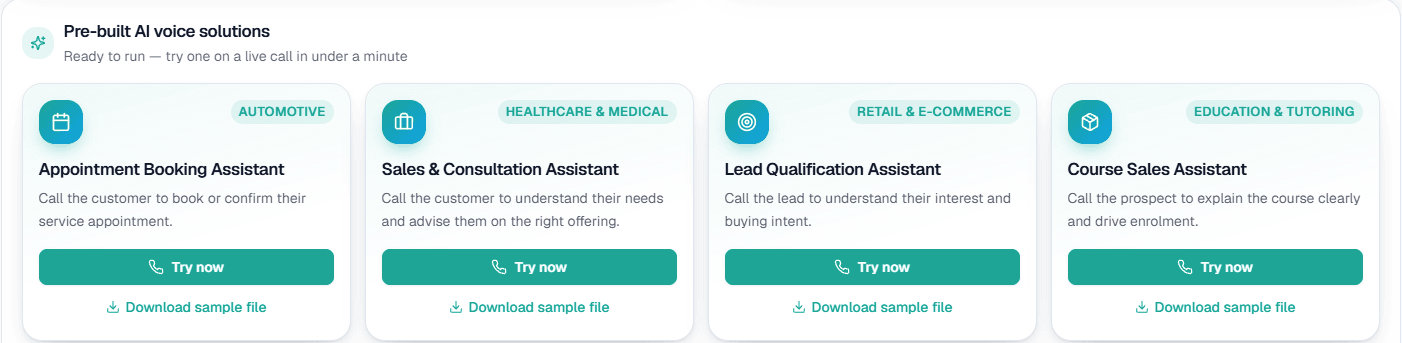
- Press Try now: the AI rings your own phone. If you can, answer on a basic phone, the way your customers will.
- Run a test campaign to three of your own numbers with
var1filled in. - Go Live, top up the prepaid wallet and start with a small list.
Calls of 10 seconds or less are free; longer calls are billed per started minute. The rate for your workspace is shown in the console. Talk to sales for volume pricing.