
A Diwali holiday notice for customers says which days you are closed, when you reopen, and what a customer should do in between. With MySA Business, the same notice can be answered for you: the AI on your business number and on WhatsApp tells every caller the dates, and the ones who want a call back are saved for the day you open. The notice is one line; the work is making sure nobody who calls during the holiday is lost.
When to send it, and what it should say
Diwali falls on Sunday, 8 November 2026. Many shops, workshops and offices close for one to three days around it, and the days differ by city, trade and family. Decide your own dates first, then tell customers about a week ahead, while they are still planning their festive shopping and service visits.
A good notice answers four things:
- The dates you are closed, with the day of the week.
- The date and time you reopen.
- What happens to orders, bookings or repairs due in those days.
- How to reach you if it is urgent, if anyone will be.
Example: "Diwali ke liye ABC Electronics 8 se 10 November tak band rahega. 11 November, Wednesday ko subah 10 baje se khulega. Aapka service ya order is beech mein due hai to hum aapko pehle call karenge."
ABC Electronics is made up. Keep the notice the same everywhere you put it, so a customer who reads it on WhatsApp and hears it on a call gets the same dates.
Sample Diwali holiday notices
Copy one, change the name and dates, and use the same wording on WhatsApp, on a printed notice at the counter and in your Business Details. The businesses are made up.
Shop:
Diwali ke liye ABC Sarees 8 se 10 November 2026 tak band rahega. 11 November, Wednesday ko subah 10 baje se khulega. Order dena ho to 7 November tak WhatsApp karein. Aapko aur aapke parivar ko Diwali ki shubhkamnayein.
Office or B2B supplier:
Dear customer, our office will be closed from 8 to 10 November 2026 for Diwali and will reopen on Wednesday, 11 November. Orders received during the holiday will be processed in the order they arrived. Wishing you a happy Diwali.
Service centre or clinic:
Diwali ki chhutti: 8–10 November band. Jinki service ya appointment in dino mein thi, unhe hum pehle hi call karke naya din denge. 11 November se normal timings.
Online seller:
Diwali ke chalte 8 se 10 November tak dispatch band rahega. Is beech aaye orders 11 November se bheje jayenge. Delivery date order page par update hogi.
Put the dates where the AI reads them
Because a Diwali holiday is planned, you have time to put the dates into your approved Business Details, which the AI uses on calls, WhatsApp, Instagram and Facebook. Approved wording cannot be edited, so build a new version of the category with a line such as "Closed 8–10 November 2026 for Diwali; open from 11 November, 10 AM." Approve it a few days before the holiday. Write it with the year and the dates, so the line stays true after you reopen; replace it in your next version. See Business Details.
This is the main difference from an unplanned closure. For a storm or a bandh there is no time for a new version, which is why the bad-weather guide relies on WhatsApp alone.
Answer calls while the shop is closed
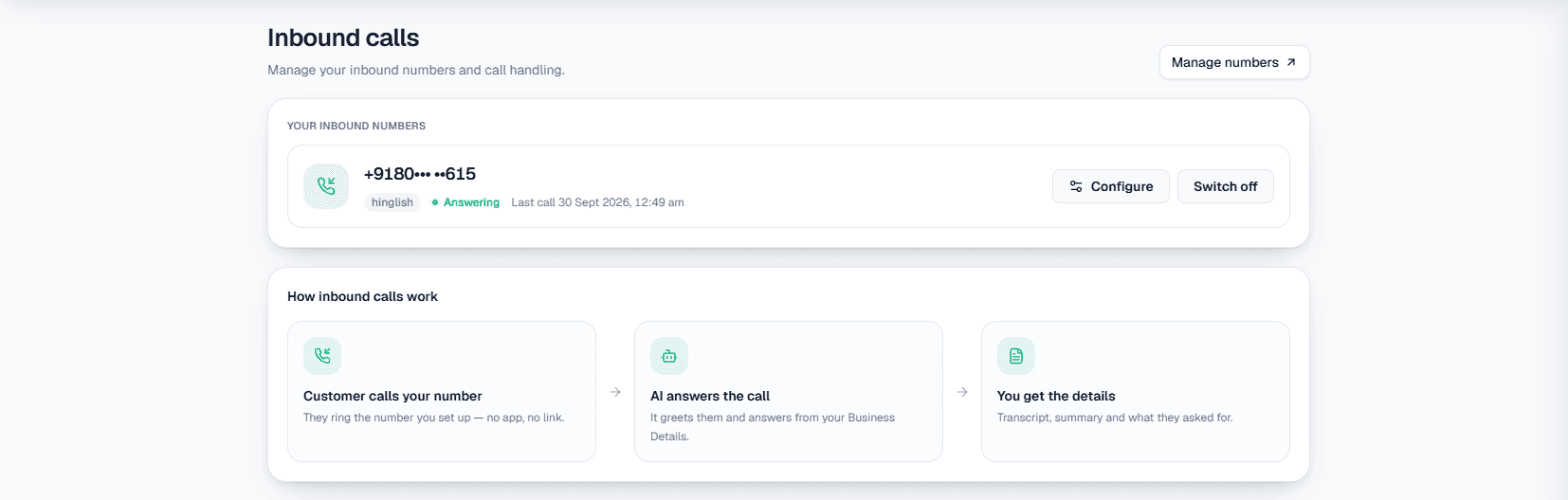
If inbound is switched on for your number, the AI answers every call during the holiday, from those Business Details. In Phone system → Inbound, open Configure on the number and check two things:
- AI instructions. Add a sentence for the holiday, such as "During 8–10 November tell callers we are closed for Diwali, give the reopening date, and offer a call back after we reopen." The instructions accept up to 5,000 characters and can be saved at any time without interrupting the number.
- Call customers back when they ask. With this on, a caller who asks for a call back gets one, charged as a normal outgoing call. With it off, the AI will not promise one.
Example
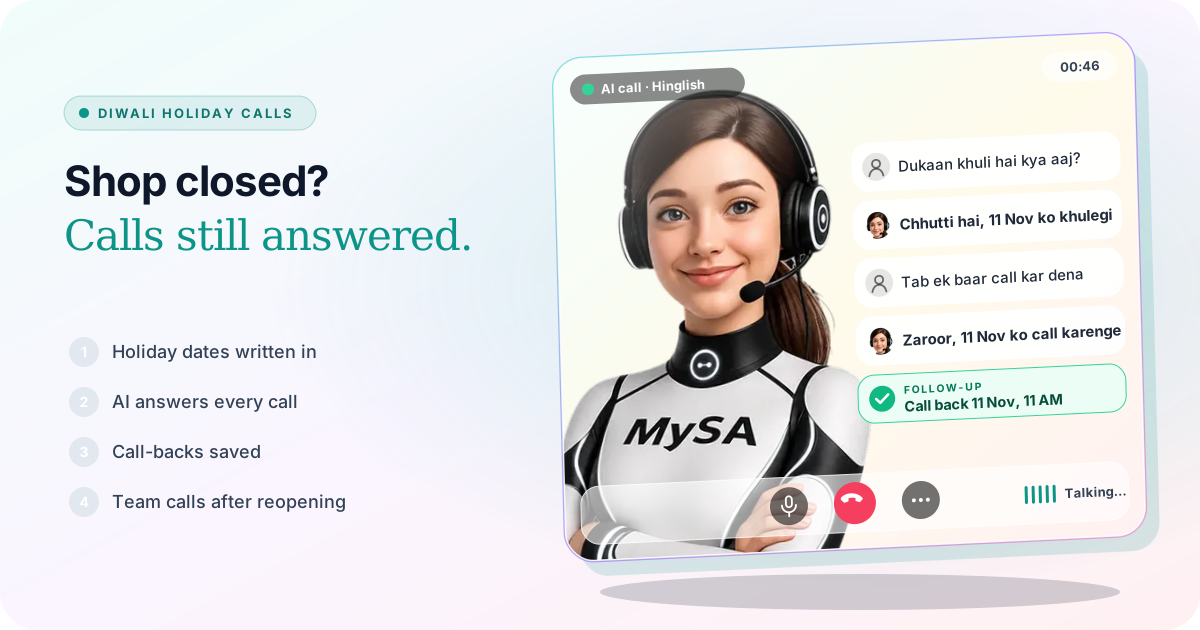
Caller: Dukaan khuli hai kya aaj? Mera TV repair ke liye diya tha.
AI: Diwali ki wajah se dukaan 10 November tak band hai, 11 November ko subah 10 baje khulegi. Kya main aapko us din call karwa doon?
Caller: Haan, 11 ko gyarah baje ke baad.
Afterwards, the call shows in Call Logs with a recording and a summary, and the request is added to Follow-ups with the time the caller asked for. Whether a repair is ready is something only your team knows; the AI should say so rather than guess. More on how inbound works is in AI receptionist for business and on Inbound calls.
If your daily DND hours block inbound calls at night, they still do during the holiday. DND is one daily window; it has no setting for particular dates.
WhatsApp during the holiday
If your WhatsApp number uses Smart reply (AI), write the notice into Today's update for that number in WhatsApp → Settings. The AI adds it to its answers until you change it, so "kal khule ho?" gets the dates. Clear it the morning you reopen.
Missed call auto-reply can decline a WhatsApp call and text the caller back. If you normally use Only outside working hours, calls in your working hours ring through to your phone, which nobody may be watching during Diwali; switch that option off for the holiday so every caller gets the text. The text-back only reaches people who have messaged you before. See the WhatsApp docs.
If Broadcasts is enabled for your workspace, the Owner can send the notice to past customers as an approved WhatsApp template, now or scheduled up to 30 days ahead, with the Opted out list left out. The template needs Meta's approval first, so start a few days early. See WhatsApp Broadcasts.
Customers with orders or bookings in those days
Customers whose delivery, repair or appointment falls in the holiday should hear from you before it, not from a closed shutter. A CSV Upload campaign calls each of them with your purpose, and columns named var1 to var15 carry their own details, such as the order or the booking time. Send a test call to your own phone first. See Campaigns.
If your bookings live in Appointments, cancel the ones already on those days from the List view (tick Select all for a whole closed day, then Cancel N bookings); each customer with a Live booking gets a WhatsApp saying which booking was cancelled. The calendar's Days & hours are set by weekday, not by date, so it has no way to mark 9 November alone as closed. If AI books on calls is on, switch it off for the holiday, or check the calendar each morning for new bookings on closed days. See Appointments.
The morning you reopen
Open Calling → Follow-ups. Everyone who asked for a call back is there, with the time they asked for:
- With Auto-callback on, follow-ups dial at their scheduled time, so a caller who said "11 ko gyarah baje ke baad" is rung then. Otherwise press Call now on each row.
- Rows marked Call from a person are callers who asked for someone on your team. MySA does not dial these; ring them yourself and press Mark called back.
- Rows marked Action required are questions the AI could not answer. Type the answer once and the AI calls the customer back with it.
See Follow-ups.
What works today, and what it does not do
| Works today | Does not do |
|---|---|
| AI answers calls from Business Details that include your holiday dates | Know your holiday dates unless you write them in |
| Call-backs saved with the time the caller asked for | Switch the holiday wording on and off by date |
| WhatsApp replies with your Today's update | Answer WhatsApp calls itself |
| A notice broadcast from an approved template, if Broadcasts is enabled | Send SMS or email |
| Calls to customers with orders or bookings in the holiday | Tell a customer whether their repair or order is ready |
| Cancelling a whole day's bookings at once in Appointments | Close particular dates in the calendar; open days are set by weekday |
These are scenarios, not customer stories.
Getting started
- Create a workspace and verify your mobile number to get ₹100 of Test credit in the separate Test environment.
- Build and approve your Business Details, with your timings and the holiday dates.
- Press Try now: the AI rings your own phone. Ask it "Diwali pe khule ho?"
- Go Live, top up the prepaid wallet, and switch inbound on for your business number.
Calls of 10 seconds or less are free; longer calls are billed per started minute. The rate for your workspace is shown in the console. Talk to sales for volume pricing.