
Gold rate drop calls to customers are calls a jewellery shop makes on the day the rate comes down, to the people who told it "call me when the rate is lower". Every showroom has that list, usually in a register or in someone's memory: the wedding family who priced a necklace and walked out, the customer who booked a design and is waiting to fix the weight. With MySA Business, an AI voice assistant can ring that list the same day, read today's rate from your own system, and note who is coming in.
Why this week, and why Chennai is searching
Trade reports this week describe the rate falling. IndiaInfoLine reported on 18 November 2026 that 24K gold fell ₹2,780, or 2.04 per cent, to ₹1,33,260 per 10 grams. On 19 November, the Sunday Guardian reported a further fall of ₹257 per gram, with 24K at ₹13,069 and 22K at ₹11,980 per gram, and linked it to changing expectations about US interest rates and profit-booking after the earlier rally.
The same day, Google Trends showed searches such as "why gold price is going down" and "today gold rate Chennai" rising across India, with the most interest in Tamil Nadu for the Chennai search. Customers are checking the rate themselves.
These are market reports, not your rate. Your customers pay your rate, and that is the only figure the AI should speak.
The customers worth calling first
Not everyone on your billing list cares about a ₹257 fall. The people who do are those who:
- asked for a price and said they would wait for the rate to come down,
- booked a design or an amount of gold and have not fixed the rate yet,
- have a wedding date in the next few months and are buying in parts,
- called last week only to ask "aaj ka rate kya hai?" and did not come in.
A short list of fifty such customers is worth more on a falling day than a broadcast to five thousand. For the broadcast, a WhatsApp message with the day's rate does the job; see gold rate message to customers.
Build the waiting list from your own calls
If MySA already handles your calls, you can let it collect this list for you.
- Open Tags under Calling, pick your jewellery category and add a tag of your own, such as "Waiting for lower rate". Each category has up to 10 tags prepared by MySA and 5 of your own.
- After each call, the AI reads the summary and applies only tags from your list. A customer who says "rate thoda kam ho to lenge" is tagged.
- On the day the rate falls, click the tag's download button. You get the unique customers who had that tag in the range you chose, as a CSV.
The downloaded file has Customer and Number columns. Rename them customer_name and destination before uploading, because a campaign file needs a destination column. Customers from your register can be added to the same file by hand. The tag set-up is on Analytics & reports.
Today's rate on the call, from your own system
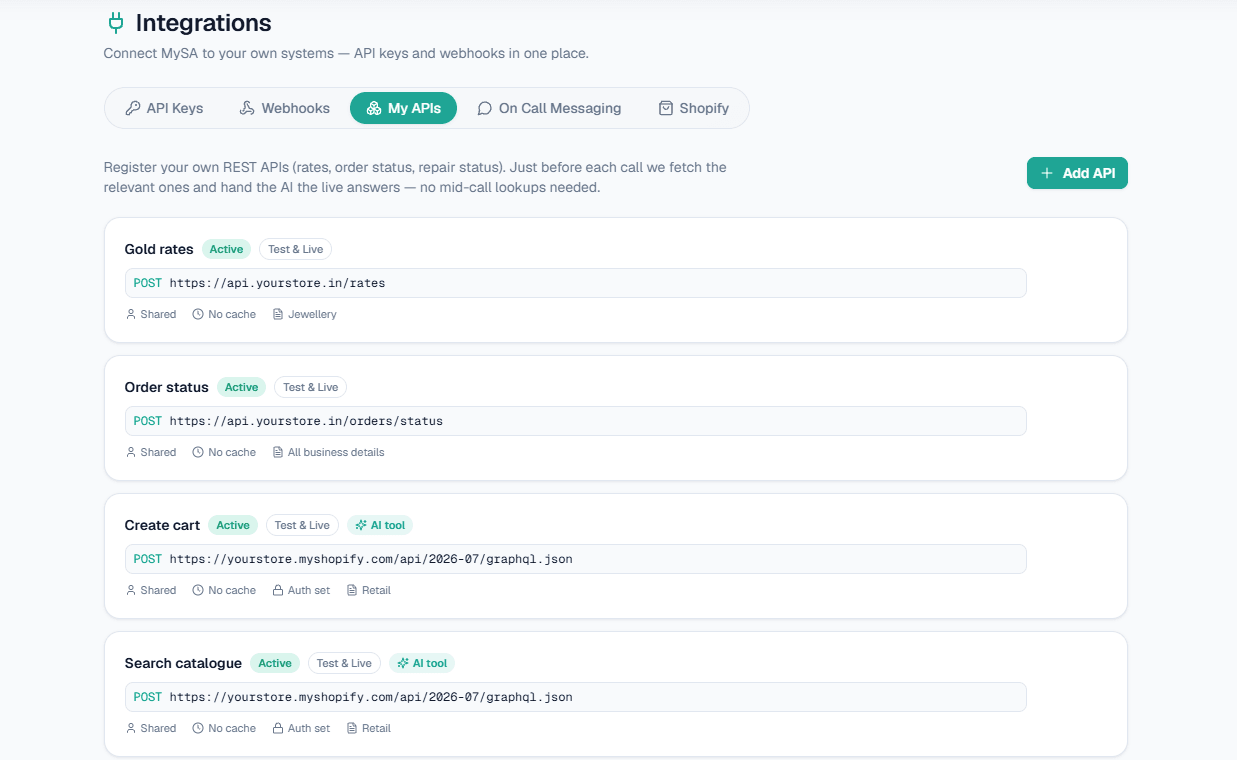
The first thing a waiting customer asks is the new rate. If your billing software has a rate API, the workspace Owner adds it under Integrations → My APIs. On outbound calls it is fetched just before each call and handed to the AI as a fact, such as "22K Gold: ₹[your rate]/gram".
On a day when the rate moves, two settings matter:
- Cache (seconds) set to
0means every outbound call fetches the rate fresh. - Editing the API clears that day's shared copy, so a corrected template takes effect at once.
If your API does not answer within 2.5 seconds, the call still goes ahead without the rate, and the AI does not make one up. It tells the customer the rate is confirmed at the counter. My APIs is enabled per workspace; see Custom APIs.
Write the call so it never sounds like advice
A customer will ask "will it fall more?" Nobody at your counter knows, and the AI must not guess either. Put the answer in your Business Details: "We do not predict gold rates. Today's rate is what we can offer today." Add your making charges, old-gold exchange rule and whether a booked rate can be fixed by phone or only at the shop. The AI answers only from what you approved; a question you did not cover becomes an Action required follow-up for you to answer once.
Then create a CSV Upload campaign from the file. A purpose such as "Tell {var1} ji that the gold rate has come down today, as they asked us to tell them. Share today's 22K rate. Ask if they would like to visit" uses each customer's own details from columns var1 to var15. For a Chennai shop, choose Tamil or English as the call language, or let the language column set it per customer, and hear it on a test call first. The full set-up is on Campaigns.
Example
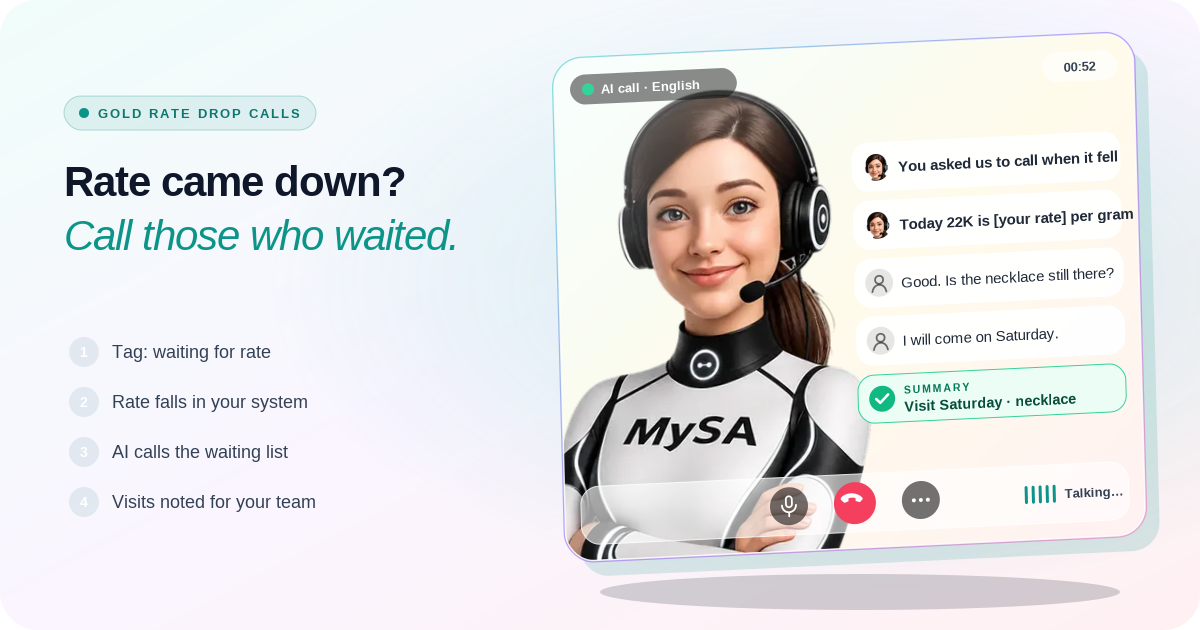
AI: Good afternoon Mr Raghavan, this is ABC Jewellers. Last week you asked us to call you when the gold rate came down. It has fallen today.
Customer: What is 22 carat today?
AI: As per our system, 22K is [rate from your API] per gram today. Making charges are as discussed at the showroom.
Customer: Will it go down more?
AI: We do not predict gold rates, sir. Today's rate is what we can offer today.
Customer: Fine. Is the necklace I saw still there? I will come on Saturday.
AI: I will note Saturday and ask the team to confirm the necklace.
ABC Jewellers is made up, and the brackets stand for what your API returns. The necklace question becomes an Action required follow-up. With Visit reminders switched on, "I will come on Saturday" gets a reminder call that day; see Visit reminders. A customer who asks for the owner lands in Follow-ups as Call from a person, which MySA never dials itself; see Follow-ups.
Same day, not next week
A falling rate is news for a day or two, so start the campaign the same day; calls inside your DND hours are held, not lost. If your software tracks its own rate, it can push customers into an API campaign when the rate crosses a level you set. That rule lives in your software, not in MySA.
What works today, and what it does not do
| Works today | Does not do |
|---|---|
| Calls to a waiting list with each customer's name and details | Watch the gold market or start calls by itself when the rate falls |
| Today's rate read fresh from your own API on each call | Publish market rates or predict where the rate will go |
| A tag that collects "will buy when the rate falls" customers | Lock a rate or take an advance payment |
| Visit reminders and follow-ups from what the customer said | Check whether a piece is still in stock |
These are scenarios, not customer stories. For the rest of a showroom's phone work, read AI calling for jewellery shops. For Chennai businesses comparing tools, see AI calling software in Chennai.
Getting started
- Create a workspace and verify your mobile number to get ₹100 of Test credit in the separate Test environment.
- Write your rate answer, making charges and exchange rule into Business Details, and approve them.
- Press Try now: the AI rings your own phone. Ask it "will the rate fall more?" and check the answer.
- Go Live, top up the prepaid wallet, and run your waiting list as a campaign.
Calls of 10 seconds or less are free; longer calls are billed per started minute. The rate for your workspace is shown in the console. Talk to sales for volume pricing.