
WhatsApp automation in Surat means the AI answers the messages that reach a textile or jewellery business all day and late into the night, such as "new range aavi?", "MOQ ketlu?" and "aaje no rate?", in Gujarati, Hindi or English, from the range, terms and rates you approved. With MySA Business, the same AI offers a call once when a buyer is serious and, on a yes, places it. The owner and staff see every chat in one inbox and take over whenever they want.
How Surat's trade uses WhatsApp
Surat's two biggest trades, textiles and diamonds and jewellery, run on WhatsApp more than on any website. Two patterns show up again and again:
- Textile and saree wholesalers hear from retailers across India: the new Navratri or wedding range, minimum order per design, the rate per set or per piece, dispatch time, transport. Many messages arrive after the market closes, from retailers in other cities finishing their own day.
- Jewellers and diamond showrooms hear from families: today's rate, making charges, a design seen on Instagram, the savings scheme, a visit on Sunday.
In both, most messages are the same few questions. The real orders are hidden among them, and they go cold if nobody replies until the next afternoon.
What the AI answers, and from where
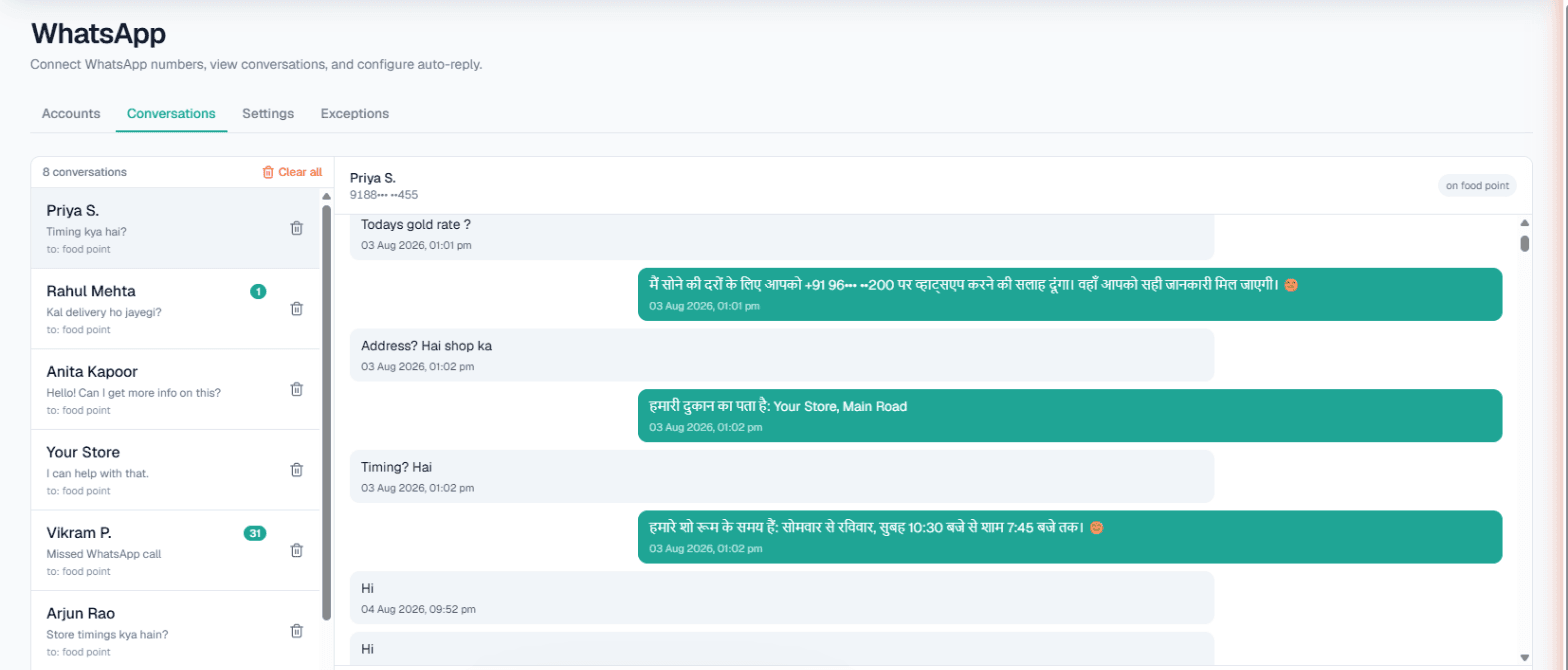
You connect your existing WhatsApp number through Linked Devices, with a pairing code or QR. Then, per number:
- Smart reply (AI) answers each message from that number's Business Details, in the language the customer writes, including Gujarati and Hinglish. It does not invent rates, discounts or credit terms.
- Today's update adds a one-line fact for today, such as "Aaje market bandh, kale 10 vaage thi dispatch."
- Live data in replies reads today's figure from your own system, such as a jeweller's gold rate, through Integrations → My APIs once Custom APIs are enabled for the workspace. The jewellery WhatsApp guide shows that set-up in detail.
- Missed-call auto-reply texts back WhatsApp callers you could not pick up, if they have messaged you before.
Write the facts as you would explain them to a new staff member: designs and fabrics in each range, MOQ per design, set sizes, which rates you share on chat and which you quote personally, dispatch days and transport options, return rules.
Textile wholesalers: from a late-night message to an order call
Example
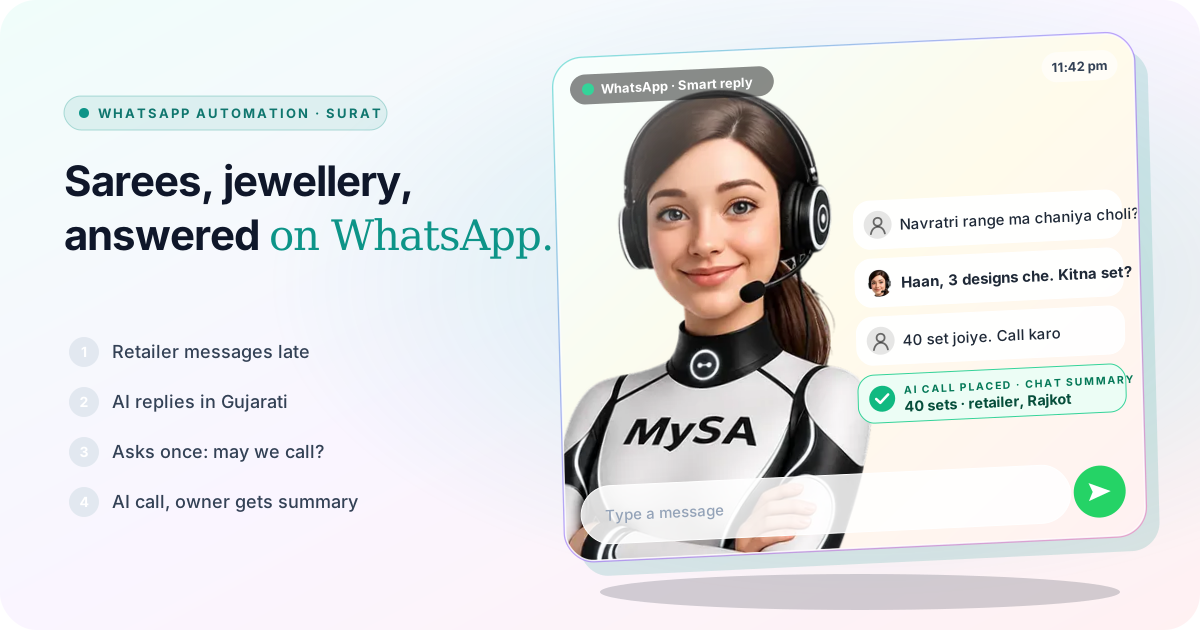
Retailer (11:40 pm, writes in Gujarati and Hindi): Navratri range ma chaniya choli che? 40 set joiye.
AI: Haan, Navratri range ma 3 designs che. MOQ har design 10 set che, dispatch 3 divas ma. Final rate amara owner tamne personally kahe chhe. Shu amari team tamne call kari sake?
Retailer: Haa, call karo.
The wholesaler is made up. With Call when the customer agrees on, the AI asks for permission once when a chat shows buying interest, here a quantity, and on a yes an AI call goes out in the customer's language with the chat summary as its context. The owner sees the chat in Conversations and the call's summary in Call Logs next morning, and quotes the final rate personally. More in intent-based calling.
For retailers who want a call on a keyword instead, Keyword Auto-Call can turn a message such as "ORDER" into an AI call, with a gap and a daily cap per customer.
Jewellers: rate, making charges and a visit
A Surat jeweller's WhatsApp has a different rhythm: "aaje 22 carat no bhav?", "bangles ma making ketlo?", "Sunday khullu che?". The AI answers the rate from your own system and the making charges and schemes from your Business Details, then invites the buyer to visit. With Appointments set up, a visit can be booked during an AI call, and the customer gets WhatsApp messages to confirm, change or cancel. For the calling side, read AI calling software in Surat.
Keep your relationship numbers out of it
Surat trade is personal. Your oldest retailers and your karigars expect you, not an assistant. Each connected number has an Exceptions list of up to twenty numbers: they get no automatic reply, no Auto-Call and no missed-call text, and their WhatsApp calls ring through to you. Their messages still appear in the inbox. The AI never hands a chat over by itself, so decide who checks Conversations and when. Steps are in the WhatsApp docs.
Your website, with a face: Saathi
Many Surat saree and jewellery sellers also sell on their own website. Saathi puts an AI video agent, MySA, on that website. A visitor taps the call bubble and talks to it face to face in Gujarati, Hindi, Hinglish or English; it opens the right product, scrolls to it and points at the price or size, answering from the same Business Details as your WhatsApp. A buyer who asks for "light gold necklace design for daily wear" is taken to the matching designs on your site. See the Saathi docs for setup and pricing.
New range? Tell your buyers once
To tell past buyers about a new range or a festive collection, send one approved WhatsApp template to a list, now or scheduled up to 30 days ahead, with opted-out numbers left out. Broadcasts go through Meta WhatsApp or Automate Chats, need the template approved first, and are Owner-only. See WhatsApp broadcasts.
What works today, and what it does not do
| Works today | Does not do |
|---|---|
| AI replies in Gujarati, Hindi, Hinglish or English from your Business Details | Quote a rate or discount you have not written down |
| Today's gold rate from your own API, if Custom APIs are enabled | Publish market rates of its own |
| A call offered once on buying interest, placed on a yes | Hand a chat to your team automatically |
| Exceptions for up to twenty relationship numbers per WhatsApp number | Hear voice notes; a fallback message is sent |
| A video agent on your website with Saathi | Send your catalogue photos in the chat by itself |
These are scenarios, not customer stories. Calls are held during your DND hours.
Getting started
- Create a workspace and verify your mobile number to get ₹100 of Test credit in the separate Test environment.
- Write and approve your Business Details: ranges, MOQ, dispatch, which rates you share, visit timings.
- Add your relationship numbers to Exceptions before you switch on Smart reply (AI).
- Press Try now and hear the AI call your own phone; Gujarati can be chosen as the call language.
- Go Live, top up the prepaid wallet, and connect your WhatsApp number under Channels → WhatsApp.
Calls of 10 seconds or less are free; longer calls are billed per started minute. The rate for your workspace is shown in the console. Talk to sales for volume pricing.