
Demat account opening follow-up calls are the calls a broking firm makes to people who asked for an account but have not finished it: the enquiry who never started, and the applicant stuck at PAN upload, e-sign or bank proof. MySA Business makes these calls with an AI voice assistant from your number, in Hindi, Hinglish, English or the applicant's regional language, and tells your team who is ready, who needs help and who asked to be called later. The AI talks about the account and its next step — never about which share to buy.
Why account applications stall
Most demat applications do not fail; they pause. The applicant opens the form on a phone, reaches "upload a signature on white paper" or "link your bank account", and stops. A week later the interest has gone and the application sits in your back office as "incomplete".
Season makes it sharper. Interest in markets rises around results, IPO weeks and Diwali, when Muhurat trading is on the calendar — in 2026 the exchanges have announced it for Sunday, 8 November, with the exact timings in their circulars. People who searched "how to open a demat account" that week want it working before the session, and a reminder call a few days earlier is the useful kind.
Call every new enquiry within about a minute
When someone fills your "open an account" form or an ad lead form, connect it to a MySA webhook campaign. Each lead posted to the webhook is called automatically, usually within a minute. The AI confirms what they want (a new demat and trading account, a family member's account, moving from another broker), explains the next step from your approved details, and notes the time they prefer for help from your team.
Your DND hours keep these calls inside the hours you allow: a lead that arrives at 11 p.m. is held and called when the quiet hours end.
Remind applicants stuck at a step
Export the incomplete applications from your back office as an Excel file and upload it as a campaign. Add columns var1 to var15 for each applicant's details — name, the step they stopped at, the date they started — and write the purpose with those placeholders, for example "Aapka account {var2} step par ruka hua hai". Each call is spoken with that applicant's own values.
Example: an application stuck at PAN upload
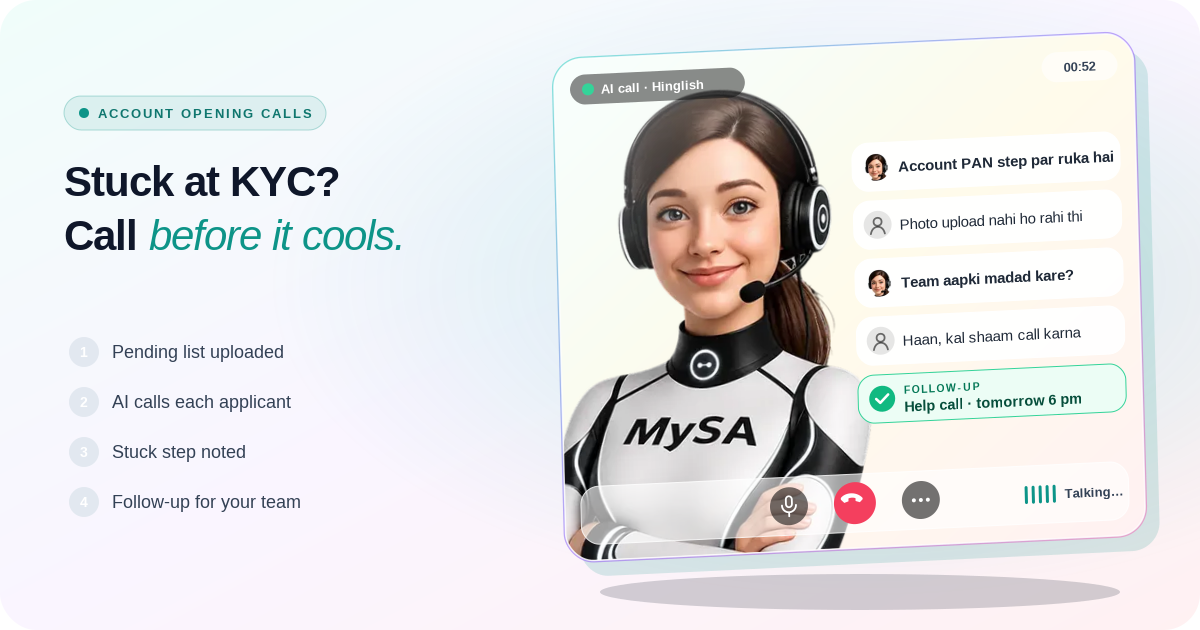
Example — XYZ Securities, a made-up broker, calls an applicant from its pending list.
- AI: Namaste, XYZ Securities se bol rahi hoon. Aapne demat account ke liye form bhara tha, PAN upload wale step par ruka hua hai. Kya koi dikkat aa rahi hai?
- Applicant: Haan, photo upload nahi ho rahi thi. Aaj raat dobara try karta hoon.
- AI: Theek hai. Agar phir bhi na ho to kya hamari team aapko call karke madad kare?
- Applicant: Haan, kal shaam ko call kar lena.
- AI: Kal shaam ke liye note kar liya.
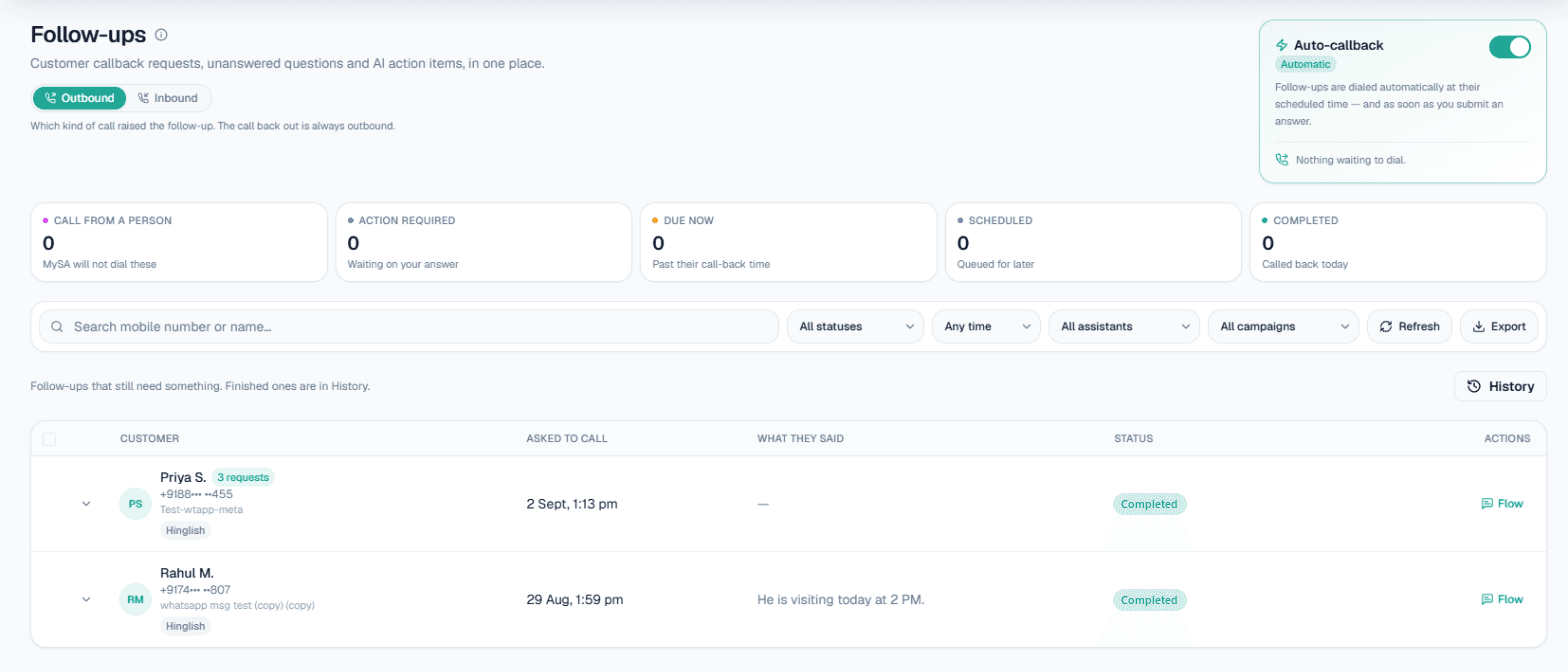
Afterwards the team sees a summary ("PAN photo upload failed, will retry tonight, wants help tomorrow evening"), a follow-up on Follow-ups for tomorrow evening, and a recording of the call. With Auto-callback on, the AI rings at that time; or your team takes the follow-up and calls as a person. Fixing the upload itself stays with your support desk.
What the AI should never say
A broker's call is not a sales pitch for a stock. Decide with your compliance team what a call may cover, put only that in your Business Details, and keep the purpose to the account:
- Fine: what documents are needed, which step is pending, your account opening and brokerage plans as published, branch timings, the date of Muhurat trading as announced by the exchanges.
- Not on these calls: stock tips, "this share will go up", returns, IPO allotment chances, or anything that sounds like investment advice.
Say the same in the purpose in one plain line — "do not discuss or suggest any share, fund or return" — and test it. The AI answers from your approved details. When an applicant asks something outside them — "kaunsa share lena chahiye?", "account kab tak active hoga?" — it says your team will get back, and the call lands in Follow-ups as Action required for a person to answer. Every call is recorded with a summary, which helps your team check what was said.
| Applicant says | AI does |
|---|---|
| "Kaunse documents chahiye?" | Lists the documents from your Business Details |
| "Signature upload nahi ho raha" | Notes the problem, offers a call from your support team |
| "Muhurat trading kab hai?" | Gives the date from your Business Details |
| "Koi achha share batao" | Does not suggest one when your purpose says so; passes it to your team |
| "Kisi insaan se baat karao" | Transfers to your Support number if you set up call transfer |
| "Diwali ke baad karunga" | Creates a follow-up for the date asked |
Sub-brokers and authorised persons
An authorised person (sub-broker) with a list of 300 clients has the same problem in a smaller office: account modifications pending, nominee details missing, a client who asked for a call back. The same campaigns work for them. A Scheduled campaign can split a long list over several days so one person can handle the people who want help.
"Abhi time nahi hai, Diwali ke baad" is common in November. MySA keeps that as a follow-up for the date asked; how to handle "call me later" shows how those call-backs run.
Live application status, a link on WhatsApp, and leads to your RMs
Three features turn these calls from reminders into service:
- Today's status from your back office. If your back office can answer "where is this application?" through an API, register it under Integrations → My APIs. With custom APIs, the AI can fetch the status just before the call, or during it when the applicant asks "account kab active hoga?", and say what the system says instead of promising to check.
- The link on WhatsApp after the call. With On Call Messaging, an approved template goes out automatically after the call: your account opening link and the documents list. Use your own WhatsApp Business number, or MySA WhatsApp if you have none.
- Ready applicants to your relationship managers. Lead Feed, once enabled for your workspace, sends the calls you count as leads by email, Google Sheet, webhook or WhatsApp, so an RM calls only the people who asked for help.
WhatsApp the applicants who did not answer
Not every applicant answers a call during work hours. Where WhatsApp Broadcasts is enabled for your workspace, the Owner can send one approved template to a campaign's calls that did not connect: the documents still needed, a link to your account opening page, or the Muhurat trading date as announced by the exchanges. It goes out from your own WhatsApp Business number or from MySA WhatsApp, now or on a schedule, opt-outs are left out, and the Review step shows the count and cost before sending. Each message is charged from your wallet.
The same rule applies as on the calls: a template about the account, never about a share.
What works today, and what it does not do
These are scenarios, not customer stories.
| Works today | Does not do |
|---|---|
| Calls account enquiries within about a minute via a webhook | Read your back office unless you post leads or upload a file |
Personalised reminders from Excel (var1–var15) | Complete KYC, e-sign or bank verification for the applicant |
| Answers from approved Business Details only | Give stock tips, advice or return figures |
| Follow-ups for the time the applicant asked | Decide what is compliant — your compliance team does |
| Recording, summary and sentiment for every call | Keep turn-by-turn transcripts |
| WhatsApp broadcast of the next step to applicants who did not answer | Send WhatsApp without an approved template |
| Application status from your API, during the call | Know the status if you have no API |
Getting started
- Create a workspace and verify your mobile number to get ₹100 of Test credit in the separate Test environment.
- Write your Business Details with your compliance team: documents, steps, plans, timings — and nothing about specific securities.
- Press Try now — the AI rings your own phone. Ask it for a stock tip and check that it declines.
- Go Live, top up the prepaid wallet, and start with this month's incomplete applications.
Calls of 10 seconds or less are free; longer calls are billed per started minute. The rate for your workspace is shown in the console — talk to sales for volume pricing.