
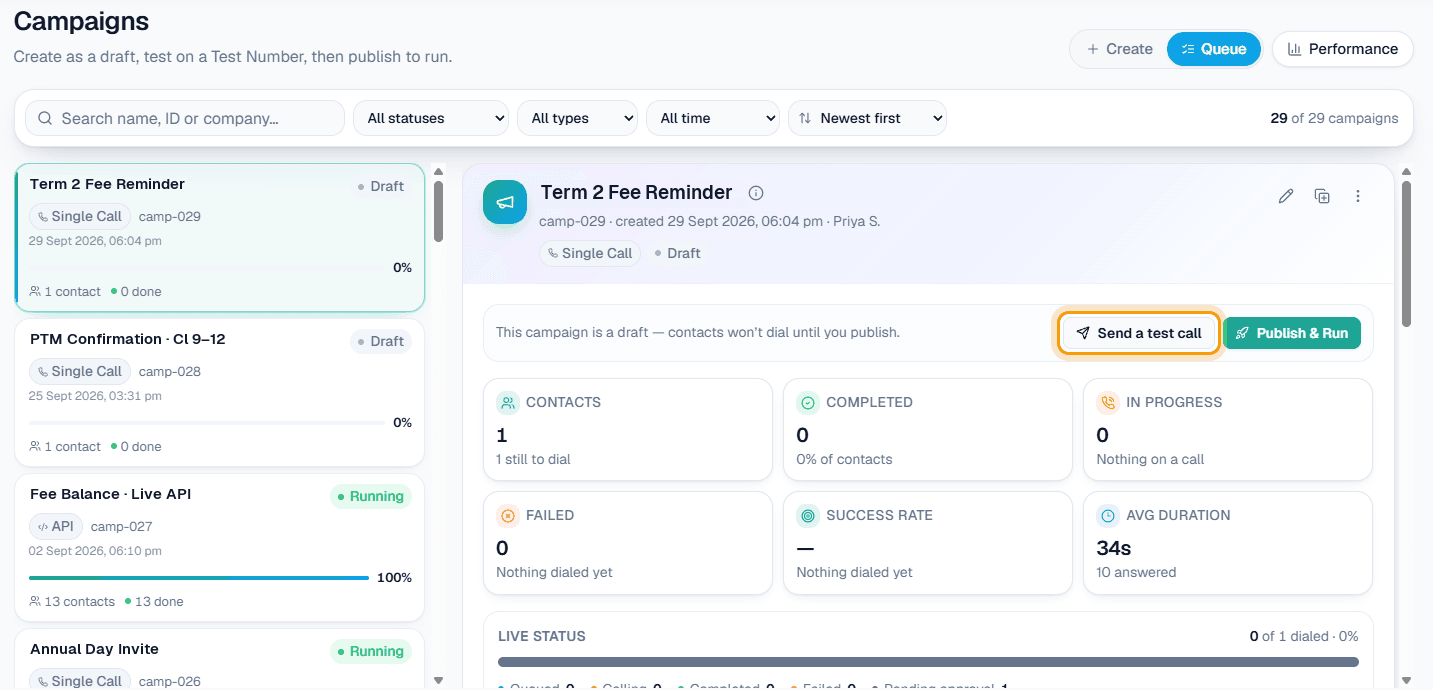
AI automation for schools means letting an AI handle the repeated conversations of a school office: answering admission enquiries, reminding parents about fees, sending notices, and putting each call through to the right person. With MySA Business, the AI answers the school's phone line, makes calls in the language parents speak at home, and replies on WhatsApp. Every call is saved with a recording, a summary and tags, so the office can see what happened without listening to everything.
It does not replace the school's ERP. MySA does not keep attendance, marks or fee ledgers. It does not collect fees or track buses. It talks to parents using the lists and details you give it, or data from your school software over the API.
What a school office actually spends its day on
Ask a front-office team where the day goes and the list is always similar:
- Admission calls. Seats, process, documents, fee structure and campus visits. Most of these calls come during admission season, often at lunch, after 4 p.m. or on Sundays.
- The same everyday questions. Is school open tomorrow? When do the holidays end? Which documents are needed for a TC? What time does the Route 4 bus come?
- Fee follow-ups. A register of families with dues, worked through by hand before every deadline.
- Notices. PTMs, exams, results, holidays and annual day. Many parents miss these in a busy WhatsApp group.
- Calls that need a particular person. A fee receipt that never arrived, a bus that did not come, a complaint for the principal. These all land at reception first.
Most of these conversations follow a pattern. That is what makes them good to automate, and the people in your office can keep the conversations that really need them.
Admission enquiries and general questions on one number
The school's MySA number is answered by the AI. It answers from the Business Details your office writes once: the admissions process, fee structure, timings, holidays, documents, transport routes. It works out what the parent wants from what they ask. There is no "press 1 for admissions" menu.
An admission enquiry can end with a booked campus visit. Set up your counsellors as seats in Appointments, and the AI books a free slot during the call. The parent gets a WhatsApp confirmation, and a reminder call can go out on the day. The enquiry also reaches your counsellor through the Lead Feed, for example in a Google Sheet.
A general question is answered and tagged, for example Holidays, TC or Transport. Your reports then show what parents ask about most. If a question is not covered in your details, the call is left for the office to answer.
Example
Parent: "Class 1 admission ke liye seats hain? Process kya hai?"
AI: "Haan, Class 1 ke admissions khule hain. Form, birth certificate aur ek photo chahiye. Kya aap campus dekhne aana chahenge?"
Parent: "Haan, Saturday 11 baje."
AI: "Saturday 11 baje ka visit book ho gaya. Admission desk ko bhi bata diya hai."
The same school line is described in more detail, with an animated walk-through, on the AI receptionist for schools page.
Call transfer: fees, transport and complaints go to the right desk
Some calls need a person. With call transfer, you add a number for each desk, with a name and one line about when to transfer there:
| Desk | When to transfer here |
|---|---|
| Admissions | Wants admission or a campus visit and asks for a counsellor |
| Accounts | Fee paid but no receipt, concession, refund |
| Transport | Bus late, route change, missed the bus |
| Principal's office | A complaint, or asks for the principal |
The AI chooses the desk from those names and lines. It rings your colleague first and briefs them in Hinglish (the default) or another language you choose, then connects the parent. Transfer has separate switches for inbound and outbound calls. It works in Live, and how many numbers you can add is set for your account.
If transfer is off, or nobody picks up, the call does not disappear. It becomes a Call from a person follow-up, so the office can ring the parent back.
Fee reminders, with each family's own amount
Automated fee reminders work best when each parent hears their own child's details. Upload the list of families with dues as a campaign, with the student's name, class, amount and due date as columns var1 to var15. The AI says them in each call and asks when the parent plans to pay.
Use a Scheduled campaign to call on the dates you choose, for example seven days and two days before the deadline. A language column sets the language per family, so a Tamil-speaking parent and a Hindi-speaking parent can be on the same list.
What the AI does not do: it does not take the payment, send a payment link or know whether a fee has been paid since the list was made. Upload a fresh list before each round, or send the list from your fee software over the API.
The fee-reminder flow is covered step by step in AI calling for schools and colleges.
Notices to every parent: recorded calls and WhatsApp
For a notice that is the same for everyone, such as a holiday, a PTM date or an exam timetable, OBD Calls plays one recorded message to every number on a list. You make the recording in an Indian voice, listen to it once and start. Parents can answer with a key, for example 1 = coming to the PTM, 2 = need another time. The report shows who answered and what they pressed.
OBD Calls is switched on per business, is for transactional notices to parents who agreed to be called, and follows your DND hours.
On WhatsApp, Broadcasts (where they are enabled for your account) send an approved template to a list. Parents who reply get answers from WhatsApp Smart reply, which uses the same details as the phone line. For a change that applies only today, add a Today's update, for example "School closes at 12 today because of the rain." Smart reply then mentions it for the day.
When the bus route changes at 7 a.m.
This is the case that shows why calls and WhatsApp work better together than a group message. Say the road near Sector 21 is blocked and Route 7 has to go by Main Road, about 15 minutes late.
- Upload Route 7's parents to OBD Calls (number, name) and record the notice in Hindi: "Aaj Route 7 ki bus Main Road se jayegi aur karib 15 minute late aayegi. Samajh gaye to 1 dabayein, sawal ho to 2."
- Start it. Every parent on the route is called within minutes, and the report fills in as they press 1 or 2.
- Send WhatsApp to parents who did not answer, using an approved template with their name filled in.
- Update the transport section of Business Details so parents who ring the school line get the same answer. Change it back tomorrow.
- Send transport questions to the Transport desk through call transfer, and ring back the parents who pressed 2.
One thing to check in advance: OBD and AI calls wait until your DND hours end. If your quiet window runs past 7 a.m., a morning notice will wait. Set DND with the bus run in mind.
15 use cases of AI automation for schools
| # | Use case | How it works in MySA Business |
|---|---|---|
| 1 | Admission enquiries at any hour | The school line answers from your details, in the parent's language |
| 2 | Website admission forms called back fast | A webhook campaign calls each new form within about a minute |
| 3 | "Papa se poochke batate hain" | Follow-ups call the parent back at the time they asked for |
| 4 | Campus visits booked and confirmed | Appointments with counsellors as seats, WhatsApp confirmation, reminder call |
| 5 | Admission-season campaigns | Last year's enquiries and sibling families called with this year's dates |
| 6 | Fee reminders with each family's amount | Campaign with var columns, scheduled before the deadline |
| 7 | Pending document collection | Birth certificate, TC or photos named per student from your list |
| 8 | Absence calls | Your attendance software sends the day's list over the API, or the office uploads it |
| 9 | PTM invitations with a keypress | OBD Calls: 1 = coming, 2 = need another time |
| 10 | Exam, result and holiday notices | A recorded call to the class list, plus a WhatsApp template |
| 11 | Annual day and event invitations | Invite, confirm by keypress, remind the evening before |
| 12 | Parents' WhatsApp questions | Smart reply from the same details, with a Today's update |
| 13 | Bus route and timing changes | Route list called in minutes; the school line and WhatsApp give the same answer |
| 14 | Feedback calls and complaints | Term-end feedback calls; complaints transferred to the principal's office |
| 15 | Enquiry and admission reports | Every call tagged and summarised, and leads sent to your sheet |
What stays with your staff
AI automation for schools works best when the office decides which conversations are routine. A fee concession, a child who is unwell at school, a parent who is upset: these go to a person through call transfer, or come back as a follow-up. Admissions counsellors still close the admission. The AI makes sure the parent reaches them, on time, with the enquiry already written down.
Getting started
- Write your Business Details: admissions, fees, timings, holidays, transport routes and documents, in plain language.
- Buy a number and switch on inbound answering, then put the number on your website, boards and admission forms.
- Add your desks for call transfer: Admissions, Accounts, Transport, Principal's office.
- Make one test call to your own phone in each language you plan to use, as a parent would ask.
- Start with one list, for example this month's fee reminders, and read the summaries before adding the next.
You can sign up and try it with the ₹100 Test credit after mobile verification. For a school with several branches or a large parent list, contact sales.