
Coaching institute calls after exam results are the calls you make in the days an answer key or result comes out: to your own students, to ask how they did and what they need next, and to old enquiries who did not join, now that the next stage or the next attempt is close. MySA Business makes these calls with an AI voice assistant from your number, in Hindi, Hinglish or the student's regional language, and gives your counsellors a list of who wants the mains batch, who wants a test series and who wants to talk. It suits SSC, banking, railway and state-exam coaching, and the same pattern works for JEE, NEET and CUET institutes.
Why answer-key week matters
The week an answer key comes out, every aspirant is checking scores and deciding what to do next: prepare for the next tier, take a test series, or start again for next year. That is exactly when they decide which institute to stay with.
Most institutes call only their toppers, for the poster. The students in the middle — a few marks short, unsure whether they cleared — are the ones who most need a call and the ones most likely to join a next-stage batch or a repeater batch. A counsellor team of two cannot call 800 students in three days. An AI can make the first call to all of them and give the counsellors the 120 who want to talk.
This article is about students who already know you. For brand-new enquiries from forms and ads, see admission enquiry follow-up.
Call your own students the day the key is out
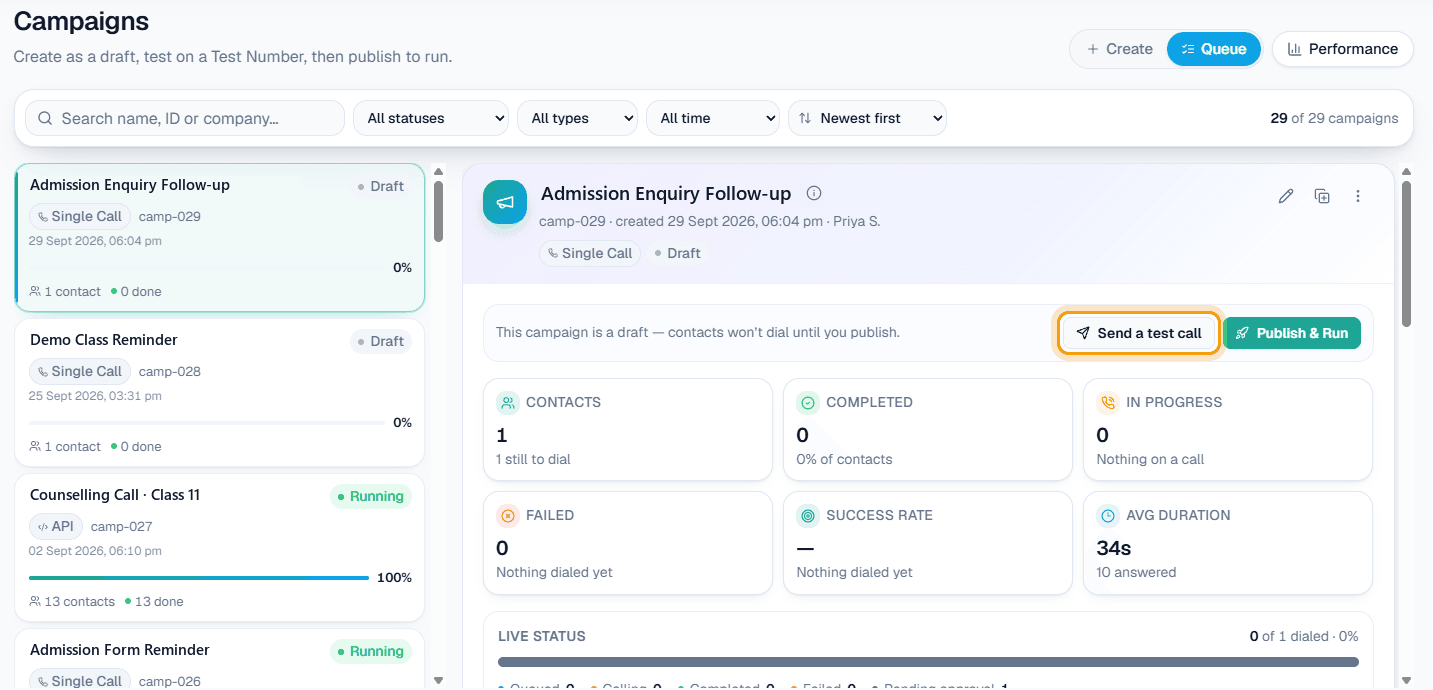
Upload your batch list as a campaign from Excel. Add columns var1 to var15 for each student's details — name, batch, exam, the last mock test score — and write the purpose with those placeholders: "{var1}, {var3} ki answer key aa gayi hai. Aapka expected score kitna aa raha hai?"
Write what you want the AI to find out, the way you would brief a counsellor:
- Their expected score from the answer key, as they say it
- Whether they think they cleared, or are unsure
- What they want next: the next-tier batch, a test series, doubt sessions, or a repeater batch
- Whether they want a counsellor to call them
A Scheduled campaign can split a long list over two or three days, so the counsellors get call-backs at a pace they can handle.
Example: a student a few marks short
Example — ABC Classes, a made-up SSC coaching institute, calls a student from its weekend batch.
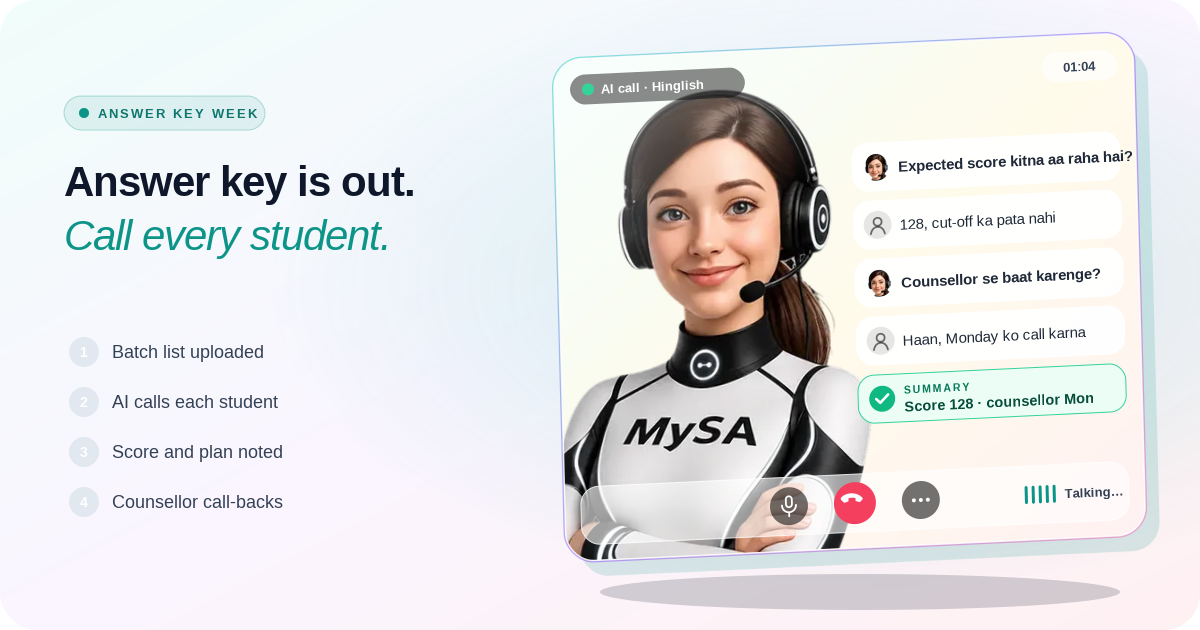
- AI: Namaste Rohit, ABC Classes se bol rahi hoon. Answer key aa gayi hai — aapka expected score kitna aa raha hai?
- Student: Lagbhag 128 aa raha hai, pata nahi cut-off clear hoga ya nahi.
- AI: Samajh sakti hoon. Kya aap next tier ki taiyari abhi se shuru karna chahenge, ya pehle counsellor se baat karna chahenge?
- Student: Counsellor se baat kar leta hoon. Monday ko call kar lena.
- AI: Theek hai, Monday ko counsellor aapko call karenge.
Afterwards the counsellor sees a summary ("expected 128, unsure of cut-off, wants counselling call Monday"), the student's interest, and a follow-up on Follow-ups for Monday. The AI did not guess a cut-off or promise a selection; it does not know either.
Old enquiries: the next attempt
Last year's enquiries who never joined are a second list. Some will have cleared, some will try again. A short call — "pichhli baar aapne enquiry ki thi; is saal ki taiyari ke liye batch shuru ho raha hai" — finds the ones planning another attempt. Put batch dates, fees you quote openly and the demo-class schedule in your Business Details; the AI answers only from those.
When a student asks something the AI cannot answer — "scholarship test kab hai?", "mera previous fee adjust hoga?" — it says your team will check, and the call lands in Follow-ups as Action required. Your counsellor answers once and the AI calls back with it.
| Student says | AI does |
|---|---|
| "Expected score 140 hai" | Notes it in the call summary |
| "Mains batch kab se hai?" | Gives the date from your Business Details |
| "Test series ki fees kitni hai?" | Answers from Business Details, or promises to check |
| "Result ke baad decide karunga" | Creates a follow-up for the result date they mention |
| "Sir se baat karni hai" | Transfers to the Counsellor number if you set up call transfer |
Parents, demo classes and the "later" student
Many students in school-level coaching need a parent to say yes. The AI can call the parent's number from the same list and explain the batch in the parent's language; when the reply is "papa se poochke batate hain", MySA keeps it as a follow-up for the date asked. How to handle "call me later" shows how those call-backs run.
If a student wants a demo class of the new batch and your inbound number has Appointments switched on, the AI can book a slot when the student calls you. On outbound calls it notes the day they want and your team confirms it.
The coaching institutes page brings together the rest: enquiry calls, WhatsApp replies and lead tracking for institutes.
Result week: WhatsApp, Instagram and the office phone
Result week brings work from every side. The rest of MySA covers it:
- Batch details on WhatsApp after the call. With On Call Messaging, an approved template goes out automatically after the call — the batch start date, the fee structure link, the centre address. Use your own WhatsApp Business number, or MySA WhatsApp if you have none.
- "Fees?" in your Instagram DMs. Students ask on Instagram before they call. With Instagram connected, MySA replies to DMs and comments from your Business Details, and when a student agrees to a call, the AI rings them.
- The office phone that does not stop ringing. Switch on inbound calls for your number, and the AI answers "batch kab se hai?" and "fees kitni hai?" from your Business Details while the counsellors are busy, in the caller's language.
- Interested students to the counsellors' sheet. Lead Feed, once enabled for your workspace, sends the calls you count as leads by email, Google Sheet, webhook or WhatsApp.
- Your website, face to face. Saathi puts an AI video agent on your institute's website that answers batch and fee questions from the same Business Details.
WhatsApp the batch dates to everyone
A call finds out what each student wants; a WhatsApp message keeps the dates in front of them. Where WhatsApp Broadcasts is enabled for your workspace, the Owner can send one approved template — next batch start date, test series schedule, counselling timings — to the students a campaign did not connect with, or to everyone on the list. It goes out from your own WhatsApp Business number or from MySA WhatsApp, now or on a schedule, with each student's name filled in. Opt-outs are left out, and the Review step shows the exact count and cost before you press Send. Each message is charged from your wallet.
What works today, and what it does not do
These are scenarios, not customer stories.
| Works today | Does not do |
|---|---|
Calls your batch list from Excel, personalised with var1–var15 | Read results or answer keys from the exam website |
| Notes the expected score the student says | Calculate scores, predict cut-offs or promise a selection |
| Follow-ups for the day the student or parent asked | Collect fees on the call |
| Answers batch and fee questions from Business Details | Invent discounts or scholarships |
| Recording, summary, sentiment and tags for every call | Keep turn-by-turn transcripts |
| WhatsApp broadcast of batch dates to the whole list | Send WhatsApp without an approved template |
| WhatsApp after the call, Instagram DM replies, inbound answering | Answer anything not in your Business Details |
Getting started
- Create a workspace and verify your mobile number to get ₹100 of Test credit in the separate Test environment.
- Write your Business Details: next batches and their start dates, test series, the fees you quote openly, centre timings.
- Press Try now — the AI rings your own phone. Play a student who is unsure about the cut-off.
- Go Live, top up the prepaid wallet, and have the batch list ready for the day the answer key comes out.
Calls of 10 seconds or less are free; longer calls are billed per started minute. The rate for your workspace is shown in the console — talk to sales for volume pricing.