
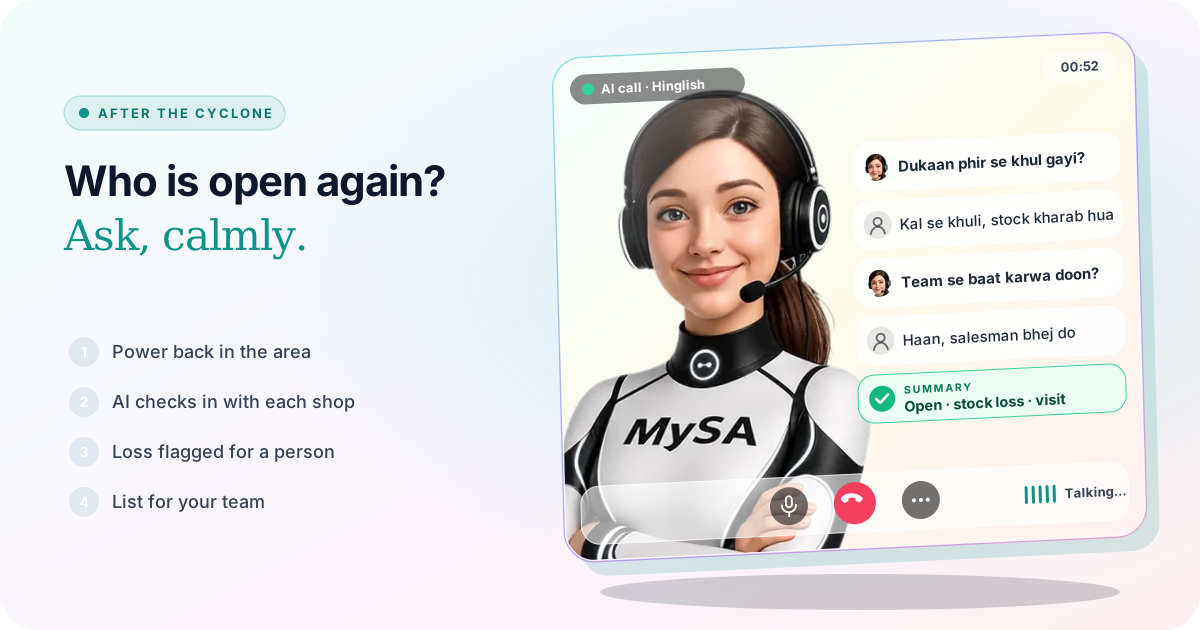
Customer check-in calls after a cyclone are short, calm calls a business makes once the storm has passed, to learn who is open again, who lost stock or equipment, and who needs something from you. With MySA Business, an AI call campaign can ring every retailer, dealer or past customer on your list in Telugu, Odia, Bengali or Hinglish, ask the same three questions, and hand your team a sorted list: open and fine, needs restock or a visit, and needs a person today.
Why it matters this week
IMD said Cyclone Arnab began crossing the Andhra Pradesh and Yanam coast early on 28 October 2026, south of Yanam, in the landfall zone between Bapatla and Visakhapatnam. Live reports that morning described waterlogging and snapped power lines in Kakinada, uprooted trees blocking roads in Visakhapatnam, about one lakh people moved to safety in Odisha, and heavy rain in West Bengal (ETV Bharat live updates, 28 Oct). Follow IMD and your district administration for the weather and for when it is safe to move around; this article is about the days after.
Before and during the storm, the job was telling people you were closed: see shop closed for a cyclone. For orders already stuck in transit, see order delay messages.
Wait for power and network, then spread the calls
A call to an area still without power is wasted and unkind. Start where power and mobile network are back; add the rest as they return.
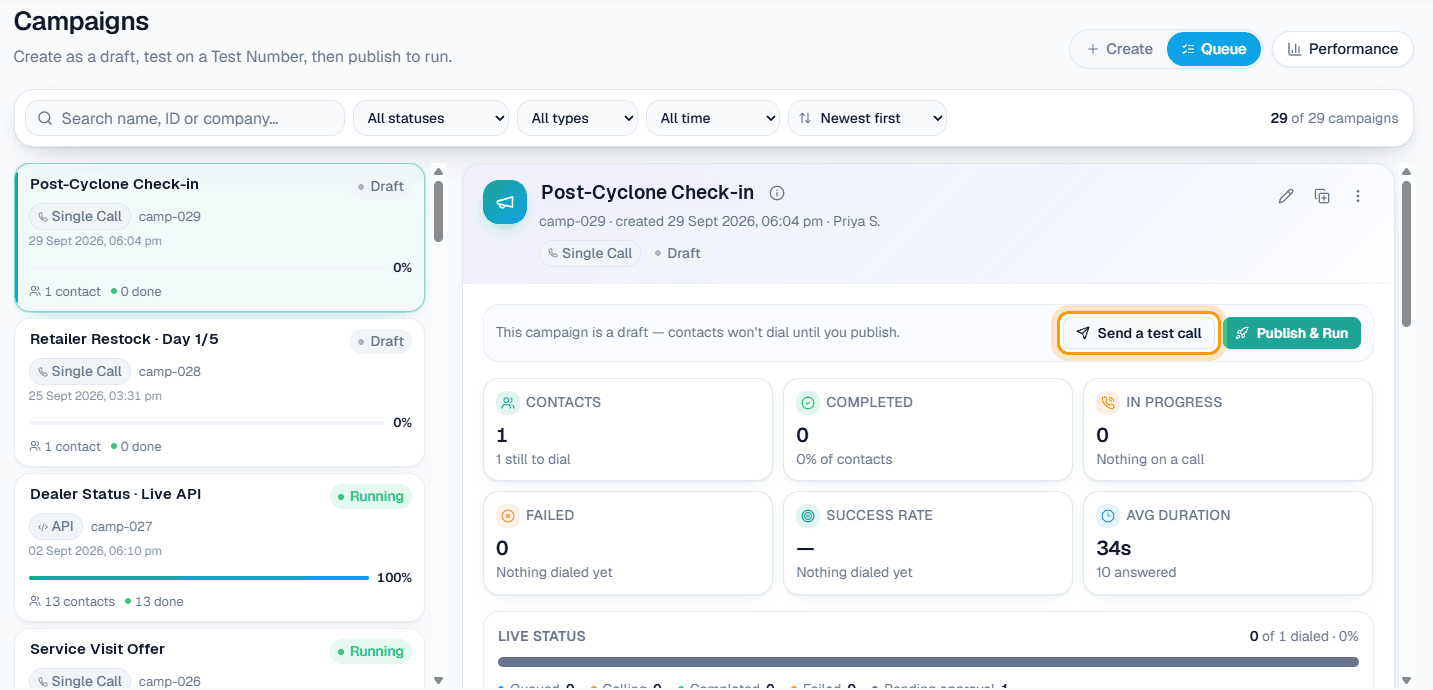
A Scheduled campaign suits this. Upload the list once, choose Split over days, and set Calls per day so your team can handle the replies: a list of 300 retailers at 60 a day becomes five daily campaigns, each with its own report. Runs start between 9:00 AM and 9:00 PM IST, and calls that fall inside your DND hours are held, not lost. If an area is still dark on its day, open that day's campaign and Pause it. See Campaigns and the campaign docs.
Distributors and wholesalers: who is open, who needs stock
A distributor in coastal Andhra, such as one supplying shops around Visakhapatnam, or in southern Odisha usually learns which shops are back by waiting for orders. A check-in call asks directly.
Upload an Excel file with destination (the mobile number), customer_name, and columns such as var1 for the shop name and var2 for the town. A language column on any row overrides the campaign language, so Telugu-speaking retailers in Kakinada and Odia-speaking ones in Ganjam can sit in the same file. Prefer .xlsx when names are in Telugu or Odia script. Then write the purpose: "Retailer se poochho ki {var1} khuli hai ya nahi, cyclone se stock ka koi nuksan hua kya, aur abhi kya maal chahiye. Kuch bechna nahi hai. Agar nuksan bada hai ya woh kisi se baat karna chahte hain, to note karo."
Example
AI: Namaste Suresh ji, main ABC Distributors se bol rahi hoon. Cyclone ke baad bas haal-chaal poochhna tha. Aapki dukaan khuli hai?
Customer: Kal se khuli hai. Godown mein paani aaya tha, biscuit aur atta kharab ho gaya.
AI: Sunke dukh hua. Kya abhi kuch maal chahiye, ya aap pehle hamari team se baat karna chahenge?
Customer: Salesman ko bhej do, list unko de dunga.
AI: Ji, note kar liya. Team aapse jaldi sampark karegi. Apna dhyan rakhiye.
The distributor is made up. After the call, Call Logs shows an AI summary ("Open since yesterday; godown flooded, biscuits and atta damaged; wants salesman visit"), the sentiment, the tags and the recording. Add tags of your own such as "Stock loss" and "Restock" on the Tags page; the AI applies only tags from your list. Download in Call Logs saves the filtered calls as a CSV with the AI summary, which is the list your salesmen work from. See Call logs.
Service businesses: offer help, book the visit
After a cyclone, AC, inverter, fridge and electrical repair shops, vehicle service centres and insurance agents all have customers who need them but have not called yet. A check-in call to past customers, asking "cyclone ke baad sab theek hai? kuch check karwana hai?", finds them.
- Repair and service centres: with Appointments and AI books on calls on, the AI can check free times and book a slot on the same outbound call, and the customer gets the confirmation on WhatsApp. Your technicians or service bays are the seats; the Appointments docs list what must be switched on.
- Customers who say they will come in: "Saturday ko gaadi le aaunga" becomes a visit reminder if you have switched them on, and MySA rings on that day to confirm.
- Insurance agents: the call can ask whether a policyholder had damage and wants help with a claim. The claim itself stays with the agent and the insurer.
Clinics, schools and coaching centres: tell people you are open
A short call to patients with a pending follow-up, or to parents and students, saying from which day you are open saves many "kal khula hai?" calls. Keep it to the fact and one question, such as "aap kab aa payenge?". Anyone who asks for a call later goes to Follow-ups at the time they gave.
Customer says, AI does
| Customer says | What the AI does |
|---|---|
| "Dukaan kal se khuli hai, maal chahiye" | Notes it in the summary; your restock tag marks the call |
| "Abhi baat nahi kar sakta, kal call karo" | Adds a follow-up at the time they asked |
| "Godown poora doob gaya, bahut nuksan hua" | Follows your purpose: no offers, notes the loss; the call shows up in the sentiment filter for your team |
| "Kisi insaan se baat karao" | Hands the call to your team if call transfer is set up, otherwise creates a Call from a person follow-up that MySA never dials |
| "AC chal nahi raha, kab aa sakte ho?" | Books a slot if AI books on calls is on; otherwise notes the request |
Anyone reporting loss or distress goes to a person
The AI does not judge how bad a loss is, so do not leave those customers in a report nobody opens.
- Needs a human: calls that need a person are flagged in the call detail.
- Sentiment: filter Call Logs by Negative each evening and ring those customers yourself.
- Call from a person: customers who ask for someone appear on Follow-ups with their own words and the time they were promised. With Lead Feed enabled, switch on Tell me when a customer asks to speak to a person to be alerted at once. See Follow-ups.
- Call transfer: in your Live workspace, the AI can hand such a caller to a named number on your team during the call, briefing your colleague first. See Call transfer.
Write into the purpose that the AI must not offer discounts, schemes or new products on this call. A retailer who has just lost stock remembers who called to ask how they were and who called to sell.
What works today, and what it does not do
| Works today | Does not do |
|---|---|
| Calls your list in the language set per campaign or per row | Know which areas have power or network back; you decide who is called when |
| Spreads a long list over days with Scheduled campaigns | Judge how serious a loss is |
| Summary, sentiment, tags and recording for each call, downloadable as CSV | Raise an insurance claim, place an order in your ERP or send a salesman |
| Books a visit if Appointments and AI books on calls are on | Call when the customer's phone or network is down |
| Holds calls during DND hours | Send SMS or email |
These are scenarios, not customer stories. Hear the call in Telugu, Odia or Bengali on a test call to your own phone before you run a list in that language.
Getting started
- Create a workspace and verify your mobile number to get ₹100 of Test credit in the separate Test environment.
- Approve your Business Details: your areas, timings and the number customers should call.
- Press Try now: the AI rings your own phone, so you hear it before any customer does.
- Upload a small file, send a test call to yourself, then go Live, top up the prepaid wallet and run the list over a few days.
Calls of 10 seconds or less are free; longer calls are billed per started minute. The rate for your workspace is shown in the console. Talk to sales for volume pricing.