
When staff go on festival leave, the shop or office stays open but the people who answer customer calls are away. Every year in November that happens to businesses across Delhi NCR, Mumbai, Surat, Pune, Ludhiana and other cities whose staff come from Bihar, Jharkhand and eastern Uttar Pradesh and travel home for Diwali and Chhath. With MySA Business, an AI voice assistant can answer the business number while the team is short, say when the person the caller needs is back, and keep every request for their return. The leave is the team's; the calls do not have to wait for it.
When the team is away this year
Diwali is on Sunday, 8 November 2026, and Chhath Puja follows from Friday, 13 November (Nahay Khay) to the morning arghya on Monday, 16 November. Many people take the whole stretch, and the return journey adds days. For a business that stays open, that means a week or two with a smaller team.
This is different from closing for the festival. If your shop shuts for a few days, a closing notice does the job, as in our Diwali holiday notice. This article is for the business that is open, with fewer hands.
Which calls go unanswered
With half the team away, the calls that suffer are the routine ones nobody is assigned to:
- Order and delivery questions: "mera order kab aayega?", "dispatch hua?"
- Price and availability: "ye item stock mein hai?", "rate kya hai?"
- Calls for a particular person: "Rajesh ji se baat karni hai", who is in Darbhanga until the 20th.
- Service and repair requests that need someone to visit after the team is back.
Each one is short, but a missed call to a shop is often a customer who rings the next shop.
Before the team leaves
Set this up in the week before Diwali, while everyone is still there:
- Write who is away and when they are back into your Business Details. For example: "Dispatch team on leave 6–18 November; orders placed in this period are dispatched from 19 November. Accounts available on calls throughout." Approved Business Details cannot be edited, so build a new version and approve it; see Business Details.
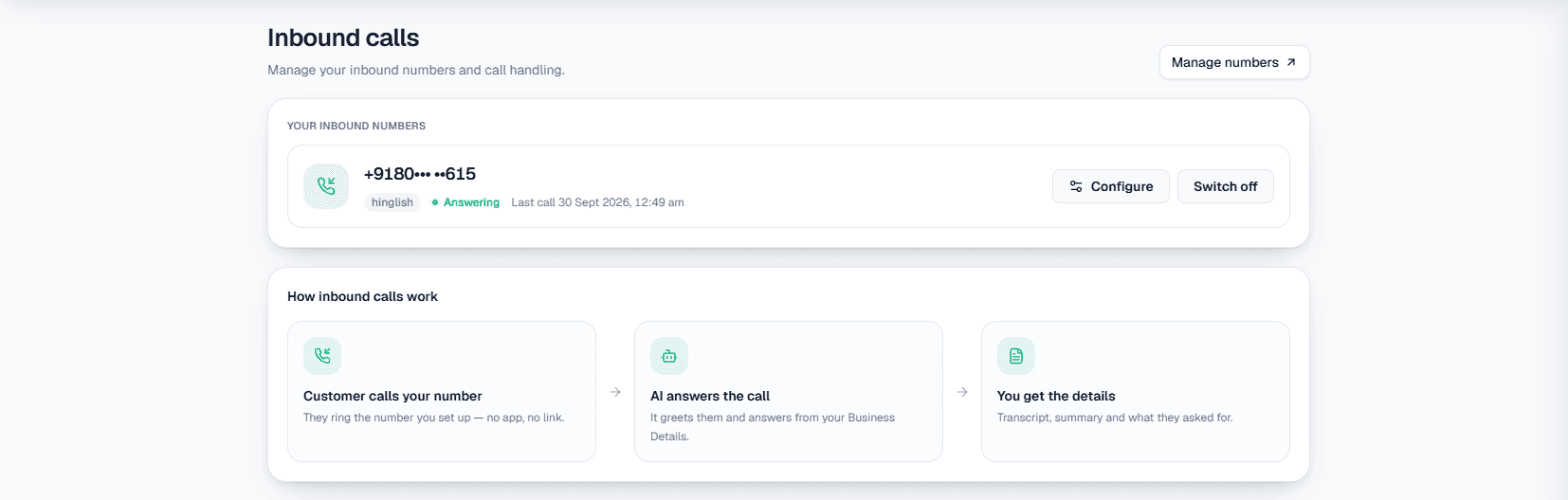
- Switch inbound on for your number in Phone system → Inbound. It needs a number you bought, your Live workspace and wallet balance. See Inbound calls.
- Add a sentence to the AI instructions for these weeks: "Many of our staff are on festival leave until 18 November. Answer from our details, give the return date when a caller needs someone who is away, and offer a call back." The instructions take up to 5,000 characters and can be saved without interrupting the number.
- Turn on Call customers back when they ask if you want MySA to place the call-backs the AI promises. They are charged as normal outgoing calls.
- Name the people who are staying under Call transfer, for example "Manager on duty", with a one-line "when to transfer here" such as "urgent orders or complaints". The AI rings them, briefs them and connects the caller. Transfer works in Live, and transfer minutes are billed separately.
While they are away
Example
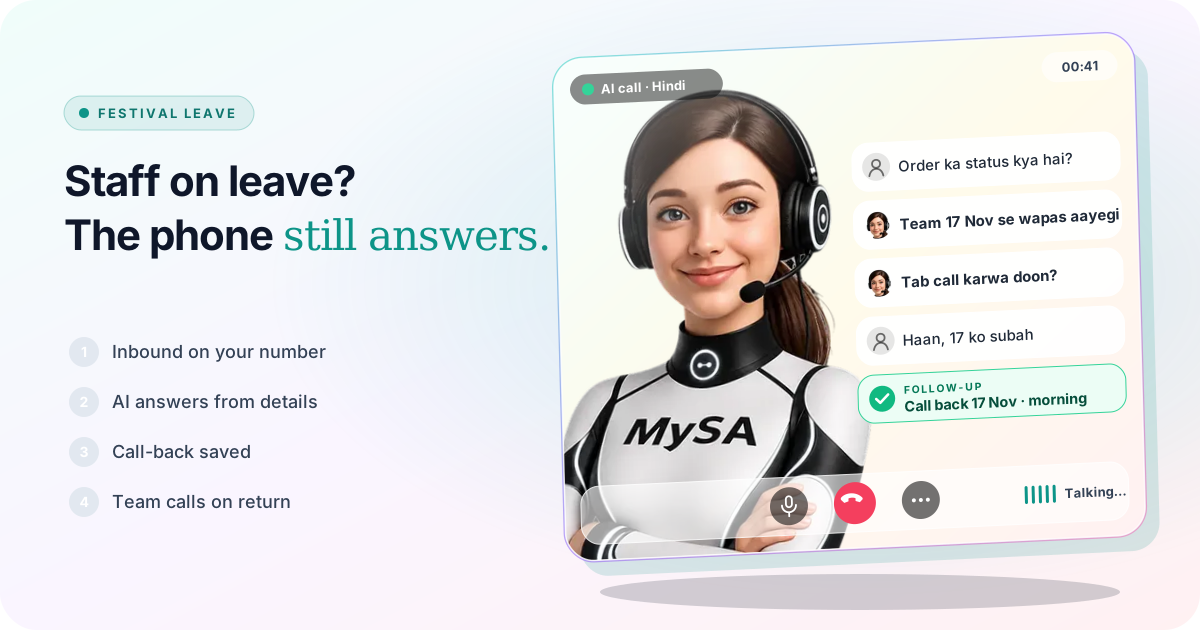
Caller: Mera order ka status kya hai? Pichhle hafte diya tha.
AI: Hamari dispatch team Chhath ki chhutti par hai aur 17 November se wapas aayegi. Kya main us din aapko call karwa doon?
Caller: Haan, 17 ko subah.
After the call, Call Logs has the recording and an AI summary, and the request is in Follow-ups with the time the caller asked for. The AI did not look up the order. Unless you have connected your own system as a Custom API, it does not know order status, and it should say so instead of guessing.
Outbound work can carry on too. Calls you would normally make by hand, such as payment or appointment reminders to a list, can run as a campaign in the same weeks; see Campaigns. Calls are never placed inside your DND hours.
If customers also message you, write the same return dates into Today's update for your WhatsApp number when it uses Smart reply (AI); see the WhatsApp docs.
The day the team is back
Open Calling → Follow-ups. Everything that waited is there:
- With Auto-callback on, follow-ups dial at the time the caller asked, so "17 ko subah" is rung on the 17th. Otherwise press Call now on each row.
- Rows marked Call from a person are callers who asked for someone on your team. MySA does not dial these with the AI; your colleague rings them and presses Mark called back.
- Rows marked Action required are questions the AI could not answer. Type the answer once and the AI calls the customer back with it.
See Follow-ups, and for the wider picture of a small team and a busy phone, Handle more calls with a small team.
What works today, and what it does not do
| Works today | Does not do |
|---|---|
| AI answers your business number from your approved details | Know who is on leave unless you write it in |
| Call-backs saved for the date and time the caller asked | Look up an order or stock without your own API |
| Urgent callers handed to a named colleague who stayed | Ring a staff member's personal phone you did not add |
| Recordings and summaries of every call in Call Logs | Send SMS or email |
| Campaigns that keep routine outbound calls going | Switch the leave wording off by date; you replace it in the next version |
These are scenarios, not customer stories.
Getting started
- Create a workspace and verify your mobile number to get ₹100 of Test credit in the separate Test environment.
- Build and approve Business Details with your timings and who is away until when.
- Press Try now: the AI rings your own phone. Ask it "Rajesh ji kab aayenge?"
- Go Live, top up the prepaid wallet, and switch inbound on for your business number.
Calls of 10 seconds or less are free; longer calls are billed per started minute. The rate for your workspace is shown in the console. Talk to sales for volume pricing.